EasyManua.ls Logo

Sony UWP-D11 - User Manual

Sony UWP-D11
38 pages
Print Icon
To Next Page IconTo Next Page
Loading...
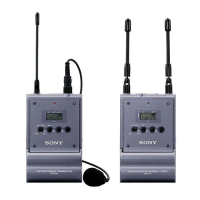
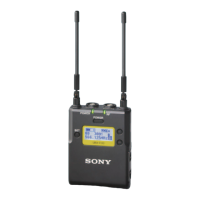
Wireless Microphone
Package
Operating Instructions
Before operating the unit, please read this manual thoroughly
and retain it for future reference.
UWP-D11/D12/D16
4-530-735-12 (1)
© 2014 Sony Corporation

Other manuals for Sony UWP-D11

Questions and Answers

  • B
    Bradley GonzalesAug 14, 2025
    Why is there sound interruption or noise with my Sony UWP-D11 Microphone?
    • J
      Jacob LoweAug 14, 2025
      To resolve sound interruption or noise with your Sony Microphone, ensure that the channel setting on the transmitter matches the tuner. Avoid using two or more transmitters on the same channel; instead, refer to the frequency list on the supplied CD-ROM to reconfigure each transmitter. Also, transmitters should be set to channels within the same channel group to prevent signal interference. Using channels separated by at least two channels (250 kHz) can also help.
  • J
    Joanna MillerAug 17, 2025
    What to do if there is no sound from Sony UWP-D11 Microphone?
    • H
      Heather CamachoAug 18, 2025
      If there is no sound from your Sony Microphone, verify that the channel setting on the transmitter matches the tuner. Ensure the transmitter is on and transmitting signals, and reduce the distance between the transmitter and tuner if the transmission output is weak. Check that the transmitter is set to microphone input, not line level input. Confirm that the compander mode setting is the same on both the transmitter and tuner. Also, make sure the transmitter is not muted by pressing the POWER/MUTING button.
  • K
    Kevin RiveraAug 21, 2025
    Why is the sound distorted on my Sony UWP-D11 Microphone?
    • B
      Brandon AllisonAug 21, 2025
      To fix distorted sound on your Sony Microphone, ensure the attenuation level on the transmitter is appropriately set to avoid distortion due to extremely high input levels. Verify that the channel setting on the transmitter matches the tuner. Use headphones with a stereo mini jack. Also, the compander mode setting should be the same on both the transmitter and tuner.
  • J
    jonathan37Aug 25, 2025
    Why is the sound weak on my Sony UWP-D11?
    • J
      Jose BarronAug 25, 2025
      If you're experiencing weak sound with your Sony Microphone, the attenuation level on the transmitter may be too high, resulting in a low input level. Adjust the attenuation of the transmitter accordingly. Also, check that the volume on the amplifier or mixer is at an appropriate level. Ensure that the transmitter is set to microphone input, not line level input. Finally, verify that the compander mode setting is the same on both the transmitter and tuner.
  • D
    David SmithAug 28, 2025
    How to fix Sony UWP-D11 that does not turn on?
    • T
      travishutchinsonAug 28, 2025
      If your Sony Microphone does not turn on, ensure that the batteries are inserted with the correct polarity orientation. Replace the batteries if they are low. Clean the battery terminals with a cotton swab to remove any dirt.
  • C
    Cheryl ArellanoAug 31, 2025
    Why do the batteries become drained quickly in Sony Microphone?
    • K
      Karen MartinAug 31, 2025
      If your Sony Microphone's batteries are draining quickly, try these steps: replace the batteries with new ones. If you're using manganese batteries, switch to alkaline batteries, as they last much longer. Be aware that cold conditions can also cause batteries to drain faster.
  • E
    elizabeth76Sep 3, 2025
    Why does the RF indicator on my Sony Microphone tuner light up when the transmitter is off?
    • X
      xavierthompsonSep 3, 2025
      If the RF indicator on your Sony Microphone tuner lights up even when the transmitter is off, it may be receiving jamming radio waves. Try setting the tuner to a channel where the RF indicator does not light up, or use the Clear Channel Scan function to find a channel without interference. Then, set the transmitter to the same channel as the tuner. If using multiple transmitters, switch to a channel group that is not affected.
  • S
    Susan PetersSep 6, 2025
    What to do if Sony UWP-D11 Microphone does not turn off?
    • H
      Haley FloresSep 6, 2025
      If your Sony Microphone does not turn off, release the locked status in the PWR LOCK menu, as the POWER/MUTING button may be locked.
  • R
    Robert WagnerSep 10, 2025
    Why can't the transmitter channel be set with infrared transmission on my Sony Microphone?
    • T
      Traci AndersonSep 10, 2025
      If you cannot set the transmitter channel with infrared transmission on your Sony Microphone, reduce the distance between the infrared receptor on the transmitter and the infrared transmission port on the tuner to within about 20 cm (8 in.). Also, be aware that interference from other devices or direct sunlight can reduce the transmitting distance; place the transmitter and tuner as close as possible to mitigate this.

Summary

Device Component Identification

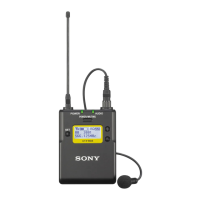
Body-pack Transmitter (UTX-B03) Parts

Explains the parts and functions of the UTX-B03 body-pack transmitter.

Hand-held Microphone (UTX-M03) Parts

Explains the parts and functions of the UTX-M03 hand-held microphone.

Plug-on Transmitter (UTX-P03) Parts

Explains the parts and functions of the UTX-P03 plug-on transmitter.

Portable Diversity Tuner (URX-P03) Parts

Explains the parts and functions of the URX-P03 portable diversity tuner.

Power Supply and Battery Management

Device Power Supply Options

Details power supply options for transmitters and tuners, including batteries and USB.

Charging Nickel Metal Hydride Batteries

Explains the process and conditions for charging Ni-MH batteries via USB.

Inserting Batteries

Provides instructions and notes for inserting batteries into devices.

USB Power Supply Usage

Details how to supply power to devices via USB.

Attaching Accessories

Operation and Troubleshooting

Basic Device Operation (AUTO SET)

Step-by-step guide for basic operation and channel setting using AUTO SET.

Handling Noise and Interference

Troubleshooting steps for dealing with noise and interference during operation.

Tuner Settings

Tuner Menu Structure and Modes

Explains the menu structure and modes (Simple, Extended) for the URX-P03 tuner.

Active Channel Scan Function

How to use the ACT SCAN function to find channels currently in use.

Channel Selection and Scanning

Procedure for selecting the group and channel on the URX-P03 portable diversity tuner.

Tuner Configuration Menu

Transmitter Settings

Setting Transmit Channel

Procedure for selecting group and channel on transmitters.

Error Messages

Troubleshooting Common Issues

Important Notes on Use

Specifications

Sony UWP-D11 Specifications

General IconGeneral
Display typeLCD
Mounting typePortable (bodypack receiver)
Built-in displayYes
Housing materialMetal
Channels quantity33 channels
Operating frequency type-
Radio Frequency (RF) range566.025 - 633 MHz
Battery typeAA
Power supply typeBattery

Related product manuals