Tuner Settings
20
• When operating two or more UWP-D series packages
simultaneously with different channel groups, make
sure that they are at least 100 meters (330 feet) apart if
they are used within clear sight of each other (actual
distance may vary depending on the circumstances).
Tuner Settings
Menu structure and operation
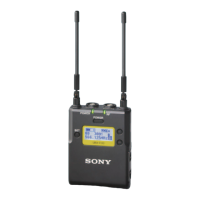
Procedure for portable diversity tuner (URX-P03)
There are two menu display modes that can be selected
according to the application.
Simple mode
This mode displays only the required settings for the tuner
and audio output.
You can enable simple mode by setting MENU MODE
(menu display mode) to SIMPLE.
Configuration menus
• GP/CH (group/channel) select
• PHONES (monitor audio) setting
• AUTO SET (auto channel setting) function
• BAND (frequency band) select (Not available on
Japanese and Korean models)
• CLR SCAN (clear channel scan) function
• OUT LEVEL (audio output level) setting
• SYNC (infrared transmitter) function
• TIME (accumulated running time) display
• MENU MODE (menu display mode) setting
Extended mode
This mode displays all configuration menus.
You can enable extended mode by setting MENU MODE
(menu display mode) to ADVANCED.
The existing settings configured in extended mode are
active even when using simple mode.
Configuration menus
• GP/CH (group/channel) select
• PHONES (monitor audio) setting
• AUTO SET (auto channel setting) function
• BAND (frequency band) select (Not available on
Japanese and Korean models)
• CLR SCAN (clear channel scan) function
• OUT LEVEL (audio output level) setting
• SYNC (infrared transmitter) function
• TIME (accumulated running time) display
• MENU MODE (menu display mode) setting
• COMPANDER (compander mode) setting
• POWER SEL (external power selection) setting
• ACT SCAN (active channel scan) function
• PWR LOCK (POWER button lock) function
• BATTERY (battery type) setting
• CONTRAST (display text contrast) setting
• RESET (factory default setting) function
• VERSION (software version) display
Note


 To Next Page