
 Need help?
Do you have a question about the Sony VAIO SVL241 Series and is the answer not in the manual?
Follow safety labels and operating manual precautions for safe service procedures.
Utilize specified components with equivalent safety characteristics for repairs.
Maintain original layout and wiring for safety features and thermal management.
Verify correct reassembly, secure components, and check for damage post-repair.
Never reuse components; handle tantalum capacitors carefully due to heat sensitivity.
Use appropriate soldering temperature and handle with care to avoid damage.
Detailed listing and identification of various screws used in the assembly.
Exploded view of the rear panel and its associated components.
Exploded view of the main internal components and their arrangement.
Exploded view of the front panel, display, and related parts.
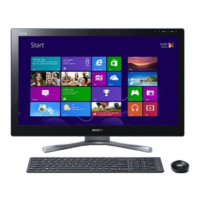
Visual identification of included accessories such as AC adapter, keyboard, and mouse.
Step-by-step instructions for safely removing and installing the CPU.
The provided document is a service manual for the Sony SVL241 Series Personal Computer, offering detailed information on its internal structure, components, and maintenance procedures.
The Sony SVL241 Series is a personal computer designed for various computing tasks. It integrates a comprehensive set of input/output capabilities, multimedia features, and connectivity options. The system supports both internal and external graphics, indicating flexibility for different performance needs, from general use to more demanding visual applications. It features a touch screen, suggesting an interactive user experience, and also supports glassless 3D LCD technology, which points to advanced display capabilities for immersive content. The inclusion of a TV tuner (ISDB T, BS/CS) and associated components like a B-CAS SIM indicates its functionality as a multimedia hub, capable of receiving and displaying television broadcasts.
Processor and Graphics: The system is built around an Ivy Bridge QC, DC (rPGA) processor, which can utilize either integrated (Int Gfx) or external (Ext Gfx) graphics. The external graphics option is specified as dGPU (N13P GS/GLP) with up to 2GB of VRAM, suggesting dedicated graphics processing power.
Memory: It supports DDR3 memory, with two modules each capable of 1600 MHz, indicating a dual-channel memory configuration for enhanced performance.
Storage: The SVL241 Series offers flexible storage options, including a slot for an ODD (Optical Disc Drive) connected via SATA Gen1, and support for a 2.5" SSD/3.5" HDD connected via SATA Gen3. This allows for a combination of fast solid-state storage and high-capacity traditional hard drives.
Connectivity:
Display: The system supports an LVDS 2ch LCD/Panel, with specific mention of a glassless 3D LCD, indicating advanced display technology. It also includes a Back Light LED Driver.
Control and Sensors: An Embedded Controller (EC) manages various system functions, including GPIO, SW/BTN, Ctrl Data, LEDs, and fan control. It also integrates a Touch Switch and a Touch Sensor Board for interactive input. IR Camera (3D Sku) and IR Receiver are present, suggesting support for gesture control or other infrared-based interactions.
Power Management: Thermal protection mechanisms are in place for the CPU, GPU, and Intel components, along with a VRAN VRAM module, ensuring system stability and longevity.
The SVL241 Series is designed for a rich user experience, leveraging its diverse hardware. The touch screen and glassless 3D LCD enhance interaction and visual immersion, making it suitable for multimedia consumption, gaming, and interactive applications. The integrated TV tuner allows it to function as a television, providing entertainment capabilities beyond traditional computing. Multiple USB ports and card readers offer convenient connectivity for peripherals and data transfer. The combination of SSD and HDD storage options allows users to prioritize speed for the operating system and frequently used applications while maintaining ample space for large files. Wireless connectivity via WLAN and Bluetooth further enhances its versatility, enabling network access and connection to various wireless devices.
The service manual provides detailed instructions for maintaining and repairing the device. Key maintenance features and precautions include:



 To Next Page
 General