This document serves as the Service Manual for the Sony SVS131/S13A Series Personal Computers, designated as Ver.7-2014A. It provides comprehensive information for servicing and maintaining these devices, covering block diagrams, frame harness diagrams, exploded views with parts lists, and other relevant details.
Function Description:
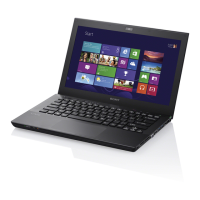
The SVS131/S13A Series are personal computers designed by Sony. The manual details two main configurations: one with an external graphics processing unit (Ext-Gfx model) and another with an integrated graphics processing unit (Int-Gfx model). These computers utilize Intel Processors (Ivy Bridge SV_DC or Sandy Bridge SV_DC) and a PCH (Panther Point-M) chipset. They support various connectivity options including HDMI, VGA, USB 2.0, USB 3.0, RJ45 Gigabit LAN, and memory card readers (MS Card and SD Card). Wireless communication is facilitated through WLAN/WiMAX and Bluetooth modules, with some models also supporting WWAN. Input devices include a keyboard (with backlight on some models), a touch pad, and various buttons for power, ASSIST, Web (WiDi), VAIO, ODD Eject, Performance STAMINA/SPEED, and Wireless ON/OFF. Audio is handled by an audio codec with HWEQ, supporting internal speakers and a headphone jack. The display options include 13.3-inch LCDs with resolutions of 1600x900 (LED/ClearLikeAG/Flat) or 1366x768 (LED/ClearLikeAG/Flat). Storage options include SSDs and HDDs, with support for RAID configurations on HM77 chipsets.
Important Technical Specifications:
- Processor: Intel Processor (Ivy Bridge SV_DC or Sandy Bridge SV_DC), BGA-1023 (TDP 35W).
- Chipset: PCH (Panther Point-M), HM77 or HM76, 989 Ball FCBGA (TDP 4W).
- Memory: DDR3 1333 MT/S (Sandy Bridge) or DDR3L 1333MT/S/DDR3 1600MT/S (Ivy Bridge). Configurations include SO-DIMM (204 pin) and 4GB/2GB On Board memory.
- Graphics:
- Ext-Gfx Model: NVIDIA N13P_LP (1GB/2GB) with DDR3 VRAM (64Mx16bitx8/128Mx16bx8).
- Int-Gfx Model: Integrated graphics.
- Display: 13.3-inch LCD, available resolutions: 1600x900 (LED/ClearLikeAG/Flat) and 1366x768 (LED/ClearLikeAG/Flat).
- Storage:
- SATA 0 (6G) for SSD (none RAID, RAID on HM77).
- SATA 1 (6G) for HDD (RAID on HM77).
- SATA 4 (1.5G) for ODD (H=9.5mm).
- SSD 2con RAID module with 2 controllers.
- Connectivity:
- USB: USB 2.0 (x14), USB 3.0 (x4). Specific configurations include USB 3.0 bus ports 1&3, USB 2.0 HUB IC (GL852G), and USB 2.0*1 (Charge IC TPS2540RTE).
- LAN: GbE Controller (REALTEK RTL8111F) with Transformer, Gigabit LAN HUB (RTL8365MB) with Transformer*2.
- Wireless: WLAN/WiMAX (Intel Kilmer Peak 2*2), Bluetooth. WWAN module with SIM Card DB.
- Video Output: HDMI, VGA, DP Converter (for Port Replicator).
- Card Reader: Memory Card controller (REALTEK RTS5209) for MS Card and SD Card.
- Audio: Audio Codec (REALTEK ALC275) with HWEQ, internal speakers, headphone jack, internal DMIC.
- Sensors: G-Sensor (LIS331DLHTR), Thermal Sensors (G709T1UF for CPU, GPU, Ambient), Light Sensor (BH1600FVC-TR).
- Security: TPM DB (SLB 9635 TT 1.2A), FingerPrint sensor.
- Battery: Battery ID (R5G05000N753NF), BATT CONN (BQ24725), RTC Battery.
- BIOS: System BIOS (32M bit X 1).
Usage Features:
The SVS131/S13A series offers a range of features for user interaction and performance management.
- Input Devices: A full-sized keyboard, often with a backlight, and a touch pad provide standard input.
- Dedicated Buttons: Specific buttons allow quick access to functions like power on/off, ASSIST mode, Web (WiDi), VAIO software, ODD Eject, performance mode switching (STAMINA/SPEED), and wireless on/off.
- Indicator LEDs: LEDs provide visual feedback for power status, charging, performance mode, keyboard lock status (num/caps/scr), HDD/Optical Disc Drive activity, wireless activity, and camera status.
- Port Replicator: The system supports a port replicator, expanding connectivity options.
- External Memory Module: Some models allow for an external memory module, enhancing flexibility.
- WLAN Antenna Vendors: The manual highlights that WLAN antennas (Ref.No.1011 and 1012) come from two vendors, ACON and NWING. When replacing, it's crucial to use parts from the same vendor for both Main and Aux antennas, identifiable by the shape of a red boxed area.
- Hinge Vendors: Similarly, hinges (Ref.No.1015 and 1016) are supplied by SZS and Jarlly. Replacements must match the original vendor, indicated by an inscription in a red circled area.
Maintenance Features:
The manual emphasizes several critical aspects for proper servicing and maintenance:
- Precautionary Markings: Technicians must adhere to all labels and stamps on the cabinet, chassis, and components, as well as instructions in the operating manual, to ensure safety.
- Designated Parts: Only original or designated replacement parts with equivalent safety characteristics should be used, especially for components marked with 'A' in circuit diagrams and parts lists, which denote important safety functions.
- Original Design Layout: When mounting parts and routing wires, the original layout, including insulating materials and wire clamping, must be duplicated to maintain safety features and prevent contact with hot or high-voltage parts.
- Post-Service Inspection: After servicing, all screws, components, and wiring must be returned to their original condition. The repair area should be checked for any damage, and overall safety confirmed.
- Chip Component Handling: Chip components should never be reused. Tantalum capacitors are particularly sensitive to heat on their negative side.
- Flexible Print Board Handling: Soldering iron tip temperature should be around 270°C. The tip should not be applied more than three times to the same pattern, and patterns must be handled with care without applying force.
- Hard Disk Drive Caution: HDDs are sensitive to vibration and must be handled with care.
- Confidential Information: Components identified by a specific mark contain confidential information, and instructions for their repair/replacement must be strictly followed.
- Lithium/Ion Battery Safety:
- Danger of explosion if incorrectly replaced; use only the same or equivalent type.
- Discard used batteries according to manufacturer's instructions.
- Mishandling (disassembly, heating above 60°C/140°F, incineration) can cause fire or chemical burn.
- Dispose of used batteries promptly and keep away from children.
- Avoid overcharging, short-circuiting, reverse charging, mutilation, or incineration of cells to prevent toxic material release, hydrogen/oxygen gas release, or surface temperature rise.
- If a cell leaks or vents, replace it immediately, avoiding direct contact.
- WWAN DIP Switch Setting: The first three DIP switches are used for the WWAN Card. Specific settings are provided for different WWAN models (LTE with/without GPS, GOBI3K) and for SKUs without a WWAN Card.
- Intel Anti-Theft Setting: The fourth DIP switch is dedicated to Intel Anti-Theft settings. When replacing the Main Board, the setting on the removed board should not be changed.
- WWAN/WiMAX Board Replacement: When replacing the WWAN Board (Ref.305) or WiMAX Board (Ref.304), the barcode label on the bottom of the device must be peeled off and replaced with the new label included with the replacement board.
- Motherboard Handling: When handling the motherboard, it should be gently held by the middle of its edge. For two-hand operation, hold with both hands. For one-hand operation, hold it vertically.
- Thermal Fan Maintenance: When the thermal fan is removed, the thermal pads (Ref.No.309 and 310) must be cleaned off and replaced with new ones.

 Need help?


 To Next Page
 General