
 Need help?
Do you have a question about the Sony Vaio SVZ131 Series and is the answer not in the manual?
Adhere to all safety markings and instructions on the device and in related documentation for safe operation.
Utilize only manufacturer-approved parts to maintain safety characteristics and device integrity.
Ensure parts are mounted and wires routed exactly as per the original design to preserve safety features.
Thoroughly inspect after service to confirm original condition, check for damage, and ensure safety.
Avoid reusing components; exercise caution with tantalum capacitors due to heat sensitivity.
Use appropriate soldering temperatures and avoid applying excessive force to patterns on flexible boards.
Warning: Risk of explosion if battery is replaced incorrectly. Use only the specified equivalent type.
Prevent fire hazards by not disassembling, heating, or incinerating batteries. Dispose of used batteries promptly.
Avoid actions like overcharging or short-circuiting backup battery cells to prevent hazardous material release.
Detailed exploded diagram of the primary internal components of the SVZ131 Series laptop.
Detailed exploded diagram of the LCD screen module for the SVZ131 Series laptop.
Exploded view detailing common accessories supplied with the SVZ131 Series laptop.
Detailed exploded diagram of accessories specifically designed for the docking station of the SVZ131 Series.
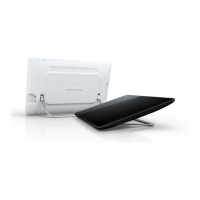
Detailed exploded diagram of accessories specifically designed for the stand of the SVZ131 Series.
Instructions for replacing the WAN board, including the critical step of updating the barcode label.
Instructions for replacing the WiMAX board, including the critical step of updating the barcode label.
 General
| Graphics | Intel HD Graphics 4000 |
|---|---|
| Optical Drive | No |
| Bluetooth | Bluetooth 4.0 |
| Display | 1920x1080 |
| RAM | 8GB DDR3 |
| Storage | 256GB SSD |
| Operating System | Windows 7 Professional |
| Weight | 1.16 kg |
| Wireless | 802.11a/b/g/n |
| Webcam | HD Webcam |
| Ports | 2 x USB 3.0, HDMI, VGA, Ethernet |









 To Next Page