EasyManua.ls Logo

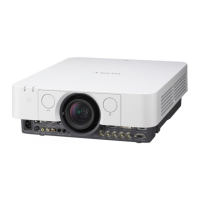
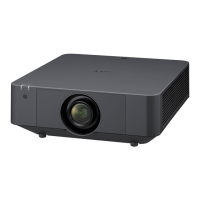
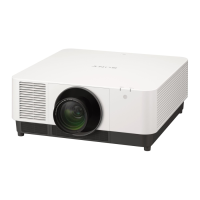
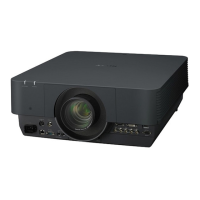
Sony VPL-FH300L - User Manual

Sony VPL-FH300L
30 pages
Print Icon
To Next Page IconTo Next Page
Loading...
3-270-755-12 (1)
Data Projector
Operating Instructions
for Network
© 2007 Sony Corporation
VPL-FH300L
VPL-FW300L

Other manuals for Sony VPL-FH300L

Questions and Answers

  • T
    treedAug 8, 2025
    What to do if my computer is not displayed in the PC list on my Sony VPL-FH300L?
    • L
      Leslie AdkinsAug 9, 2025
      If your computer isn't showing up on the PC list of your Sony Projector, first ensure that Projector Station for Air Shot Version 2 is both installed and running on your computer. If it is not, install and start the application. Next, verify that the network cable is securely connected to the NETWORK connector on the projector. Also, make sure that the network settings on both your projector and computer are correctly configured and match the settings of the connected equipment. If the network segment (subnet) of your computer and the projector are different, set the PC Registration List on the projector and the Projector Setting window on the computer.
  • R
    Russell CarlsonAug 23, 2025
    Why is my Sony VPL-FH300L not being detected?
    • P
      Peter WangAug 23, 2025
      Your Sony Projector might not be detected for several reasons. If a Firewall is installed on your computer, it may be blocking communications with the Projector Station for Air Shot Version 2. To resolve this, configure your Firewall to allow the port numbers used by Projector Station for Air Shot Version 2. Also, ensure that the network segment (subnet) of your computer and the projector are the same by setting the PC Registration List on the projector and the Projector Setting window on your computer. Another potential cause is that the [Use USB Wireless LAN Module as Simple Mode] check box is selected; if so, deselect it. Lastly, confirm that the [Standby Mode] in the projector's Function menu is set to [Standard].

Sony VPL-FH300L Specifications

General IconGeneral
Resolution1920 x 1200 (WUXGA)
Zoom Ratio1.6x
Display Technology3LCD
Input PortsHDMI, DVI-D, VGA
Lens ShiftVertical: ± 60%, Horizontal: ± 32%
Speakers10 W
Keystone CorrectionVertical: ± 30 degrees, Horizontal: ± 30 degrees
Projection Size40" - 600"
Lamp Life3, 000 hours (Normal mode), 4, 000 hours (Eco mode)

Related product manuals