EasyManua.ls Logo

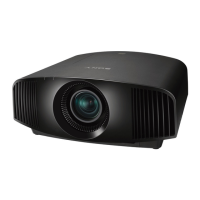
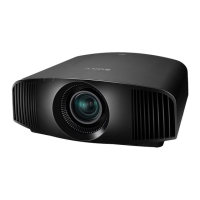
Sony VPL-VW90ES - User Manual

Sony VPL-VW90ES
100 pages
Print Icon
To Next Page IconTo Next Page
Loading...
Operating Instructions
VPL-VW90ES
© 2010 Sony Corporation
4-262-154-11 (1)
Video Projector

Table of Contents

Other manuals for Sony VPL-VW90ES

Questions and Answers

  • T
    Timothy GreenAug 1, 2025
    What to do if my Sony Projector power is not turned on?
    • H
      Henry ShahAug 1, 2025
      If your Sony Projector is not turning on, wait about 1 minute before attempting to turn it on again. Also, ensure that the lamp cover and the filter holder are securely closed and tightened. Check the warning indicators as well.
  • J
    Jessica Peterson DDSAug 6, 2025
    Why is my Sony Projector picture too dark?
    • J
      Jeffery ZhangAug 6, 2025
      If the picture on your Sony Projector appears too dark, try adjusting the “Contrast” or “Brightness” settings located in the Picture menu. This should help brighten the image to your desired level.
  • E
    Emily OliverAug 10, 2025
    What to do if my Sony VPL-VW90ES Projector is not clear?
    • A
      Angela TranAug 10, 2025
      If your Sony Projector's picture is not clear, first adjust the focus. If the issue persists, condensation may have accumulated on the lens. Leave the projector on for about 2 hours to allow the condensation to dissipate.
  • C
    Christopher StewartAug 15, 2025
    Why is the picture from the INPUT A connector colored strange on my Sony VPL-VW90ES?
    • M
      Michael BrownAug 16, 2025
      If the picture from the INPUT A connector on your Sony Projector appears strangely colored, select the appropriate input signal setting (“Computer,” “Component,” or “Video GBR”) for “Input-A Signal Sel.” in the Setup menu. This setting should match the type of input signal you are using.
  • C
    Cameron CollierAug 21, 2025
    Why does the bright area of the picture become unclear on my Sony VPL-VW90ES?
    • M
      Mark SmithAug 21, 2025
      The symptom of unclear bright areas on your Sony Projector might occur if the input signal isn't a standard HDMI signal. Try switching the RGB dynamic range of the connected equipment to Limited (16-235). If this isn't possible, adjust the “Brightness,” “Contrast,” or “Sharpness” settings in the Projector’s Picture menu.
  • M
    Mrs. Cynthia FullerAug 26, 2025
    Why is the picture from the VIDEO INPUT connector colored strange on my Sony Projector?
    • A
      Alexander SmithAug 26, 2025
      If the picture from the VIDEO INPUT connector on your Sony Projector is showing strange colors, first try adjusting the picture settings in the Picture menu. If that doesn't work, set the “Color System” in the Setup menu to match the color system of the input source.

Summary

Precautions

General Safety Guidelines

Covers electrical safety, heat, and proper handling to prevent hazards.

Location of Controls

Front and Right Side Controls

Identifies buttons, indicators, and connectors on the projector's front and right side.

Connections and Preparations

Adjusting Picture Position

Explains how to adjust focus, zoom, shift, size, and position for optimal display.

Connecting External Devices

Details connections for VCRs, computers, 3D transmitters, and other sources.

Projecting

Projecting the Picture on Screen

Instructions for powering on and selecting input sources to display images.

Watching 3 D Video Images

Setup and viewing procedures for enjoying 3D content with supplied glasses.

Adjusting Picture Quality

Methods for fine-tuning picture settings like contrast, brightness, color, and sharpness.

Using the Menus

Picture Menu Settings

Detailed descriptions of picture modes and quality adjustments available in the Picture menu.

Troubleshooting

Power and Picture Issues

Diagnoses and resolves common problems related to power, picture display, and color.

Warning Indicators and Messages

Explains the meaning of indicator lights and troubleshooting error messages.

Others

Replacing Lamp and Air Filter

Step-by-step instructions for lamp and air filter replacement and cleaning ventilation holes.

Sony VPL-VW90ES Specifications

General IconGeneral
Projection distance- m
Projection technologySXRD
Contrast ratio (typical)-
Screen size compatibility40 - 300 \
Projector native resolution1080p (1920x1080)
RS-232 ports1
Dimensions (WxDxH)470 x 484.9 x 179.2 mm
Connectivity technologyWired
FocusManual
Zoom capabilityYes
Focal length range18.5 - 29.6 mm
Lamp power200 W
Lamps quantity1 lamp(s)
Light source typeLamp
Service life of light source- h
DVI portNo
Serial interface typeRS-232
USB 2.0 ports quantityUSB 2.0 ports have a data transmission speed of 480 Mbps, and are backwards compatible with USB 1.1 ports. You can connect all kinds of peripheral devices to them.
S-Video inputs quantity0
Analog signal format systemNTSC 3.58, NTSC 4.43, PAL, PAL M, PAL N, SECAM
Product colorBlack
Market positioningHome cinema
AC input voltage100 - 240 V
AC input frequency50 - 60 Hz
Power consumption (standby)0.5 W
Power consumption (typical)320 W
Power consumption (PowerSave)8 W
Noise level- dB
Weight and Dimensions IconWeight and Dimensions
Depth484.9 mm
Width470 mm
Height179.2 mm
Weight12000 g

Related product manuals