EasyManua.ls Logo

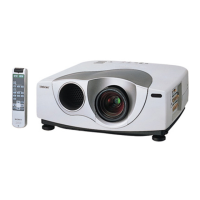
Sony VPL-VW10HT - User Manual

Sony VPL-VW10HT
124 pages
Print Icon
To Next Page IconTo Next Page
Loading...
1999 Sony Corporation
4-074-835-13(2)
VPL-VW10HT
Operating Instructions
Mode d’emploi
Manual de instrucciones
FR
ES
LCD Video Projector
GB
VPL-VW10HT

Table of Contents

Other manuals for Sony VPL-VW10HT

Questions and Answers

  • R
    Roy CordovaAug 20, 2025
    Why is the LAMP/COVER indicator lit on my Sony Projector?
    • N
      Nathan DurhamAug 20, 2025
      If the LAMP/COVER indicator lights up on your Sony Projector, it could mean one of two things: either the lamp has reached the end of its life and needs replacing, or the lamp has become too hot. If the lamp is too hot, wait 120 seconds for it to cool down before turning the power on again.
  • J
    julian13Aug 22, 2025
    How to fix a Sony VPL-VW10HT Projector that will not turn on?
    • U
      ubarrettAug 22, 2025
      If your Sony Projector is not turning on, it could be due to several reasons: * If the power was recently turned off and on quickly, wait about 120 seconds before trying again. * Make sure the lamp cover is securely closed. * Also, ensure the air filter cover is properly closed.
  • M
    michaelrobertsonAug 25, 2025
    What does 'Please replace the LAMP' mean on Sony Projector?
    • L
      logan49Aug 25, 2025
      If your Sony Projector displays 'Please replace the LAMP,' it means it is time to replace the lamp. Please replace the lamp.
  • B
    Brandon MarksAug 26, 2025
    Why is there no picture on my Sony Projector?
    • M
      Marco SmithAug 27, 2025
      If you're not getting any picture on your Sony Projector, consider these possibilities: * Check that all cables are properly connected. * Ensure the INPUT-A/B setting matches your input signal. * Verify that you've selected the correct input source using the INPUT key. * If the picture is cut off, press the MUTING PIC key. * If using a computer, ensure the output signals are set to output from an external monitor.
  • T
    Timothy SnyderAug 28, 2025
    What does 'Please check INPUT-A setting' mean on Sony VPL-VW10HT Projector?
    • D
      Denise SuarezAug 28, 2025
      If your Sony Projector displays 'Please check INPUT-A setting,' it means you've input an RGB signal from the computer while INPUT-A in the SET SETTING menu is set to COMPONENT, DTV YPBPR, or DTV GBR. Set INPUT-A correctly.
  • E
    Elizabeth GlennAug 30, 2025
    What does 'Please check INPUT-B setting' mean on Sony VPL-VW10HT?
    • V
      Virginia WareAug 30, 2025
      If your Sony Projector displays 'Please check INPUT-B setting,' it means you've input an RGB signal from the computer while INPUT-B in the SET SETTING menu is set to COMPONENT, DTV YPBPR, or DTV GBR. Set INPUT-B correctly.
  • F
    Felicia MooreSep 1, 2025
    Why does the on-screen display not appear on my Sony VPL-VW10HT?
    • L
      Lisa MayoSep 1, 2025
      If the on-screen display does not appear on your Sony Projector, it's possible that the STATUS in the SET SETTING menu has been set to OFF. To resolve this, set the STATUS in the SET SETTING menu to ON.
  • M
    Michael TorresSep 3, 2025
    What to do if Sony VPL-VW10HT Projector says 'High temp.! Lamp off in 1 min'?
    • W
      whitney89Sep 3, 2025
      If the Sony Projector displays 'High temp.! Lamp off in 1 min,' it means the internal temperature is too high. Turn off the power and check the ventilation holes to ensure they are not blocked.
  • T
    Tasha SpencerSep 5, 2025
    Why does my Sony VPL-VW10HT Projector Remote Commander not work?
    • J
      joshua92Sep 5, 2025
      If the Remote Commander (remote control) for your Sony Projector isn't working, consider these potential causes: * The batteries may be dead, so replace them with new ones. * If using a remote control cable, ensure it's properly connected to both the projector and the Remote Commander, or try disconnecting it. * Fluorescent lamps near the remote control detector can interfere, so adjust the SIRCS RECEIVER setting in the SET SETTING menu. * If using the Remote Commander wired, ensure batteries are installed.
  • J
    James WigginsSep 7, 2025
    Why is the TEMP/FAN indicator lit on my Sony VPL-VW10HT?
    • A
      Andrew SantanaSep 7, 2025
      If the TEMP/FAN indicator is lit on your Sony Projector, it means the internal temperature is unusually high. Check to see if anything is blocking the ventilation holes.

Summary

Precautions and Features

Safety and Handling Precautions

Essential safety warnings, handling, cleaning, and operational precautions for the projector.

Product Features Overview

Highlights key features like brightness, image quality, connectivity, and special modes.

Controls and Indicators

Identifies and explains the function of all projector buttons, lights, and connectors.

Setup and Operation

Installing and Connecting the Projector

Covers battery installation, connecting various devices like VCRs, computers, and selecting menu language.

Projecting and Image Adjustment

Guides on projecting, adjusting focus, zoom, trapezoid, aspect ratio, and powering off.

Menu System and Settings

Using the On-Screen Menu

Explains how to navigate, clear, and reset menu items for various adjustments.

Picture, Input, and System Settings

Details settings for picture quality, input signal selection, and system preferences.

Installation and Keystone Settings

Covers specific installation modes, keystone memory, and digital keystone correction.

Installation Guidance and Maintenance

Installation Examples and Measurements

Provides detailed instructions and measurements for floor and ceiling installations.

Maintenance Procedures

Guides on replacing the projector lamp and cleaning the air filter.

Troubleshooting and Specifications

Troubleshooting Common Issues

Offers solutions for power, image, remote control problems, and explains error messages.

Technical Specifications

Lists optical, electrical, signal compatibility, input/output, and dimensional specifications.

Sony VPL-VW10HT Specifications

General IconGeneral
BrandSony
ModelVPL-VW10HT
CategoryProjector
LanguageEnglish

Related product manuals