EasyManua.ls Logo

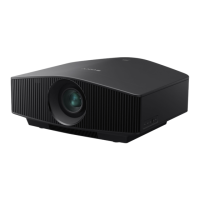
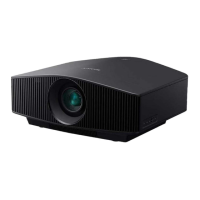
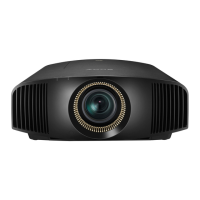
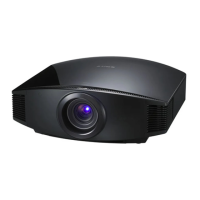
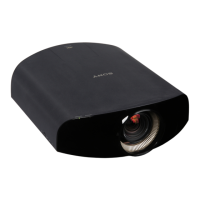
Sony VPL-VW1100ES - User Manual

Sony VPL-VW1100ES
87 pages
Print Icon
To Next Page IconTo Next Page
Loading...
Operating Instructions
Before operating the unit, please read this manual and supplied Quick
Reference Manual thoroughly and retain them for future reference.
VPL-VW1100ES
4-486-360-12 (1)
Video Projector

Table of Contents

Other manuals for Sony VPL-VW1100ES

Questions and Answers

  • C
    Charles BrooksSep 23, 2025
    What does it mean when Sony VPL-VW1100ES displays 'Power Saving Mode is set. Projector lamp will automatically cutoff in 1 minute.'?
    • D
      David GoodmanSep 23, 2025
      If your Sony Projector displays 'Power Saving Mode is set. Projector lamp will automatically cutoff in 1 minute.', it means that “Power Saving” is set to “Lamp Cutoff.”
  • H
    Holly MonroeAug 25, 2025
    Why does my Sony VPL-VW1100ES power off suddenly?
    • A
      Angela McdanielAug 25, 2025
      If your Sony Projector suddenly turns off, verify that “Power Saving” in the Setup menu is set to “Standby.” If it is, you can set “Power Saving” to “Off” to prevent this.
  • E
    Emily WilliamsAug 26, 2025
    How to fix Sony VPL-VW1100ES when the power is not turned on?
    • H
      Heather NguyenAug 26, 2025
      If your Sony Projector is not turning on, it may be because you turned it off and tried to turn it back on too quickly. Wait about 1 minute before attempting to power it on again.
  • J
    jonesamandaAug 27, 2025
    How to fix a Sony Projector picture that is not clear?
    • T
      Todd NavarroAug 27, 2025
      If your Sony Projector's picture is not clear, try adjusting the focus. If condensation has accumulated on the lens, leave the unit powered on for about 2 hours to allow the condensation to dissipate.
  • D
    Douglas EllisSep 23, 2025
    What does it mean when Sony Projector displays 'Power Saving Mode is set. Projector will automatically enter Standby Mode in 1 minute.'?
    • A
      Anna CunninghamSep 23, 2025
      If your Sony Projector displays 'Power Saving Mode is set. Projector will automatically enter Standby Mode in 1 minute.', it means that “Power Saving” is set to “Standby.”
  • S
    scottharrySep 13, 2025
    Why do the unit and connected equipment turn On/Off, play back, and operate at the same time on Sony Projector?
    • T
      Tracy MartinezSep 13, 2025
      If the unit and connected equipment turn On/Off, play back, and operate at the same time on your Sony Projector, “Control for HDMI,” “Device Auto Power Off,” and “PJ Auto Power ON” are likely set to “On.” Set them to “Off.”
  • A
    amillerSep 12, 2025
    How to resolve image retention (image is left on the screen) on Sony VPL-VW1100ES?
    • T
      tina70Sep 12, 2025
      If an image is left on the screen of your Sony Projector (image retention), and high contrast non-moving images have been displayed for a long period, turning off the power for a while will eliminate the retained image.
  • M
    Melinda OdomSep 12, 2025
    Why the lens shift cannot be adjusted on Sony VPL-VW1100ES?
    • A
      Alicia SmithSep 12, 2025
      If the lens shift cannot be adjusted on your Sony Projector, it may be at the limit of its range. Adjust the lens shift within its allowable range of movement.
  • A
    amygibsonSep 4, 2025
    What does it mean when ON/STANDBY flashes in red (A repetition rate of 5 flashes) on Sony VPL-VW1100ES Projector?
    • O
      omyersSep 4, 2025
      If your Sony Projector shows 'ON/STANDBY flashes in red. (A repetition rate of 5 flashes)', it might indicate that the lens protector is not fully open. Try turning the power off and then on again to see if the lens protector opens completely.
  • K
    Kathy WigginsSep 2, 2025
    Why is my Sony Projector remote control not working?
    • S
      Steven SanchezSep 2, 2025
      If your Sony Projector's remote control isn't working, start by replacing the batteries with new ones, ensuring they are inserted with the correct polarities. If there is a fluorescent lamp nearby, it may interfere with the remote control signal. Also, consider the position of the remote control detector on the unit and make sure that it is not obstructed. You can also set “IR Receiver” to “Front & Rear” on the Installation menu.

Summary

Location of Controls

Remote Control

Explains the buttons and functions of the supplied remote control.

Connections and Preparations

Installing the Unit

Instructions for physically installing the projector and ensuring proper placement.

Adjusting the Picture Position

Steps to fine-tune focus, zoom, and lens shift for optimal image alignment.

Connecting Equipment

Guides to connect various video sources like VCR, computer, and 3D transmitter.

Projecting

Watching 3 D Video Images

Guide to viewing 3D content using the projector and compatible glasses.

Using the Menus

Picture Menu Settings

Adjusting image quality parameters like contrast, color, and sharpness.

Troubleshooting

Power Issues

Solutions for problems related to the projector not turning on or shutting off.

Picture Issues

Troubleshooting display and image quality problems like no picture or ghosts.

On-screen Display Issues

Resolving problems with the on-screen display not appearing or disappearing.

Remote Control Issues

Fixing problems with the remote control's functionality.

Warning Indicators and Messages

Understanding projector error lights and interpreting system messages.

Maintenance and Cleaning

Replacing the Lamp

Step-by-step guide for safely replacing the projector lamp.

Sony VPL-VW1100ES Specifications

General IconGeneral
Resolution4096 x 2160
Brightness2000 lumens
Contrast Ratio1, 000, 000:1
Lamp Life6000 hours
Weight34.2 lbs (15.5 kg)
Display TechnologySXRD
Projection Size60" to 300"
Lens ShiftHorizontal: +/-31%
InputsHDMI, RS-232C, IR
Lamp TypeMercury lamp

Related product manuals