EasyManua.ls Logo

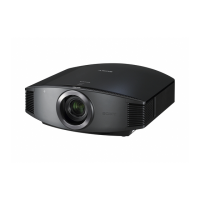
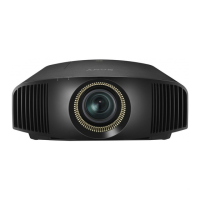
Sony VPL-VZ1000 - User Manual

Sony VPL-VZ1000
47 pages
Print Icon
To Next Page IconTo Next Page
Loading...
Video Projector
Operating Instructions
Before operating the unit, please read this manual, supplied Quick Reference Manual,
and Safety Regulations thoroughly and retain it for future reference.
VPL-VZ1000
4-693-530-11 (1)
© 2017 Sony Corporation

Table of Contents

Other manuals for Sony VPL-VZ1000

Question and Answer IconNeed help?

Do you have a question about the Sony VPL-VZ1000 and is the answer not in the manual?

Summary

Controls and Connections

Location of Controls on Main Unit, Panel, and Remote

Identifies physical controls on the projector's main unit, panel, connectors, and remote.

Installation and External Connections

Steps for projector installation, image adjustment, and connecting external video equipment.

Attaching Projector Covers

Instructions for attaching top and side covers, including ceiling mounting scenarios.

Picture Adjustment and Display

Projecting the Picture and Powering Down

Procedure for displaying images, selecting inputs, and safely powering off the unit.

3 D Video Viewing and Settings

Guide to enjoying 3D content, using glasses, and configuring 3D functions.

Aspect Ratio and Viewing Modes

Adjusting aspect ratio and selecting preset viewing modes for optimal display.

Menu Navigation and Settings

Operating the On-Screen Menus

Guide to navigating menus, submenus, and adjustment screens.

Picture, Screen, Setup, and Function Menus

Detailed settings for picture quality, screen display, system setup, and functions.

Advanced Settings and Network Control

Auto calibration, installation settings, network configuration, and software updates.

Troubleshooting and Maintenance

Error Handling and Troubleshooting

Interpreting indicators, messages, and resolving common projector issues.

Maintenance and Cleaning Procedures

Instructions for cleaning the air filter, cabinet, and projection window.

Specifications and Data

Product Specifications and Signal Compatibility

Technical specs, supported signals, input/output compatibility, and 3D formats.

Installation Data and Aspect Modes

Data for installation distance, image size, and aspect ratio options.

Summary

Controls and Connections

Location of Controls on Main Unit, Panel, and Remote

Identifies physical controls on the projector's main unit, panel, connectors, and remote.

Installation and External Connections

Steps for projector installation, image adjustment, and connecting external video equipment.

Attaching Projector Covers

Instructions for attaching top and side covers, including ceiling mounting scenarios.

Picture Adjustment and Display

Projecting the Picture and Powering Down

Procedure for displaying images, selecting inputs, and safely powering off the unit.

3 D Video Viewing and Settings

Guide to enjoying 3D content, using glasses, and configuring 3D functions.

Aspect Ratio and Viewing Modes

Adjusting aspect ratio and selecting preset viewing modes for optimal display.

Menu Navigation and Settings

Operating the On-Screen Menus

Guide to navigating menus, submenus, and adjustment screens.

Picture, Screen, Setup, and Function Menus

Detailed settings for picture quality, screen display, system setup, and functions.

Advanced Settings and Network Control

Auto calibration, installation settings, network configuration, and software updates.

Troubleshooting and Maintenance

Error Handling and Troubleshooting

Interpreting indicators, messages, and resolving common projector issues.

Maintenance and Cleaning Procedures

Instructions for cleaning the air filter, cabinet, and projection window.

Specifications and Data

Product Specifications and Signal Compatibility

Technical specs, supported signals, input/output compatibility, and 3D formats.

Installation Data and Aspect Modes

Data for installation distance, image size, and aspect ratio options.

Sony VPL-VZ1000 Specifications

General IconGeneral
BrandSony
ModelVPL-VZ1000
CategoryProjector
LanguageEnglish

Related product manuals