The camcorder is a Sony model VX-2100. It records to the MiniDV digital tape format. The VX-2100
offers both automatic and manual adjustment features, making it both easy to use and capable of
producing excellent, professional-quality results.
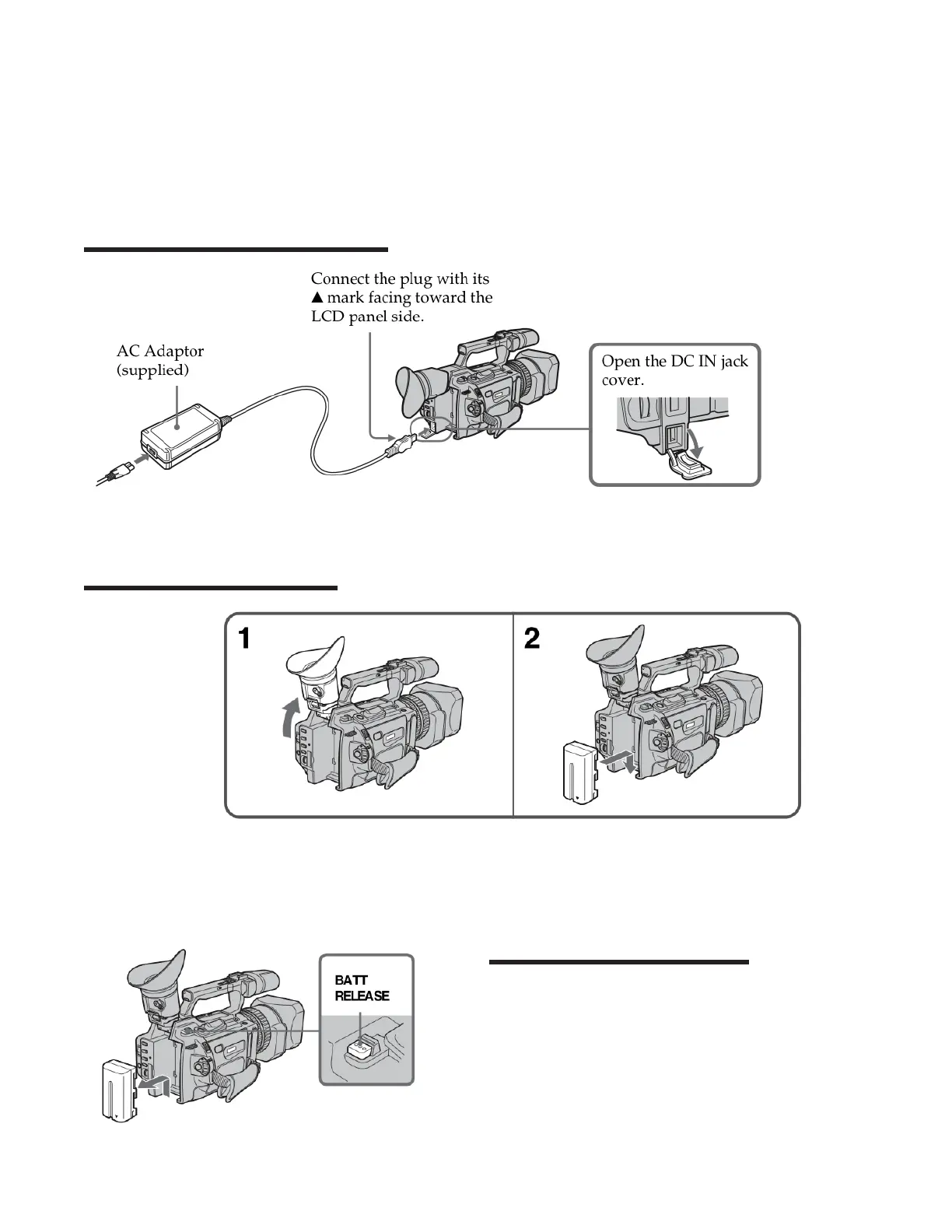
The camera can run on either AC power or battery power.
Attaching the AC power adapter
Inserting the battery pack
1. Lift up the
viewnder
2. Insert the
battery pack in
the direction of
the arrow on the
battery pack.
Slide the bat-
tery pack until it
clicks.
Removing the battery pack
Lift up the viewnder. Slide the battery pack
out in the direction of the arrow while
pressing BATT RELEASE down.
1













 To Next Page