EasyManua.ls Logo

Sony WALKMAN NWZ-A15 - User Manual

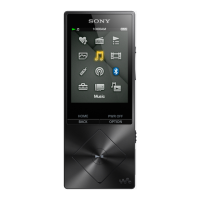
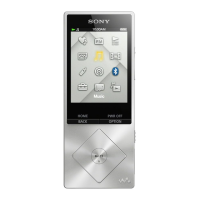
Sony WALKMAN NWZ-A15
2 pages
Print Icon
To Next Page IconTo Next Page
Loading...
Contents
Please check the items in the package.
Walkman (1)
USB cable (1)
Quick Start Guide (this manual)
Headphones and microSD card are not supplied with your Walkman.
Charging the Battery
The battery for your Walkman is recharged while the Walkman is
connected to a running computer.
About
4hours
Charging
Fully-charged
When your Walkman has been fully charged, disconnect it from the
computer.
Note
To prevent battery deterioration, charge the battery at least once every six
months or every year.
How to Use your Walkman
HOLD switch
BACK/HOME button
5-way button
OPTION/PWR OFF button
Turning the power On and Off
Turning the power on
Slide the HOLD switch in the direction opposite to that of the arrow and
press any button.
Selecting the display language
Select the display language before transferring content.
1 From the Home menu, select [Settings].
2 Select [Language Settings] - Desired language
setting.
Turning the power off
Press and hold the OPTION/PWR OFF button.
Hint
If there is no operation, the screen will be turned off. To turn on the screen,
press the BACK/HOME button.
If there is no operation for an extended period, your Walkman will be turned
off automatically.
How to Use the Home Menu
The Home menu appears when you press and hold the BACK/HOME
button. The Home menu is the starting point to play audio, search for
songs, change settings, etc.
From the Home menu, you can select the desired item on the screen by
using the 5-way button.
Press and hold
the BACK/HOME
button.
SensMe™
Channels
FM Radio
Photos
Settings
Playlists
Videos
Music
Go to song
playback screen
Bluetooth
SD Card Settings
Bookmark
Podcasts
The screens and illustrations shown are for reference only and may differ from
the actual product or screen.
 (play/pause/confirm)
button
/// buttons
Quick Start Guide
©2014 Sony Corporation Printed in Malaysia
NWZ-A15/A17
4-540-305-11(1)
How to Install and Read the Help Guide
Install the “Help Guide” on your computer. This contains basic operations
of your Walkman, the customer support website URL, and how to
transfer content such as music to the Walkman.
1 Connect your Walkman to a running
computer.
2 Open the following folders and double-click
the executable file on your Walkman.
Windows 7 or earlier: [Start] – [Computer] – [WALKMAN] –
[FOR_WINDOWS] – [Help_Guide_Installer(.exe)].
Windows 8: [Start screen] – [Desktop] – [File Explorer] –
[Computer] – [WALKMAN] – [FOR_WINDOWS] – [Help_
Guide_Installer(.exe)].
Windows 8.1: [Desktop] – [File Explorer] – [This PC] –
[WALKMAN] – [FOR_WINDOWS] – [Help_Guide_Installer
(.exe)].
Mac: [Finder] – [WALKMAN] – [FOR_MAC] – [Help_Guide_
Installer_for_mac].
3 Follow the on-screen instructions to
complete the installation.
4 To read the Help Guide, double-click the
shortcut or the alias icon generated on your
computer.
About the manuals
To see the detailed information about WALKMAN®, access to Help
Guide on the internet.
http://rd1.sony.net/help/dmp/nwza10/h_ww/
While browsing is free, you may be charged a
communication fee according to your carrier
contract.
Regarding the basic operations, the customer support website URL
and Important Information, refer to “How to Install and Read the
Help Guide” section on this manual.

Other manuals for Sony WALKMAN NWZ-A15

Question and Answer IconNeed help?

Do you have a question about the Sony WALKMAN NWZ-A15 and is the answer not in the manual?

Summary

How to Install and Read the Help Guide

How to Use Your Walkman

Turning the Power On and Off

Instructions for powering the Walkman on and off, including initial setup.

Selecting the Display Language

Guide to selecting the preferred display language before transferring content.

How to Use the Home Menu

Parts and Controls Overview

Back;Home and 5-Way Buttons

Details on the primary navigation and action buttons for device control.

Volume and Option Buttons

Explanation of volume adjustment and option/power off functionality.

Hold Switch and Access Lamp

Information on the hold switch for preventing accidental operations and the access lamp.

Audio and Data Ports

Description of the headphone jack and WM-PORT for audio and data transfer.

Storage and Connectivity Features

Details on microSD card slot, strap hole, and built-in Bluetooth antenna.

Reset Button and Other Indicators

Location and use of the reset button and N-mark indicator.

Volume Operation and Safety Notes

Volume Warning System

Explanation of the volume limit warning system for ear protection.

Battery Deterioration Prevention

Note on charging the battery to prevent deterioration over time.

Troubleshooting

General Troubleshooting Steps

Advice on resolving issues by referring to the Help Guide.

Battery Charging Issues

Remedy for issues where the Walkman does not charge or is not recognized.

Power and Operation Issues

Solutions for the Walkman not operating or turning on.

Precautions and Owners Information

Legal and Trademark Information

Reference to laws, regulations, and trademark rights in supplied software.

Headphone Usage Precautions

Advice on safe headphone volume levels and sound leakage.

Owners Record

Space to record model and serial numbers for product support.

Design and Specification Changes

Disclaimer regarding potential changes to product design and specifications.

Sony WALKMAN NWZ-A15 Specifications

General IconGeneral
Product colorSilver
Volume controlDigital
FM radioYes
FM band range76 - 108 MHz
Supported radio bandsFM
Internal storage capacity16 GB
TypeMP4 player
Player media typeFlash memory
Video memory capacity- h
Compatible memory cardsMicroSD (TransFlash)
Music memory capacity (songs)-
Display diagonal2.2 \
Display resolution240 x 320 pixels
Audio formats supportedAAC, AAC HE, AIFF, FLAC, LPCM, MP3, WMA
Video formats supportedAVC, H.264, MPEG4, WMV9
InterfaceUSB 2.0
Bluetooth version2.1+EDR
Bluetooth profilesA2DP, AVRCP, OPP
Battery recharge time4 h
Continuous audio playback time30 h
Weight and Dimensions IconWeight and Dimensions
Depth9.1 mm
Width44.4 mm
Height109.1 mm
Weight66 g

Related product manuals