To charge a phone
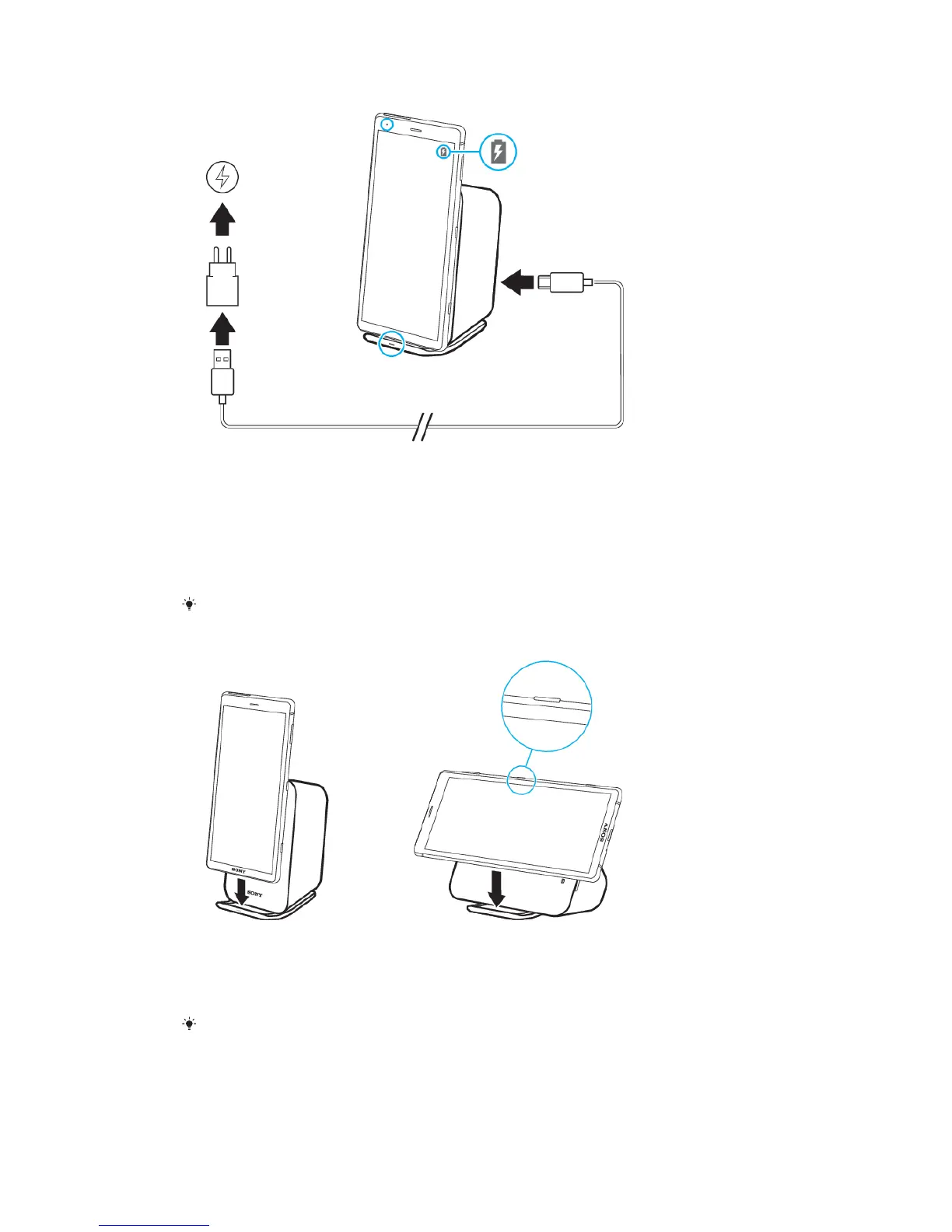
1 Connect one end of the USB Type-C cable to the charger.
2 Connect the other end of the cable to the USB Type-C port on your charging
dock.
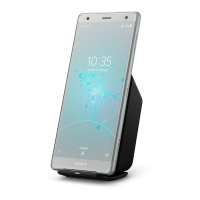
3 Place the phone on the charging dock so the wireless charging areas touch.
Make sure to centre the phone on the wireless charging area for optimal
charging time.
4 When charging begins, the notification lights on the phone and charging
dock illuminate. The phone’s charging icon appears on-screen.
The compatible charger is the UCH12.
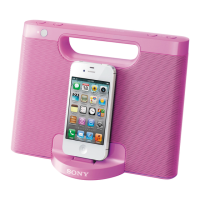
To position a phone on the charging dock
• Place the phone on the charging dock so that both devices are in the same
orientation.
• If charging in landscape orientation, the phone's power key must be opposite from
the charging dock stand, as shown in the illustration. If the phone's power key is
touching the stand, it is incorrectly positioned and charging will not work.
If charging does not start, try moving the phone slightly to the right or left.
5
This is an internet version of this publication. © Print only for private use.


 To Next Page