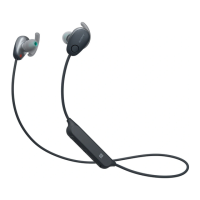
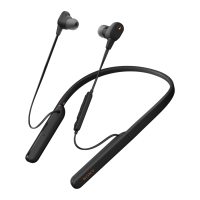
On charging the unit:
Personal computer with USB port is required for charging.
This unit cannot be turned on, nor can the Bluetooth function be used, during charging.
If you do not use the unit for a long time, the rechargeable battery may not be able to keep
sufficient charge. The battery will be able to keep a charge properly after repeatedly discharging
and charging several times.
If you store the unit for a long time, charge the battery once every half year to prevent over-
discharge.
If the length of time you can use the unit became extremely short, the rechargeable battery
should be replaced with a new one. Please contact your nearest Sony dealer for a battery
replacement.
Make sure to close the micro-USB port cover securely after charging (Fig. B).
Note on static electricity
Static electricity accumulated in the body may cause mild tingling in your ears. To minimize the
effect, wear clothes made from natural materials.
If the unit does not operate properly
Reset the unit (Fig. C). When resetting this unit, charge the unit. When charging starts, this unit is
reset automatically. The pairing information and the other settings are retained.
If the problem persists even after the resetting operation above, initialize the unit as follows.
Disconnect the micro-USB cable from the micro-USB port, turn off the unit, then hold down the
and – buttons simultaneously for more than 7 seconds. The indicator (blue) flashes 4 times, and
the unit is reset to the factory settings. All pairing information is deleted.
After the unit is initialized, it may not connect to your iPhone or computer. In this case, delete the
pairing information of the unit from the iPhone or computer, and then pair them again.
On wearing the unit
After use, remove the headphones slowly.
Because the headphones are of a high density enclosure, forcing them against your ears may
result in eardrum damage.
Pressing the headphones against your ears may produce a diaphragm click sound. This is not a
malfunction.
Others
Do not place this unit in a place exposed to humidity, dust, soot or steam, or in a car or place
subject to direct sunlight.
Using the Bluetooth device may not function on mobile phones, depending on radio wave
conditions and location where the equipment is being used.
High volume may affect your hearing.
For traffic safety, do not use while driving or cycling.
Do not use the unit in places where it would be dangerous if you are unable to hear ambient
sound, such as at railroad crossings, train station platforms, and construction sites.
Keep earbuds clean. To clean the earbuds, wash them with a mild detergent solution.
Do not subject the unit to excessive shock.
Clean the unit with a soft dry cloth.
Do not expose the unit to water. The unit is not waterproof.
Remember to follow the precautions below.
– Be careful not to drop the unit into a sink or other container filled with water.
– Do not use the unit in humid locations or bad weather, such as in the rain or snow.
– Do not get the unit wet. If you touch the unit with wet hands, or put the unit in a damp article of
clothing, the unit may get wet and this may cause a malfunction of the unit.
If you experience discomfort after using the unit, stop using the unit immediately.
Install the earbuds firmly. If an earbud accidentally detaches and is left in your ear, it may cause



 To Next Page