Related Topic
Screen Displays
5-021-904-11(1)
Copyright 2021 Sony Corporation
VOICE
Activates the voice command function for Apple CarPlay and Android Auto.
4.
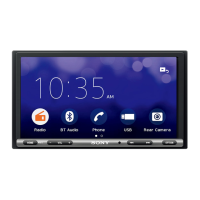
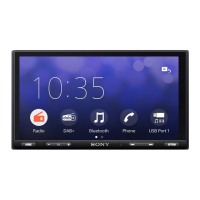
Display/touch screen5.
Custom Key 1/2
Registers functions (Mute, Disp. Off (display off), Source Change, Home, Next, Previous, Vol +, Vol -, None).
To register, select [Settings] [Customize] [Custom Key].
6.
DISP OFF (display off)
Turns off the display.
To turn back on, press again.
7.
(mute)
Mutes the sound. To cancel, press again.
8.
(play/pause)
/ (previous/next)
Functions differently depending on the selected source:
[Radio]: select a preset station.
[SiriusXM]: select a preset channel. (XAV-9500ES(UC))
[USB]: move to the previous/next content.
[Bluetooth Audio]: move to the previous/next content.
[Apple CarPlay]/[Android Auto]: move to the previous/next content.
Press and hold to:
[Radio]: tune into a station automatically (SEEK+/SEEK–).
[SiriusXM]: switch the preset channel continuously. (XAV-9500ES(UC))
[USB]: fast-reverse/fast-forward.
[Bluetooth Audio]: fast-reverse/fast-forward. Functions differ depending on the BLUETOOTH device.
9.


 To Next Page