Help Guide
In-Car Receiver
XAV-9500ES
Basic Setting Operation
You can set items in the following setup categories: Device Connection, Sound, Customize, Application, System.
To return to the previous display
Touch
(back).
Related Topic
Device Connection
Sound
Customize
Application
System
5-021-904-11(1)
Copyright 2021 Sony Corporation
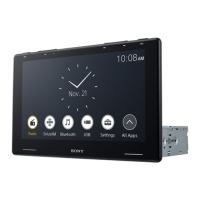
Press HOME, then touch [Settings].
If [Settings] is not set in the Favorite area, touch [All Apps] to display the HOME2 screen, then select [Settings].
1
Touch one of the setup category.
The items that can be set differ depending on the source and settings.
2
Touch the item you want to set.
3


 To Next Page