EasyManua.ls Logo

Sony XAV-AX3700 - User Manual

Sony XAV-AX3700
112 pages
Print Icon
To Next Page IconTo Next Page
Loading...
Help Guide
In-Car Receiver
XAV-AX3700
Use this manual if you encounter any problems, or have any questions.
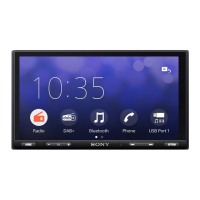
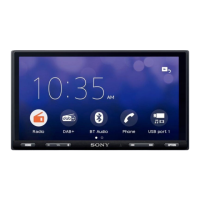
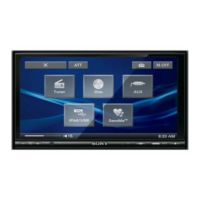
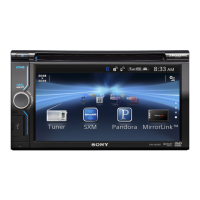
Note: The unit sold in some countries/regions may differ from the picture above.
Getting Started
Guide to Parts and Controls
Main Unit
Screen Displays
Performing Initial Settings
Using Apple CarPlay
Using Apple CarPlay
Preparing a BLUETOOTH Device
Pairing and Connecting with a Bluetooth® Device
Connecting with a Paired BLUETOOTH Device
Using a Rear View Camera
1
Question and Answer IconNeed help?

Do you have a question about the Sony XAV-AX3700 and is the answer not in the manual?

Overview

This document serves as a comprehensive Help Guide for the Sony In-Car Receiver XAV-AX3700, detailing its functions, technical specifications, usage features, and maintenance information.

Function Description:

The Sony XAV-AX3700 is an in-car receiver designed to provide a wide range of entertainment and connectivity options within a vehicle. Its primary functions include radio reception (FM/AM and SiriusXM), USB device playback for audio and video, Bluetooth connectivity for music streaming and hands-free calling, and Apple CarPlay integration for enhanced smartphone functionality. The unit also supports iDataLink Maestro for displaying car status and adjusting certain vehicle settings, depending on compatibility. A rear view camera input is available for improved safety during reversing.

Important Technical Specifications:

Monitor Section:

  • Display type: Wide LCD color monitor
  • Dimensions: 17.6 cm / 6.95 in
  • System: TFT active matrix
  • Number of pixels: 1,152,000 pixels (800 × 3 (RGB) × 480)

Audio Power Specifications (CTA2006 Standard):

  • Continuous Power Output: 20 W RMS × 4 Channels at 4 Ω and ≤ 1% THD+N
  • Signal to Noise: 80 dBA reference 1 Watt RMS
  • Maximum power output: 55 W × 4 (at 4 Ω)
  • Speaker impedance: 4 Ω — 8 Ω

Radio Section (XAV-AX3700(UC)):

  • FM Tuning range: 87.5 MHz — 107.9 MHz
  • FM Usable sensitivity: 7 dBf
  • FM Signal-to-noise ratio: 70 dB (mono)
  • FM Separation at 1 kHz: 45 dB
  • AM Tuning range: 530 kHz — 1,710 kHz
  • AM Sensitivity: 32 µV

Radio Section (XAV-AX3700(E17)):

  • FM Tuning range: 87.5 MHz — 108.0 MHz (at 50 kHz step), 87.5 MHz — 108.0 MHz (at 100 kHz step)
  • FM tuning step: 50 kHz/100 kHz switchable
  • AM Tuning range: 531 kHz — 1,602 kHz (at 9 kHz step), 530 kHz — 1,710 kHz (at 10 kHz step)
  • AM tuning step: 9 kHz/10 kHz switchable

USB Player Section:

  • Interface: USB Type-C® (Hi-speed)
  • Maximum current (USB port): 3.0 A
  • Supported Audio Formats: WMA (.wma), MP3 (.mp3), AAC (.m4a), ALAC (.m4a), FLAC (.flac), WAV (.wav), DSD (.dsf/.dff). Bit rates and sampling frequencies vary by format.
  • Supported Video Formats: ASF (.asf) / WMV (.wmv), AVI (.avi) / MKV (.mkv) / MPEG-4 (.mp4). Video codecs include VC-1 Simple/Main/Advanced Profile, AVC Baseline/Main/High Profile, MPEG-4 Advanced Simple Profile. Max bit rates and frame rates vary by codec. Max resolution up to 1920 × 1080 for AVC.
  • Note: Up to 25,000 files can be read from a USB device. USB devices formatted with FAT16, FAT32, or exFAT are supported. AVCHD format is not supported.

Bluetooth Section:

  • Communication System: BLUETOOTH Standard version 5.0
  • Output: BLUETOOTH Standard Power Class 1 (Max. Conducted +7.5 dBm)
  • Maximum communication range: Line of sight approx. 10 m (33 ft)
  • Frequency band: 2.4 GHz band (2.400 0 GHz — 2.483 5 GHz)
  • Modulation method: FHSS
  • Compatible BLUETOOTH Profiles: A2DP (Advanced Audio Distribution Profile) 1.3.1, AVRCP (Audio Video Remote Control Profile) 1.6.1, HFP (Handsfree Profile) 1.7.1, PBAP (Phone Book Access Profile) 1.2
  • Corresponding codec: SBC, AAC, LDAC™

General:

  • Power requirements: 12 V DC car battery (negative ground (earth))
  • Rated current consumption: 10 A
  • Dimensions (maximum): Approx. 178 mm × 100 mm × 132 mm (7 1/8 in × 4 in × 5 1/4 in) (w/h/d)
  • Mounting dimensions: Approx. 182 mm × 111 mm × 115 mm (7 1/4 in × 4 3/8 in × 4 5/8 in) (w/h/d)
  • Mass: Approx. 1.0 kg (2 lb 4 oz)
  • Package contents: Main unit (1), Parts for installation and connections (1 set)
  • Optional accessories/equipment: SiriusXM Connect Vehicle Tuner (SXV100, SXV200, SXV300 for XAV-AX3700(UC)), iDataLink Maestro RR module, iDataLink Maestro RR2 module

Usage Features:

Main Unit Controls:

  • HOME button: Displays the HOME screen. Press and hold to turn off the unit or reset it (hold for >10 seconds).
  • VOL (volume) +/–: Adjusts volume. The '+' button has a tactile dot.
  • Custom button: Registers functions like Mute, Display Off, or Source Change.
  • Previous/Next buttons ( / ): Functions vary by source (e.g., select preset station for Radio, move to previous/next content for USB/Bluetooth Audio/Apple CarPlay). Press and hold for automatic tuning or fast-reverse/fast-forward.
  • VOICE button: Activates voice command for Apple CarPlay.
  • Display/touch screen: Interactive interface for all operations.

Screen Displays:

  • Playback screen: Shows current media information.
  • HOME1 screen: Main interface with customizable Apps area (Favorite) for up to 5 apps, Clock, and All Apps access.
  • HOME2 screen: Displays all available Apps.
  • Status indications: Icons for back, list, clock, mute, option menu, device name, antenna signal strength, and battery status.
  • App icons: Dedicated icons for Apple CarPlay, Radio, SiriusXM, Bluetooth, RearCam, Settings, USB, Devices, Phone, Gauges, Park Assist, Vehicle Info, Climate, Satellite Radio, Media Player.

Initial Settings:

  • Language selection: Set display language.
  • Demo Mode: Disable demonstration mode.
  • Date/Time: Set date and time.
  • Radio Tuning Steps: Set radio frequency steps based on receiving area (XAV-AX3700(E17)).
  • Startup caution: Acknowledge and close the startup caution.

Apple CarPlay:

  • Connect iPhone via USB cable.
  • Access Apple CarPlay interface from the HOME screen.
  • Supports various iPhone models (iPhone 7 to iPhone 14 series).
  • Utilizes iPhone's GPS for navigation.

Bluetooth Device Connectivity:

  • Pairing: Place device within 1m (3ft), go to [Settings] > [Device Connection] > [+Add New Device], then select "XAV-AX3700" on the Bluetooth device. Confirm passkey.
  • Connecting: Paired devices can connect automatically.
  • Hands-free calling: Requires microphone installation.
  • Volume adjustment: Adjust ringtone, talker's voice, and microphone gain.
  • Auto Answer: Option to automatically answer incoming calls.

Radio (FM/AM):

  • Auto Tune: Automatically tunes in stations.
  • Manual Tune: Manually tune frequencies.
  • Preset stations: Store and recall favorite stations.
  • Radio Option Functions: BTM (Best Tuning Memory) for storing stations, Alternate Frequency (XAV-AX3700(E17)) for strongest signal, Regional Station Link (XAV-AX3700(E17)) for regional programs, PTY (Program Type) for searching by genre.
  • Emergency announcements (XAV-AX3700(E17)): Automatically interrupt current source when Alternate Frequency is on.

SiriusXM Radio (XAV-AX3700(UC)):

  • Requires SiriusXM Connect Vehicle Tuner and subscription.
  • Activation: Tune to Channel 0 to find Radio ID, then activate online or by phone.
  • Tuning: Select channels from preset numbers, channel list, or category list. Input channel numbers directly.
  • TuneScan™: Preview music from preset channels.
  • Parental Control: Limit access to mature content channels with a passcode.
  • SXM Option Functions: Parental Control (on/off), Change Passcode, TuneStart (listen from beginning of music).
  • Replay Memory: Pause, reverse, forward, and play stored content (compatible with SXV200+ tuners).

USB Device Playback:

  • Connect USB device to USB port.
  • Select [USB] from HOME screen.
  • Supports various audio and video file types.
  • Playback modes: Repeat Play and Shuffle Play.
  • File search: Search for files from a list screen.
  • Video settings: Adjust aspect ratio (Full, Normal, Zoom, Captions).
  • Connects to iDataLink Maestro module (not supplied) to display car status and adjust settings.
  • Functions include Climate, Gauges (driving info), Vehicle Info (tire pressure, battery voltage), Park Assist (visual display of detected objects).
  • Requires firmware installation to the iDataLink Maestro module.

Settings:

  • Basic Setting Operation: Access categories like Device Connection, Sound, Customize, Application, System.
  • Device Connection: Manage Bluetooth devices, view connected device names.
  • Sound: Adjust EQ (equalizer curves), Subwoofer Level, Balance/Fader, Listening Position (Time Alignment), Crossover (High Pass Filter, Low Pass Filter, Slope, Phase).
  • Customize: Set Custom Button functions, Select Home Clock Display (Analog Face, Digital Face, No Center Clock), Wallpaper Select (use desired color or JPEG photo data from USB).
  • Application: Camera Display (view modes, interruption, guideline adjust), SXM Reset (XAV-AX3700(UC)), Maestro Input Level, Maestro Settings, Radio Tuning Steps (XAV-AX3700(E17)).
  • System: Language, Date/Time, Demo Mode, Steering Wheel Settings, System Sound, Volume Settings (Media, Phone Call, Ring Tone, Voice Recognition, Maestro Chime, Navigation Guidance), Optional Audio Output Channel, Dimmer, Key Illumination, Key Brightness on Display Off, Driver's Position, MIC Adjust, Bluetooth Signal, Touch Panel Calibration, System Information, Software Update, Factory Reset, Open Source Licenses.

Maintenance Features:

General Precautions:

  • Power antenna extends automatically.
  • Initialize settings to factory defaults when transferring ownership or disposing of the car.
  • Avoid splashing liquids onto the unit.

Safety Notes:

  • Comply with local traffic rules.
  • Do not operate or watch the unit while driving; park the car safely.
  • Do not use setup features that divert attention.
  • Use rear view camera as an aid, not sole reliance.
  • Do not insert hands, fingers, or foreign objects into the unit.
  • Keep small articles out of reach of children.
  • Fasten seatbelts.

Preventing Accidents:

  • Do not operate or watch the monitor while driving. Video is blocked for safety when the car is moving.

Notes on LCD Panel:

  • Avoid getting the LCD panel wet or pressing hard on it.
  • Do not touch with sharp objects.
  • Clean with a dry soft cloth; avoid solvents.
  • Operate within 0 ºC to 40 ºC (32 ºF to 104 ºF). Picture clarity may be affected by extreme temperatures but will normalize.
  • "Bright spots" (stationary blue, red, or green dots) may appear; this is normal for LCDs.

Notes on Touch Screen:

  • Uses a resistive touch screen; touch directly with fingertip.
  • Multi-touch is not supported.
  • Avoid sharp objects, wet fingertips, or water droplets on the screen.
  • Do not subject to strong shock as glass material is used.
  • Keep other electrical devices away to prevent malfunction.

Internet Connection and IP Address:

  • Technical data (IP address, device details) may be used for software updates or third-party services.
  • To avoid data usage, do not set up wireless internet or connect an internet cable.

Software Update:

  • Update software via USB flash drive or USB tethering mode (smartphone with tethering function).
  • Do not disconnect USB cable/device during update.
  • Network connection may incur packet communication fees for tethering.

Troubleshooting:

  • Consult the Help Guide for common issues.
  • Update software to resolve problems.
  • Use the "Support by Sony" app for software update information.
  • Visit customer support websites.
  • Contact Sony dealer if issues persist.

Specific Troubleshooting Topics:

  • No beep sound: System sound may be off in settings.
  • Fuse blown / Unit makes noise: Power supply leads may not be matched correctly.
  • Display disappears / does not appear: Monitor off or standby function activated.
  • Menu items cannot be selected: Items may be unavailable (displayed in gray).
  • Unit cannot be operated: Press and hold HOME for >10 seconds to restart.
  • Touch screen not reacting: Touch one part at a time, firmly. Ensure fingertips are dry.
  • Multi-touch not recognized: Multi-touch is not supported.
  • Suffix "-2", "-3" appears after device name: Connected device name is duplicated; change the name.
  • Poor radio reception / Static noise: Connect antenna firmly, check REM OUT connection.
  • Stations cannot be received (XAV-AX3700(E17)): Tuning step setting erased; reset it.
  • No picture / picture noise: Installation incorrect (angle >30°), parking lead not connected/brake not applied.
  • No sound, sound skips, or sound cracks: Check connections, input selector, installation angle, playback mode, output settings, volume, mute function, format support, radio interference.
  • Sound is noisy: Keep cords and cables away from each other.
  • Items cannot be played (USB): Reconnect USB, check device/file support, file system (FAT16, FAT32, exFAT).
  • USB device takes longer to play: Large/numerous files, complicated tree structure.
  • Smartphone connected to USB port cannot be played: USB connection for iPhone/MSC mode only; use Bluetooth for other smartphones.
  • Other Bluetooth device cannot detect unit: Set Bluetooth Signal to [On], delete/re-pair device.
  • Bluetooth connection not possible: Check pairing/connection procedures, disconnect iPhone from USB if switching from Apple CarPlay, ensure other devices are not interfering.
  • Name of detected device does not appear: Device status may prevent name retrieval.
  • No ringtone: Raise volume, adjust ringtone volume in settings, connect speakers.
  • Talker's voice volume low: Raise volume, adjust phone call volume in settings.
  • Other party says volume too low/high: Adjust [MIC Gain] level.
  • Echo or noise during calls: Reduce volume, reduce ambient noise (close window, lower AC).
  • Phone sound quality poor: Move car to improve mobile phone signal.
  • Volume of connected Bluetooth device/apps low/high: Reduce volume level differences in settings.
  • Sound skips during audio streaming / Bluetooth connection fails: Reduce distance, remove device case, turn off other radio wave emitting devices, increase distance.
  • Connected Bluetooth device cannot be controlled during audio streaming: Check if device supports AVRCP.
  • Some functions do not work: Check device compatibility.
  • Call answered unintentionally: Connecting phone set to auto-answer, or [Auto Answer] on unit is [On].
  • Pairing failed due to time out: Complete pairing within time limit.
  • Cannot pair: Delete pairing info from Bluetooth device and re-pair.
  • Bluetooth function cannot be operated: Turn ignition off, wait, then turn to ACC position.
  • No sound from car speakers during handsfree call: Set mobile phone to output sound from car speakers, check car speaker volume.
  • Mature channel not blocked: Enter passcode to unblock, then set [Parental Control] to [Locked] in SXM option.
  • Apple CarPlay icon does not appear: iPhone incompatibility, disconnect/reconnect iPhone, Apple CarPlay not available in region, check iPhone settings.
  • iDataLink Maestro issues: Visit idatalinkmaestro.com or contact Automotive Data Solutions Inc.
  • General (messages): Cannot play selected content (unsupported format), device not responding (reconnect USB, check support), no playable content (load supported data), overcurrent caution on USB (disconnect USB, device fault), connected USB device not supported, USB hub not supported.

Sony XAV-AX3700 Specifications

General IconGeneral
BrandSony
ModelXAV-AX3700
CategoryCar Receiver
LanguageEnglish

Related product manuals