EasyManua.ls Logo

Sony XEC-1000 - Input Selectors and System Flexibility

Sony XEC-1000
32 pages
Print Icon
To Next Page IconTo Next Page
To Previous Page IconTo Previous Page
Loading...
|
Kevorsttiolewr-}a(e
ms
af0is(ortiola
mee)
mm
@relel
ice)
is
[is]
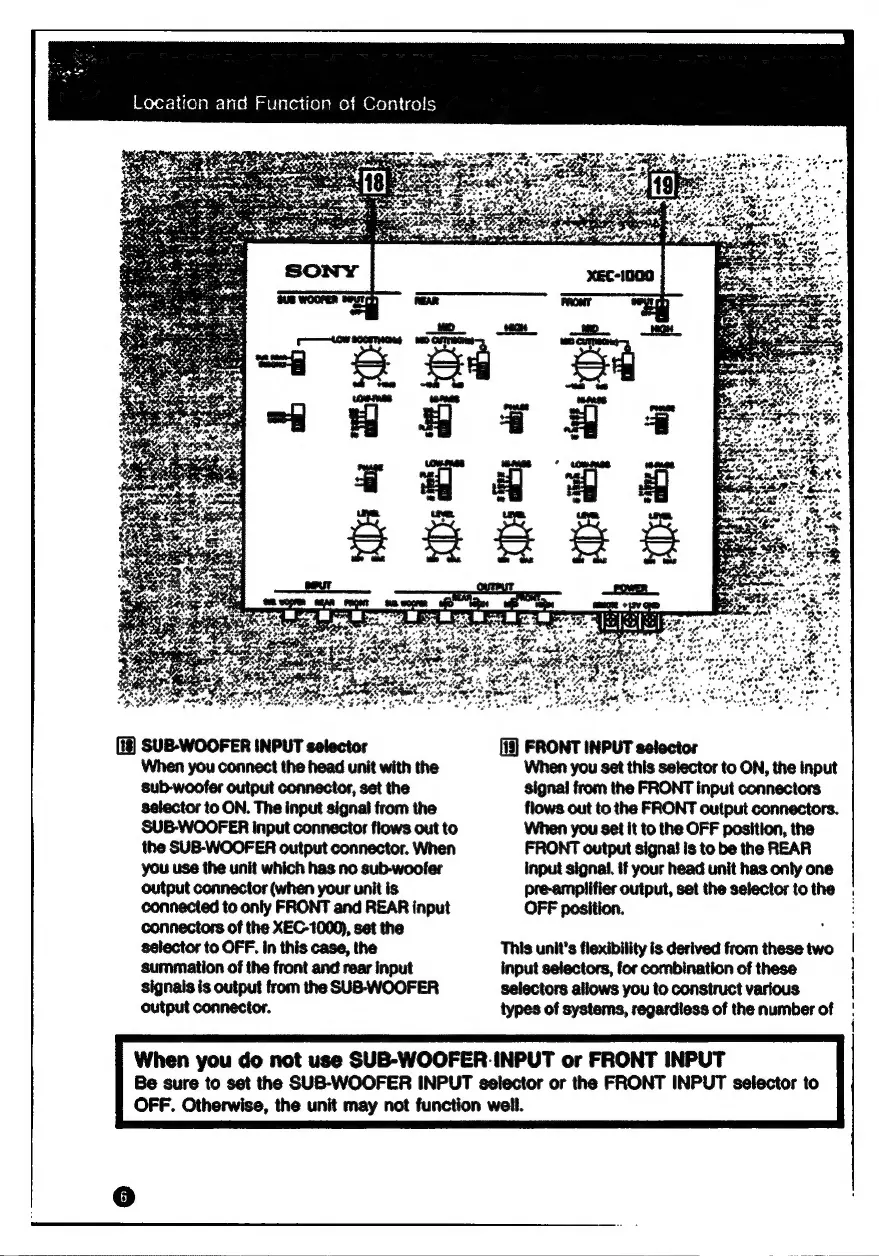
SUB-WOOFER
INPUT
selector
When
you
connect
the
head
unit
with
the
sub-woofer
output
connector,
set
the
selector
to
ON.
The
input
signal
from
the
SUB-WOOFER
input
connector
flows
out
to
the
SUB-WOOFER
output
connector.
When
you
use
the
unit
which
has
no
sub-woofer
output
connector
(when
your
unit
is
connected
to
only
FRONT
and
REAR
input
connectors
of
the
XEC-1000),
set
the
selector
to
OFF.
In
this
case,
the
summation
of
the
front
and
rear
input
signals
is
output
from
the
SUB-WOOFER
output
connector.
[13]
FRONT
INPUT
selector
When
you
set
this
selector
to
ON,
the
Input
signal
from
the
FRONT
input
connectors
flows
out
to
the
FRONT
output
connectors.
When
you
set
it
to
the
OFF
position,
the
FRONT
output
signa!
is
to
be
the
REAR
input
signal.
if
your
head
unit
has
only
one
pre-amplifier
output,
set
the
selector
to
the
OFF
position.
This
unit’s
flexibility
is
derived
from
these
two
input
selectors,
for
combination
of
these
selectors
allows
you
to
construct
various
types
of
systems,
regardiess
of
the
number
of
When
you
do
not
use
SUB-WOOFER.
INPUT
or
FRONT
INPUT
Be
sure
to
set
the
SUB-WOOFER
INPUT
selector
or
the
FRONT
INPUT
selector
to
OFF.
Otherwise,
the
unit
may
not
function
weil.

Other manuals for Sony XEC-1000