Navigating applications
You can navigate between applications using the navigation keys and the recently
used applications window, which lets you switch easily between all recently used
applications. Some applications are closed when you press to exit while others
continue to run in the background or pause. If an application is paused or runs in the
background, you can continue where you left off the next time you open the
application.
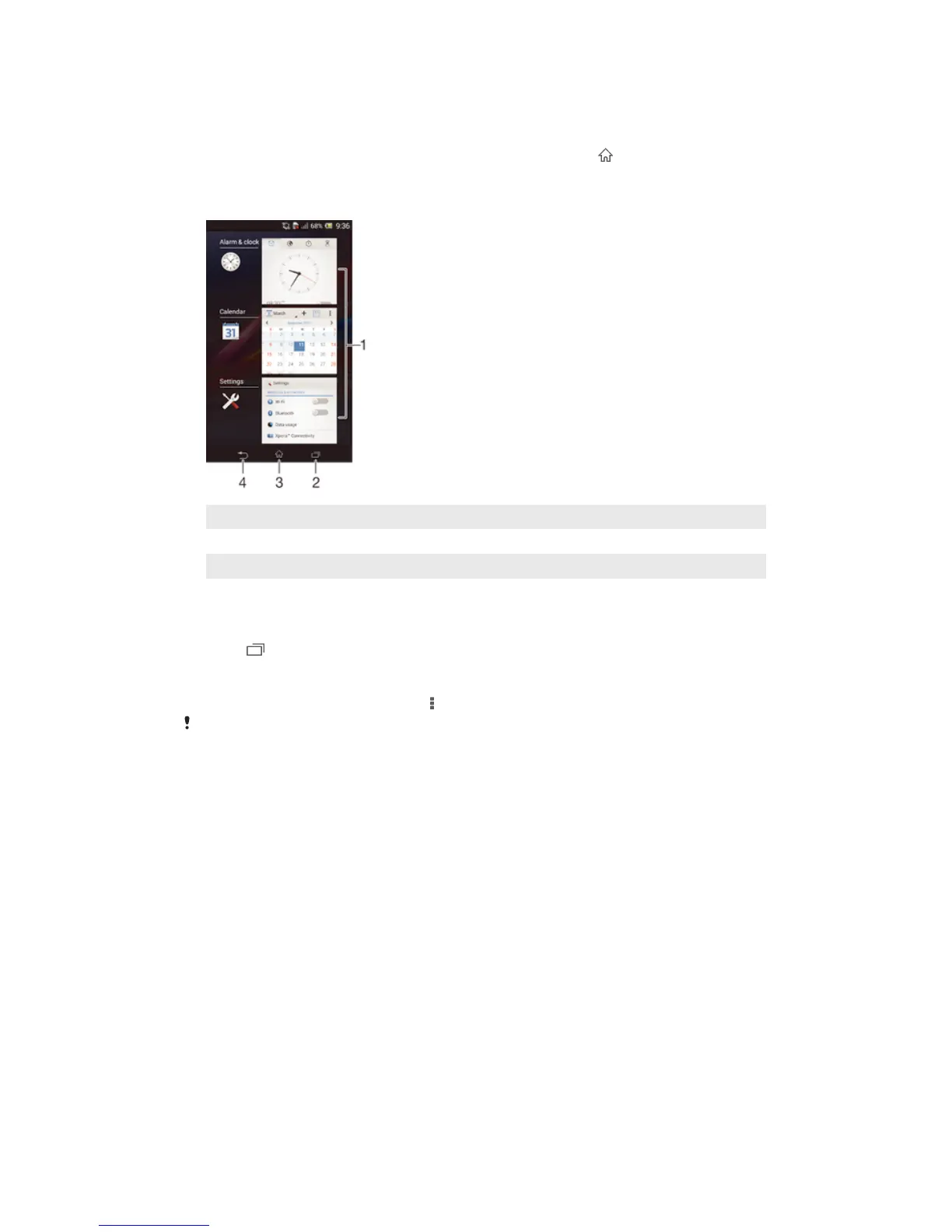
1 Recently used applications window – Open a recently used application
2 Task navigation key – Open the recently used applications window
3 Home navigation key – Exit an application and go back to the Home screen
4 Back navigation key – Go back to the previous screen within an application or close the application
To open the recently used applications window
•
Press .
To open a menu in an application
•
While using the application, press .
A menu is not available in all applications.
Widgets
Widgets are small applications that you can use directly on your Home screen. They
also function as shortcuts. For example, the Weather widget allows you to see basic
weather information directly on your Home screen. But when you tap the widget, the
full Weather application opens. You can download additional widgets from Google
Play™.
16
This is an Internet version of this publication. © Print only for private use.










 To Next Page