Getting started
Assembly
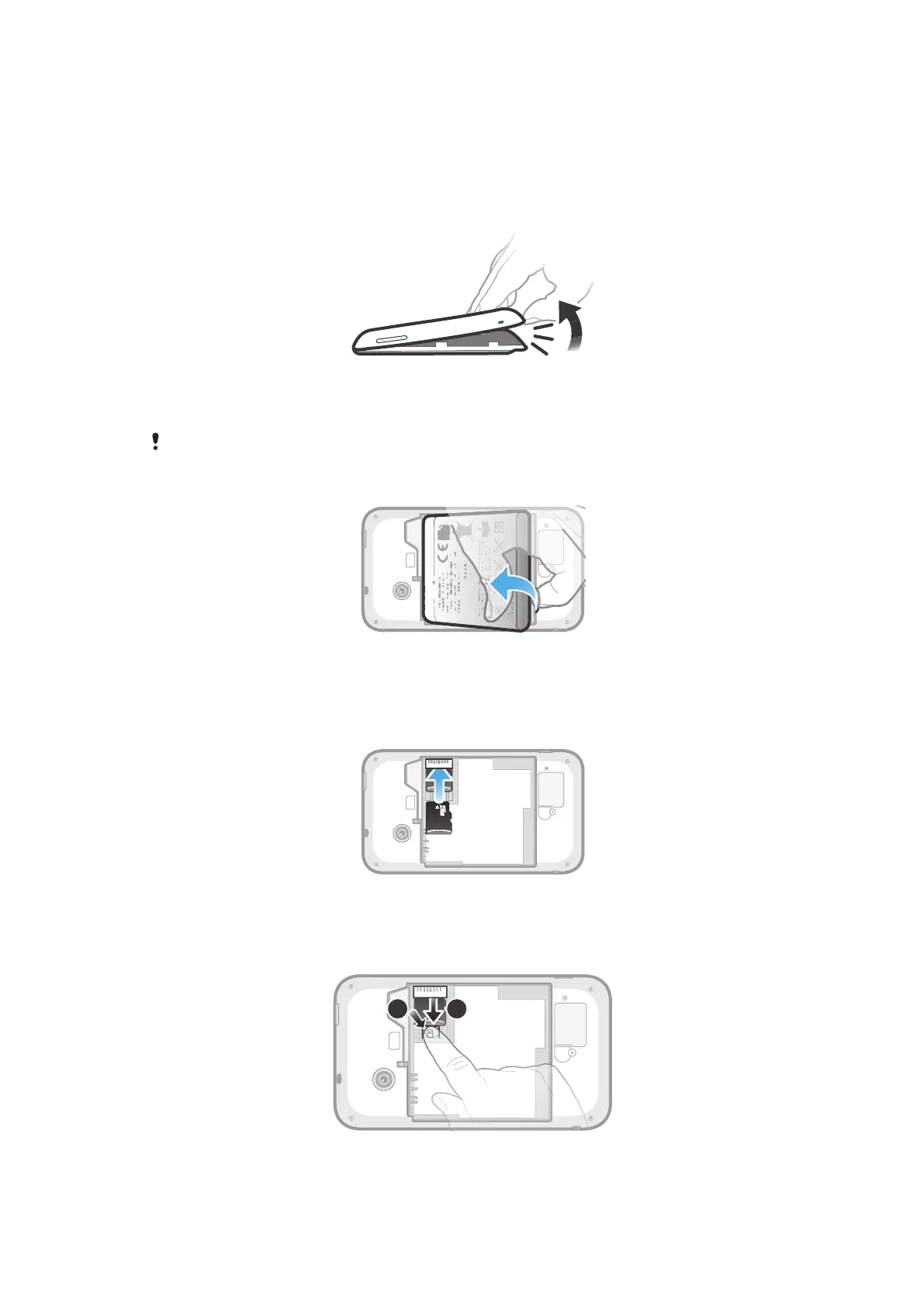
To remove the battery cover
•
Insert the tip of your finger firmly into the opening on the bottom side of the
phone, between the phone and the battery cover. Then lift up the cover slowly
but firmly.
Do not use sharp objects that may damage parts of the phone.
To remove the battery
1
Remove the battery cover.
2
Place the tip of your finger into the opening on the bottom side of the battery
and lift up the battery.
To insert a memory card
•
Remove the battery cover and insert the memory card with the gold-coloured
contacts facing down.
To remove the memory card
8
This is an Internet version of this publication. © Print only for private use.










 To Next Page