11
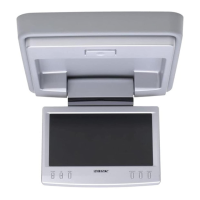
XVM-F65WL
SECTION 4
TEST MODE
Setting Method:
1. Turn on power to the connection box XA-125/126.
2. Press the [POWER] key on the set to turn on the set.
3. Press the [RESET] key while pressing the [INPUT] and [VOL--]
Keys on the set. Then TEST MODE MENU appears.
Terminating Method:
Select the MENU No. 5, SOFT RESET using the [MENU] key on
the remote controller and determine the selection using the [INPUT]
key.
The FOR FACTORY Mode:
The FOR FACTORY mode can be used to perform 13 different
adjustment items with the remote controller.
1. Select the MENU No. 2, FOR FACTORY using the [MENU] key
on the remote controller and determine the selection using the
[INPUT] key.
2. The FOR FACTORY mode is now entered. The following items
are selected in turn by pressing the [INPUT] key repeatedly.
Com Gain
Y Gain
Black Limt
White Limt
R SUB BRT
B SUB BRT
R SUB CONT
B SUB CONT
Gamma1
Gamma2
VCO Free Run
PLL/V Pos
H Pos
3. For each item selected, adjust so that the adjustment value is
within the specified value range using the
R
and
r
keys on the
remote controller.
4. After adjustment, press the [INPUT] key on the remote controller
to determine the adjustment value. After that, it changes into the
following item.
5. After all necessary adjustments are completed, select EXIT
using the [MENU] key on the remote controller and press the
[INPUT] key to display the MENU screen. Then, select No.5,
SOFT RESET using the [MENU] key and determine the selection
using the [INPUT] key to terminate the TEST mode.


 To Next Page
 Loading...