Help Guide
Digital Media Player
NW-A306
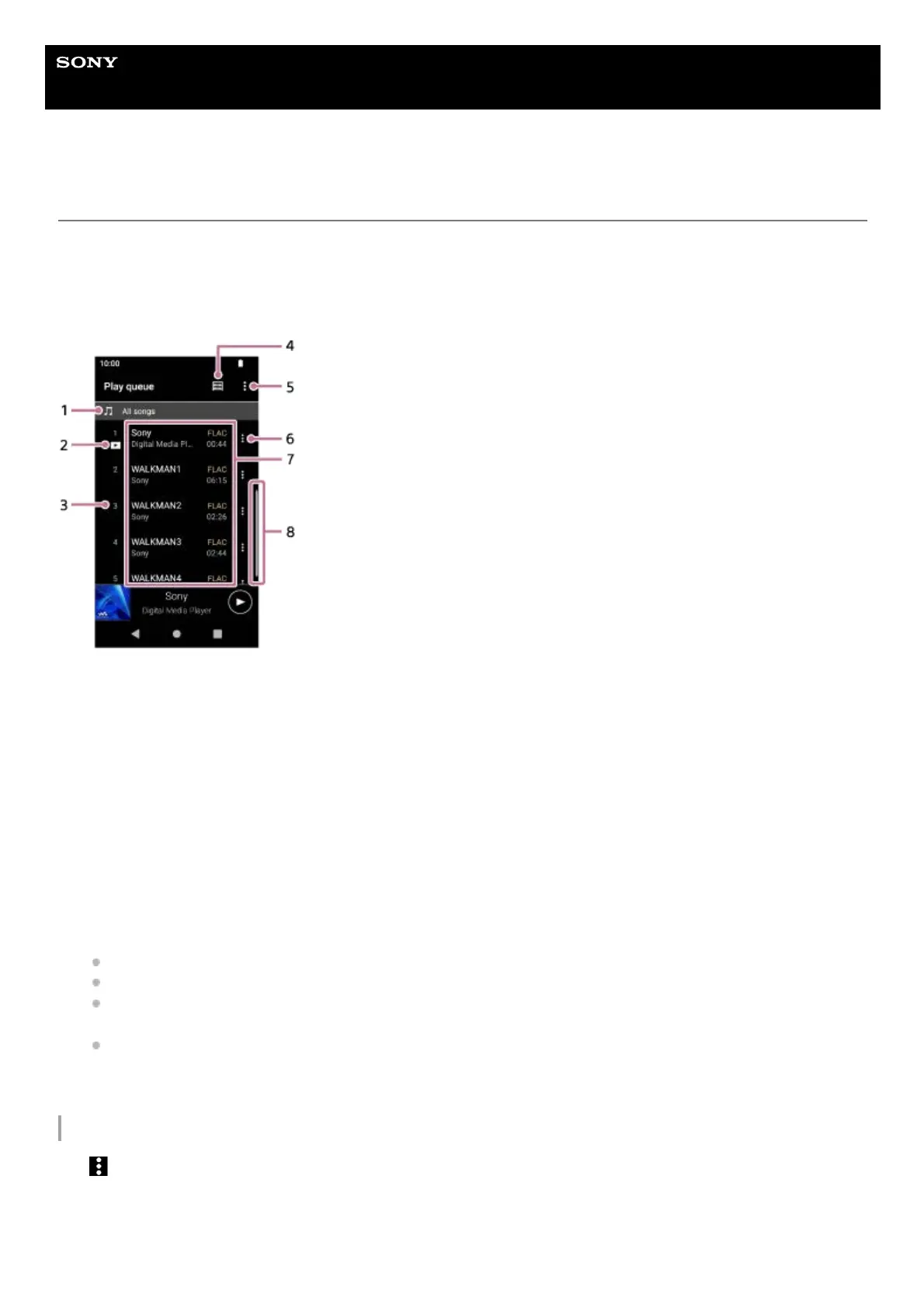
Play queue screen in “Music player”
You can check and edit the list of tracks that the player will play.
To display the play queue screen
Swipe the playback screen in “Music player” to the right.
Option menu
Tap
(Options) to display the option menu.
Displayed items may differ depending on the settings.
Settings
Select the item to display the Settings menu for “Music player”.
Playback unit1.
Current track2.
Playback order3.
Library top button4.
Options button5.
Context menu button6.
Content list
Artist name
Track title
Codec
Codecs for High-Resolution Audio formats appear in color.
Length
7.
Scroll indicator8.


 To Next Page