EasyManua.ls Logo

Sony YY1301B1 - User Manual

Sony YY1301B1
144 pages
Print Icon
To Next Page IconTo Next Page
Loading...
Help Guide
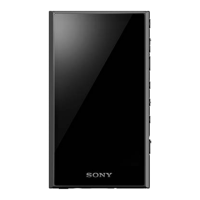
Digital Media Player
NW-A306
Model: YY1301B1
Use this manual when you have trouble or when you need to know how to use your player.
The color of the player sold in some countries/regions may differ from those shown above.
The contents of the Help Guide may be subject to change without notice due to updates to the product's specifications.
Getting Started
Before first use
Manuals and general information
Checking the contents of the package
Configuring the initial setup
Power and Charging
Turning the power on
1
Question and Answer IconNeed help?

Do you have a question about the Sony YY1301B1 and is the answer not in the manual?

Summary

Getting Started

Before first use

Instructions for initial setup and preparation before using the player.

Manuals and general information

Information about available manuals and general details regarding the player.

Checking the contents of the package

Details on what items are included in the product package upon purchase.

Configuring the initial setup

Steps to set up the player for the first time after purchase.

Power and Charging

Information on how to power on, power off, and charge the player.

microSD Card Usage

Using a microSD card

Guide on how to insert and use a microSD card.

Notes on microSD cards

Important precautions and considerations for microSD cards.

Device Operations

Device Parts and Controls

Identification and explanation of the player's physical buttons and features.

Home Screen Navigation

How to navigate and use the different home screen interfaces.

Navigating Music Player Screens

Guide to navigating different views within the Music player app.

Library Screen Details

How to browse and select music tracks from the library.

Transferring Music Content

Music Content Preparation

Steps to get music files ready for transfer to the player.

Buying High-Resolution Audio via Computer

How to buy high-quality audio files via a computer.

Using a Windows Computer for Transfer

Instructions for transferring music using a Windows PC.

Enjoying Online Music Services via Wi-Fi

How to connect to Wi-Fi and use online music services.

Music Playback, Organization, and Deletion

Managing music files on the player.

Playing Music Files

Instructions on how to play music tracks.

Playback Methods

Different ways to control music playback.

Displaying Song Lyrics

How to show lyrics for music tracks.

Playlist Management

Creating and managing music playlists.

Managing Favorites

How to add and manage favorite tracks.

Removing Tracks from Music Player

How to remove music tracks from the player.

Bluetooth Device Connectivity

First-Time Bluetooth Device Pairing

Initial pairing process with a new Bluetooth device.

Connecting to Paired Bluetooth Devices

Reconnecting to an already paired Bluetooth device.

Bluetooth Function Settings

Settings to customize Bluetooth streaming options.

Bluetooth Usage Precautions

Important information and precautions for Bluetooth use.

Advanced Player Functions

Using the USB-DAC Function

How to use the player as a USB DAC.

Music Folder Specification for Playback

Choosing which folders to scan for music.

Sound Adjustment Options

Fine-tuning audio settings.

High-Resolution Streaming Function

Enabling high-quality audio streaming.

Music Player Settings Menu

Accessing and configuring player settings.

Player Reset and Initialization

Restarting the Player

Steps to restart the player if it becomes unresponsive.

Factory Resetting the Device

How to reset the player to factory settings.

microSD Card Formatting

Guide to formatting a microSD card.

Important Notices and Precautions

Device Handling and Safety Precautions

Precautions for safe and proper use of the player.

Headphone Usage Guidelines

Important advice regarding headphone usage.

Built-in Battery Safety Information

Precautions related to the internal battery.

General Device Information

Device Maintenance

Instructions on how to clean and maintain the player.

Accessing Customer Support

Information on how to access online support.

Technical Specifications

Detailed technical specifications of the device.

Battery Life Estimates

Information on how long the battery lasts under different conditions.

Music Storage Capacity Limits

Capacity limits for storing music files.

Supported Audio File Formats

List of audio file formats compatible with the player.

Software and Connectivity Requirements

Requirements for using compatible software and features.

Initial Setup and First Use

Computer System Requirements

PC requirements for connecting and using the player.

Battery Charging Process

Instructions on charging the player's battery.

microSD Card Handling

Details about using memory cards.

User Manuals and Information Resources

Reference Guide (Printed)

Information about the physical reference guide.

Operating Instructions (Printed)

Guide for basic setup and music listening.

Help Guide (Web Manual)

Details about the online help manual.

Important Information Section

Information on copyrights, laws, and regulations.

Online Customer Support

How to access online support resources.

Package Contents Verification

Initial Setup Configuration

Wi-Fi Setup Procedure

Instructions for configuring the player's Wi-Fi connection.

Google Account Setup

Information on setting up and using a Google account.

Instructional Videos

Links to videos demonstrating player operations.

Powering On the Device

Powering Off the Device

Locking Buttons with HOLD Function

Battery Charging Procedures

Maximizing Battery Lifespan

Battery Power Saving Tips

Battery Charging Precautions

microSD Card Operations

Inserting a microSD Card

Steps for inserting a microSD card into the player.

Formatting a microSD Card

How to format a microSD card on the player.

Removing a microSD Card

Steps to safely remove a microSD card.

microSD Card Handling Precautions

Device Hardware Overview

Using the HOLD Switch

WALKMAN Home Screen Interface

Status Bar Guide

Explanation of the player's status bar and its indicators.

Music Player Widget

Information about the music player widget on the home screen.

App Shortcuts

How to launch applications from shortcuts.

App Shortcut Dock

Information about the app shortcut dock.

Navigation Bar Functions

Explanation of the player's navigation buttons.

Cover Art Display

How album cover art is displayed and used.

Playback Control Buttons

Controls for music playback.

App Shortcuts on Dock Overview

Sound Adjustment App

Using the app to adjust audio settings.

Music Player App

Using the app to play music content.

Sony | Headphones Connect App

App for registering and setting up headphones.

Android Home Screen Interface

Status Bar Information

Explanation of the player's status bar and its indicators.

Google Search Widget

Using the search function on the home screen.

App Shortcuts on Home Screen

How to launch applications from shortcuts.

Home Screen Dock

Information about the app shortcut dock.

Navigation Bar Functions

Explanation of the player's navigation buttons.

Dock App Shortcuts Details

Details on preinstalled apps and their functions.

Sound Adjustment App Usage

Using the app to adjust audio settings.

Music Player App Usage

Using the app to play music content.

Displaying the All Apps Screen

Displaying Quick Settings Panel

Switching the Home Screen

Navigating Music Player Screens

Music Player Screen Types

Playback Screen Details

Details of the screen displayed during music playback.

Library Screen Navigation

How to browse and select music tracks from the library.

Play Queue Screen Management

Managing the list of tracks to be played.

Favorites Screen Management

Managing favorite music tracks.

Music Player Interface Elements

Sound Adjustment Screens

Using the built-in sound customization options.

Mini Player Controls

Controls for music playback accessible from a mini-player.

Detailed Music Library View

Music Player Options Menu

Detailed Playback Screen View

Cover Art Display

Information about album cover art display.

Sound Quality Information

Details on audio codec, sampling frequency, and bit rate.

Track and Artist Information

Display of track title, artist name, and album title.

Elapsed Time Display

Shows the current track's elapsed playback time.

Timeline Bar Functionality

Visual representation of playback progress within a track.

Playback Control Buttons

Buttons for play, pause, next, previous, and repeat functions.

Library Top Button Function

Button to navigate to the top of the music library.

Options Button Functionality

Accesses the options menu for the current track.

Favorites Button Function

Adds or removes the current track from favorites.

Detailed Play Queue Screen View

Playback Unit Identification

Indicates the current playback unit.

Current Track Information

Details about the currently playing track.

Playback Order Display

Shows the sequence of tracks in the play queue.

Library Top Button

Button to navigate to the top of the music library.

Options Button

Accesses the options menu for the play queue.

Context Menu Button

Button to display context-specific menus.

Content List Details

Lists track details like artist, codec, and length.

Playlist and Context Menu Operations

Editing Song Order in Playlists

Rearranging the sequence of tracks within a playlist.

Adding Tracks to Playlists

Adding selected tracks to an existing or new playlist.

Context Menu Actions

Performing actions via the context menu.

Detailed Favorites Screen View

Category Tabs Navigation

Switching between music categories in Favorites.

Favorites Content List

Viewing items within the selected favorite category.

Library Top Button

Button to navigate to the top of the music library.

Options Button

Accesses the options menu for Favorites.

Context Menu Button

Button to display context-specific menus.

Scroll Indicator

Indicates the scrollable position within a list.

Shuffle Playback Button

Initiates shuffle playback for the displayed track list.

Playlist Editing and Context Actions

Editing Song Order in Playlists

Rearranging the sequence of tracks within a playlist.

Adding Tracks to Playlists

Adding selected tracks to an existing or new playlist.

Context Menu Actions

Performing actions via the context menu.

Sound Adjustment Screens for Music Player

Sound Adjustment Name

Identifies the specific sound adjustment being configured.

ON;OFF Switch

Toggles the sound adjustment feature on or off.

Library Top Button

Button to navigate to the top of the music library.

Options Button

Accesses the options menu for sound adjustments.

Option Menu Access

Status Bar Icon Guide

Configuring Screen Lock Security

Volume Control Procedures

Volume Limiting Features (AVLS)

Volume Compliance and Warnings

Music Content Preparation

Buying Music via Online Services on Player

Buying music directly from online services via the player.

Importing Music from Audio CD to Music Center

Steps to import music from CDs using Music Center for PC.

Importing Music from Computer to Music Center

Steps to import music from PC to Music Center for PC.

Importing Music from External Media to Computer

Steps to import music from external devices to a computer.

Purchasing Music from Online Services

General guide to buying music from online services.

Music Transfer Procedures

Importing Computer Music to Music Center

Steps to import music from PC to Music Center for PC.

Importing External Media Music to Computer

Steps to import music from external devices to a computer.

Buying Music from Online Services

General guide to buying music from online services.

Buying High-Resolution Audio via Computer

Installing Music Center for PC (Windows)

Transferring Music with Music Center for PC

Transferring Music using Windows Explorer

Importing Music from Player to Music Center

Transferring Music using Mac Computer

Adding Lyric Information via Computer

Copyright Notice for Lyrics

Notes on Transferring Content from Computer

Connecting to a Wi-Fi Network

Setting up a Google Account

Buying Music via Online Services on Player

Buying High-Resolution Audio Content

Installing Music Apps from Google Play

360 Reality Audio Setup

Wi-Fi Connection Best Practices

Internet Connection Security Measures

Music Playback Guide

Playing Tracks in Desired Order

Checking and editing track order in the play queue.

Changing Play Queue Track Order

Rearranging the sequence of tracks within a playlist.

Removing Tracks from Play Queue

Removing specific tracks from the current play queue.

Device Playback Button Functions

Music Playback Modes and Ranges

Selecting the Playback Mode

Choosing between shuffle, repeat one, or repeat all modes.

Setting the Playback Range

Defining the scope of tracks for playback (all or selected).

Acquiring Song Lyrics

Showing Song Lyrics on Screen

Playlist Management in Music Player

Creating a Playlist

Saving custom playlists to the player's memory.

Listening to a Playlist

Accessing and playing saved playlists.

Editing Music Player Playlists

Deleting Music Player Playlists

Playlist Management with Windows PC

Importing Playlists from Windows PC

Transferring playlists from a computer to the player.

Listening to Playlists on Player

Accessing and playing imported playlists.

Removing Playlists from Music Player

Favorite Music Management

Adding Favorites

Adding tracks, albums, or playlists to the Favorites list.

Listening to Favorites

Accessing and playing items saved in Favorites.

Removing Favorites

Deleting items from the Favorites list.

Removing Tracks from Music Player

First-Time Bluetooth Device Pairing

Connecting to Paired Bluetooth Devices

Bluetooth Function Settings

Bluetooth Usage Precautions

Using USB-DAC for Computer Audio

Adjusting USB-DAC Audio Output

USB-DAC Mode Screen Interface

Music Import Folder Structure

Customizing Music Import Folders

Removing Custom Import Folders

Advanced Sound Customization

Direct Source Setting

Outputs original sound quality without effects.

Equalizer Settings

Adjusts sound frequencies using presets or custom settings.

DSEE Ultimate Enhancement

Upscales audio quality to near High-Resolution Audio.

DC Phase Linearizer Function

Adjusts low-frequency phase shifts for analog amplifier characteristics.

Dynamic Normalizer Adjustment

Moderates volume changes between tracks.

Vinyl Processor Effect

Adds rich sound similar to vinyl playback.

ClearAudio+ Optimization

Applies recommended sound settings automatically.

Enabling High-Resolution Streaming

Music Player Settings Menu

Device Restart Procedure

Factory Resetting the Device

microSD Card Formatting

Viewing Device Information

System Software Update Process

Device Handling and Safety Precautions

Headphone Usage Guidelines

Built-in Battery Safety Information

Sample Data Information

General Device Overview

Device Cleaning and Care

Accessing Customer Support

Technical Specifications

Display Specifications

Details about the screen size, resolution, and panel type.

Interface Ports and Connections

Information on USB, headphone jack, and external memory ports.

External Memory Support

Details on compatible external memory cards.

Wireless LAN Standards

Information on supported Wi-Fi standards and encryption.

Bluetooth Version and Profiles

Details on Bluetooth version, frequency band, and supported profiles.

Sensor Information

Details about the device's built-in sensors.

Microphone Specifications

Information about the device's microphone.

General and Capacity Specifications

General Power and Dimension Specs

Details on power source, charging, operating temp, dimensions, and mass.

Storage Capacity Details

Information on total and available memory capacity.

Estimated Battery Performance

Music Storage Capacity Limits

Supported Audio File Formats

Software and Connectivity Requirements

Compatible Application Software

Lists required software like Music Center for PC.

Summary

Getting Started

Before first use

Instructions for initial setup and preparation before using the player.

Manuals and general information

Information about available manuals and general details regarding the player.

Checking the contents of the package

Details on what items are included in the product package upon purchase.

Configuring the initial setup

Steps to set up the player for the first time after purchase.

Power and Charging

Information on how to power on, power off, and charge the player.

microSD Card Usage

Using a microSD card

Guide on how to insert and use a microSD card.

Notes on microSD cards

Important precautions and considerations for microSD cards.

Device Operations

Device Parts and Controls

Identification and explanation of the player's physical buttons and features.

Home Screen Navigation

How to navigate and use the different home screen interfaces.

Navigating Music Player Screens

Guide to navigating different views within the Music player app.

Library Screen Details

How to browse and select music tracks from the library.

Transferring Music Content

Music Content Preparation

Steps to get music files ready for transfer to the player.

Buying High-Resolution Audio via Computer

How to buy high-quality audio files via a computer.

Using a Windows Computer for Transfer

Instructions for transferring music using a Windows PC.

Enjoying Online Music Services via Wi-Fi

How to connect to Wi-Fi and use online music services.

Music Playback, Organization, and Deletion

Managing music files on the player.

Playing Music Files

Instructions on how to play music tracks.

Playback Methods

Different ways to control music playback.

Displaying Song Lyrics

How to show lyrics for music tracks.

Playlist Management

Creating and managing music playlists.

Managing Favorites

How to add and manage favorite tracks.

Removing Tracks from Music Player

How to remove music tracks from the player.

Bluetooth Device Connectivity

First-Time Bluetooth Device Pairing

Initial pairing process with a new Bluetooth device.

Connecting to Paired Bluetooth Devices

Reconnecting to an already paired Bluetooth device.

Bluetooth Function Settings

Settings to customize Bluetooth streaming options.

Bluetooth Usage Precautions

Important information and precautions for Bluetooth use.

Advanced Player Functions

Using the USB-DAC Function

How to use the player as a USB DAC.

Music Folder Specification for Playback

Choosing which folders to scan for music.

Sound Adjustment Options

Fine-tuning audio settings.

High-Resolution Streaming Function

Enabling high-quality audio streaming.

Music Player Settings Menu

Accessing and configuring player settings.

Player Reset and Initialization

Restarting the Player

Steps to restart the player if it becomes unresponsive.

Factory Resetting the Device

How to reset the player to factory settings.

microSD Card Formatting

Guide to formatting a microSD card.

Important Notices and Precautions

Device Handling and Safety Precautions

Precautions for safe and proper use of the player.

Headphone Usage Guidelines

Important advice regarding headphone usage.

Built-in Battery Safety Information

Precautions related to the internal battery.

General Device Information

Device Maintenance

Instructions on how to clean and maintain the player.

Accessing Customer Support

Information on how to access online support.

Technical Specifications

Detailed technical specifications of the device.

Battery Life Estimates

Information on how long the battery lasts under different conditions.

Music Storage Capacity Limits

Capacity limits for storing music files.

Supported Audio File Formats

List of audio file formats compatible with the player.

Software and Connectivity Requirements

Requirements for using compatible software and features.

Initial Setup and First Use

Computer System Requirements

PC requirements for connecting and using the player.

Battery Charging Process

Instructions on charging the player's battery.

microSD Card Handling

Details about using memory cards.

User Manuals and Information Resources

Reference Guide (Printed)

Information about the physical reference guide.

Operating Instructions (Printed)

Guide for basic setup and music listening.

Help Guide (Web Manual)

Details about the online help manual.

Important Information Section

Information on copyrights, laws, and regulations.

Online Customer Support

How to access online support resources.

Package Contents Verification

Initial Setup Configuration

Wi-Fi Setup Procedure

Instructions for configuring the player's Wi-Fi connection.

Google Account Setup

Information on setting up and using a Google account.

Instructional Videos

Links to videos demonstrating player operations.

Powering On the Device

Powering Off the Device

Locking Buttons with HOLD Function

Battery Charging Procedures

Maximizing Battery Lifespan

Battery Power Saving Tips

Battery Charging Precautions

microSD Card Operations

Inserting a microSD Card

Steps for inserting a microSD card into the player.

Formatting a microSD Card

How to format a microSD card on the player.

Removing a microSD Card

Steps to safely remove a microSD card.

microSD Card Handling Precautions

Device Hardware Overview

Using the HOLD Switch

WALKMAN Home Screen Interface

Status Bar Guide

Explanation of the player's status bar and its indicators.

Music Player Widget

Information about the music player widget on the home screen.

App Shortcuts

How to launch applications from shortcuts.

App Shortcut Dock

Information about the app shortcut dock.

Navigation Bar Functions

Explanation of the player's navigation buttons.

Cover Art Display

How album cover art is displayed and used.

Playback Control Buttons

Controls for music playback.

App Shortcuts on Dock Overview

Sound Adjustment App

Using the app to adjust audio settings.

Music Player App

Using the app to play music content.

Sony | Headphones Connect App

App for registering and setting up headphones.

Android Home Screen Interface

Status Bar Information

Explanation of the player's status bar and its indicators.

Google Search Widget

Using the search function on the home screen.

App Shortcuts on Home Screen

How to launch applications from shortcuts.

Home Screen Dock

Information about the app shortcut dock.

Navigation Bar Functions

Explanation of the player's navigation buttons.

Dock App Shortcuts Details

Details on preinstalled apps and their functions.

Sound Adjustment App Usage

Using the app to adjust audio settings.

Music Player App Usage

Using the app to play music content.

Displaying the All Apps Screen

Displaying Quick Settings Panel

Switching the Home Screen

Navigating Music Player Screens

Music Player Screen Types

Playback Screen Details

Details of the screen displayed during music playback.

Library Screen Navigation

How to browse and select music tracks from the library.

Play Queue Screen Management

Managing the list of tracks to be played.

Favorites Screen Management

Managing favorite music tracks.

Music Player Interface Elements

Sound Adjustment Screens

Using the built-in sound customization options.

Mini Player Controls

Controls for music playback accessible from a mini-player.

Detailed Music Library View

Music Player Options Menu

Detailed Playback Screen View

Cover Art Display

Information about album cover art display.

Sound Quality Information

Details on audio codec, sampling frequency, and bit rate.

Track and Artist Information

Display of track title, artist name, and album title.

Elapsed Time Display

Shows the current track's elapsed playback time.

Timeline Bar Functionality

Visual representation of playback progress within a track.

Playback Control Buttons

Buttons for play, pause, next, previous, and repeat functions.

Library Top Button Function

Button to navigate to the top of the music library.

Options Button Functionality

Accesses the options menu for the current track.

Favorites Button Function

Adds or removes the current track from favorites.

Detailed Play Queue Screen View

Playback Unit Identification

Indicates the current playback unit.

Current Track Information

Details about the currently playing track.

Playback Order Display

Shows the sequence of tracks in the play queue.

Library Top Button

Button to navigate to the top of the music library.

Options Button

Accesses the options menu for the play queue.

Context Menu Button

Button to display context-specific menus.

Content List Details

Lists track details like artist, codec, and length.

Playlist and Context Menu Operations

Editing Song Order in Playlists

Rearranging the sequence of tracks within a playlist.

Adding Tracks to Playlists

Adding selected tracks to an existing or new playlist.

Context Menu Actions

Performing actions via the context menu.

Detailed Favorites Screen View

Category Tabs Navigation

Switching between music categories in Favorites.

Favorites Content List

Viewing items within the selected favorite category.

Library Top Button

Button to navigate to the top of the music library.

Options Button

Accesses the options menu for Favorites.

Context Menu Button

Button to display context-specific menus.

Scroll Indicator

Indicates the scrollable position within a list.

Shuffle Playback Button

Initiates shuffle playback for the displayed track list.

Playlist Editing and Context Actions

Editing Song Order in Playlists

Rearranging the sequence of tracks within a playlist.

Adding Tracks to Playlists

Adding selected tracks to an existing or new playlist.

Context Menu Actions

Performing actions via the context menu.

Sound Adjustment Screens for Music Player

Sound Adjustment Name

Identifies the specific sound adjustment being configured.

ON;OFF Switch

Toggles the sound adjustment feature on or off.

Library Top Button

Button to navigate to the top of the music library.

Options Button

Accesses the options menu for sound adjustments.

Option Menu Access

Status Bar Icon Guide

Configuring Screen Lock Security

Volume Control Procedures

Volume Limiting Features (AVLS)

Volume Compliance and Warnings

Music Content Preparation

Buying Music via Online Services on Player

Buying music directly from online services via the player.

Importing Music from Audio CD to Music Center

Steps to import music from CDs using Music Center for PC.

Importing Music from Computer to Music Center

Steps to import music from PC to Music Center for PC.

Importing Music from External Media to Computer

Steps to import music from external devices to a computer.

Purchasing Music from Online Services

General guide to buying music from online services.

Music Transfer Procedures

Importing Computer Music to Music Center

Steps to import music from PC to Music Center for PC.

Importing External Media Music to Computer

Steps to import music from external devices to a computer.

Buying Music from Online Services

General guide to buying music from online services.

Buying High-Resolution Audio via Computer

Installing Music Center for PC (Windows)

Transferring Music with Music Center for PC

Transferring Music using Windows Explorer

Importing Music from Player to Music Center

Transferring Music using Mac Computer

Adding Lyric Information via Computer

Copyright Notice for Lyrics

Notes on Transferring Content from Computer

Connecting to a Wi-Fi Network

Setting up a Google Account

Buying Music via Online Services on Player

Buying High-Resolution Audio Content

Installing Music Apps from Google Play

360 Reality Audio Setup

Wi-Fi Connection Best Practices

Internet Connection Security Measures

Music Playback Guide

Playing Tracks in Desired Order

Checking and editing track order in the play queue.

Changing Play Queue Track Order

Rearranging the sequence of tracks within a playlist.

Removing Tracks from Play Queue

Removing specific tracks from the current play queue.

Device Playback Button Functions

Music Playback Modes and Ranges

Selecting the Playback Mode

Choosing between shuffle, repeat one, or repeat all modes.

Setting the Playback Range

Defining the scope of tracks for playback (all or selected).

Acquiring Song Lyrics

Showing Song Lyrics on Screen

Playlist Management in Music Player

Creating a Playlist

Saving custom playlists to the player's memory.

Listening to a Playlist

Accessing and playing saved playlists.

Editing Music Player Playlists

Deleting Music Player Playlists

Playlist Management with Windows PC

Importing Playlists from Windows PC

Transferring playlists from a computer to the player.

Listening to Playlists on Player

Accessing and playing imported playlists.

Removing Playlists from Music Player

Favorite Music Management

Adding Favorites

Adding tracks, albums, or playlists to the Favorites list.

Listening to Favorites

Accessing and playing items saved in Favorites.

Removing Favorites

Deleting items from the Favorites list.

Removing Tracks from Music Player

First-Time Bluetooth Device Pairing

Connecting to Paired Bluetooth Devices

Bluetooth Function Settings

Bluetooth Usage Precautions

Using USB-DAC for Computer Audio

Adjusting USB-DAC Audio Output

USB-DAC Mode Screen Interface

Music Import Folder Structure

Customizing Music Import Folders

Removing Custom Import Folders

Advanced Sound Customization

Direct Source Setting

Outputs original sound quality without effects.

Equalizer Settings

Adjusts sound frequencies using presets or custom settings.

DSEE Ultimate Enhancement

Upscales audio quality to near High-Resolution Audio.

DC Phase Linearizer Function

Adjusts low-frequency phase shifts for analog amplifier characteristics.

Dynamic Normalizer Adjustment

Moderates volume changes between tracks.

Vinyl Processor Effect

Adds rich sound similar to vinyl playback.

ClearAudio+ Optimization

Applies recommended sound settings automatically.

Enabling High-Resolution Streaming

Music Player Settings Menu

Device Restart Procedure

Factory Resetting the Device

microSD Card Formatting

Viewing Device Information

System Software Update Process

Device Handling and Safety Precautions

Headphone Usage Guidelines

Built-in Battery Safety Information

Sample Data Information

General Device Overview

Device Cleaning and Care

Accessing Customer Support

Technical Specifications

Display Specifications

Details about the screen size, resolution, and panel type.

Interface Ports and Connections

Information on USB, headphone jack, and external memory ports.

External Memory Support

Details on compatible external memory cards.

Wireless LAN Standards

Information on supported Wi-Fi standards and encryption.

Bluetooth Version and Profiles

Details on Bluetooth version, frequency band, and supported profiles.

Sensor Information

Details about the device's built-in sensors.

Microphone Specifications

Information about the device's microphone.

General and Capacity Specifications

General Power and Dimension Specs

Details on power source, charging, operating temp, dimensions, and mass.

Storage Capacity Details

Information on total and available memory capacity.

Estimated Battery Performance

Music Storage Capacity Limits

Supported Audio File Formats

Software and Connectivity Requirements

Compatible Application Software

Lists required software like Music Center for PC.

Sony YY1301B1 Specifications

General IconGeneral
BrandSony
ModelYY1301B1
CategoryMedia Player
LanguageEnglish

Related product manuals