Help Guide
Wireless Stereo Headset
WI-C100
Charging the headset
The headset contains a built-in lithium-ion rechargeable battery. Use a commercially available USB Type-C cable to
charge the headset before use.
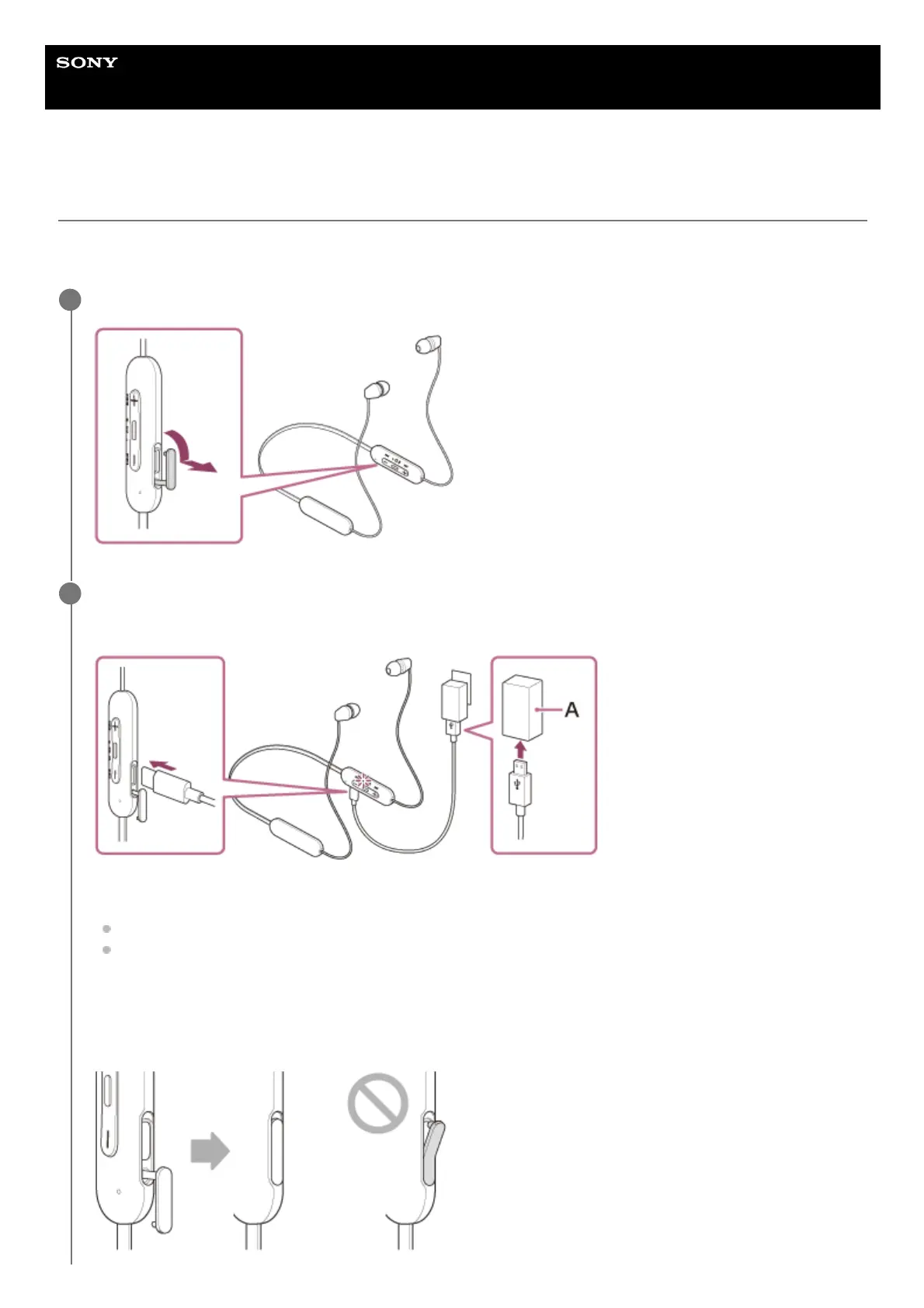
Open the USB Type-C port cover.
1
Connect the headset to an AC outlet.
Use a commercially available USB Type-C cable and USB AC adaptor.
A: USB AC adaptor
The indicator (orange) on the headset lights up.
Charging is completed in about 3 hours (*) and the indicator turns off automatically.
After charging is complete, disconnect the USB Type-C cable and close the USB Type-C port cover securely to
prevent water or dust from entering the headset.
2
Time required for charging the empty battery to its full capacity. The charging time may differ depending on the conditions of use.
*



 To Next Page