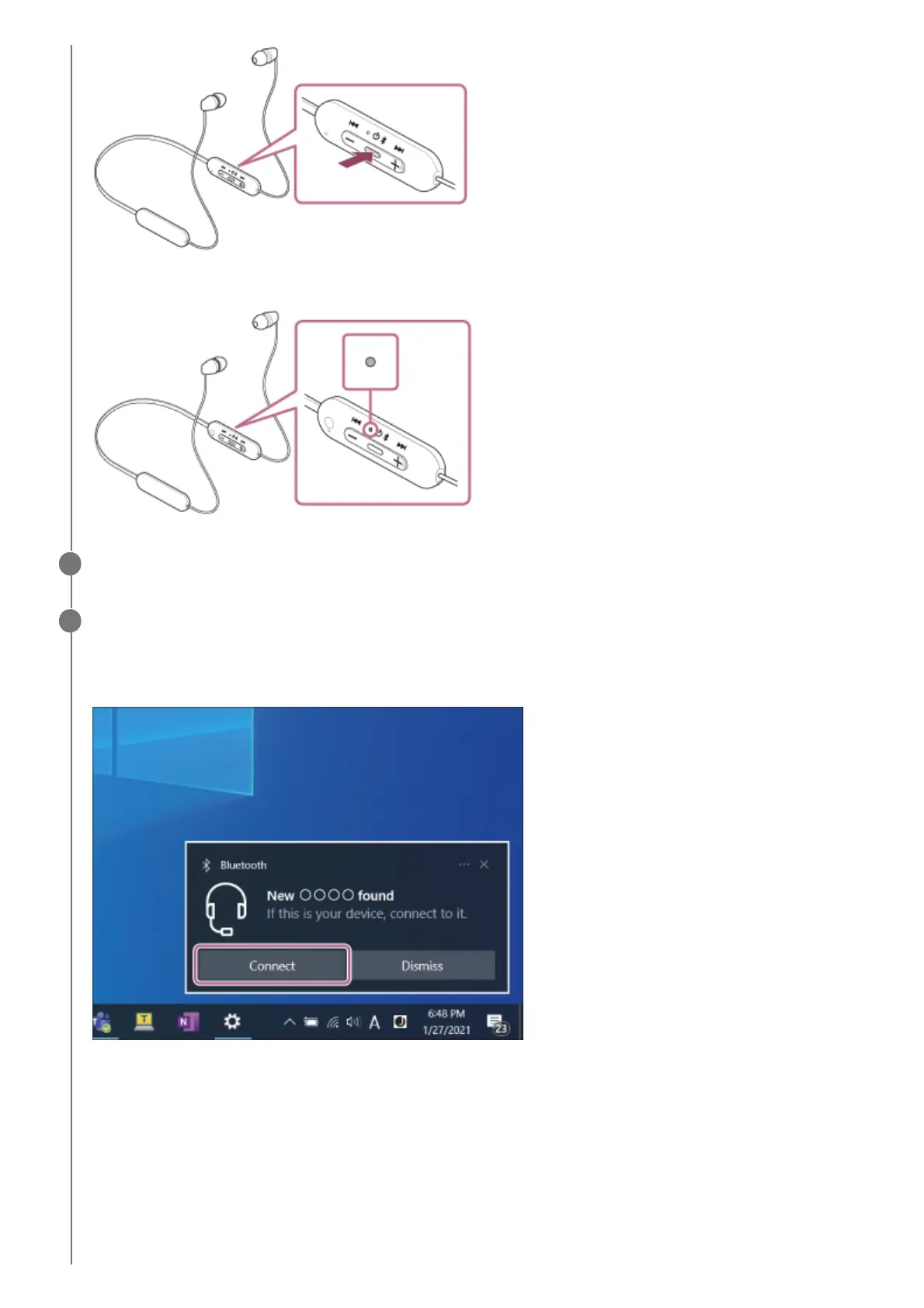
The indicator (blue) repeatedly flashes twice in a row. You will hear the voice guidance say, “Bluetooth pairing”.
Wake the computer up if the computer is in standby (sleep) or hibernation mode.
2
Pair the headset using the computer.
To connect using the Swift Pair function
To connect without using the Swift Pair function
3
Select [Connect] from the pop up menu displayed on your computer screen.1.
Click the [Start] button, then [Settings].1.
Click [Devices].2.



 To Next Page