Hint
The operation above is an example. For more details, refer to the operating instructions supplied with the computer.
Wake the computer up if the computer is in standby (sleep) or hibernation mode.
2
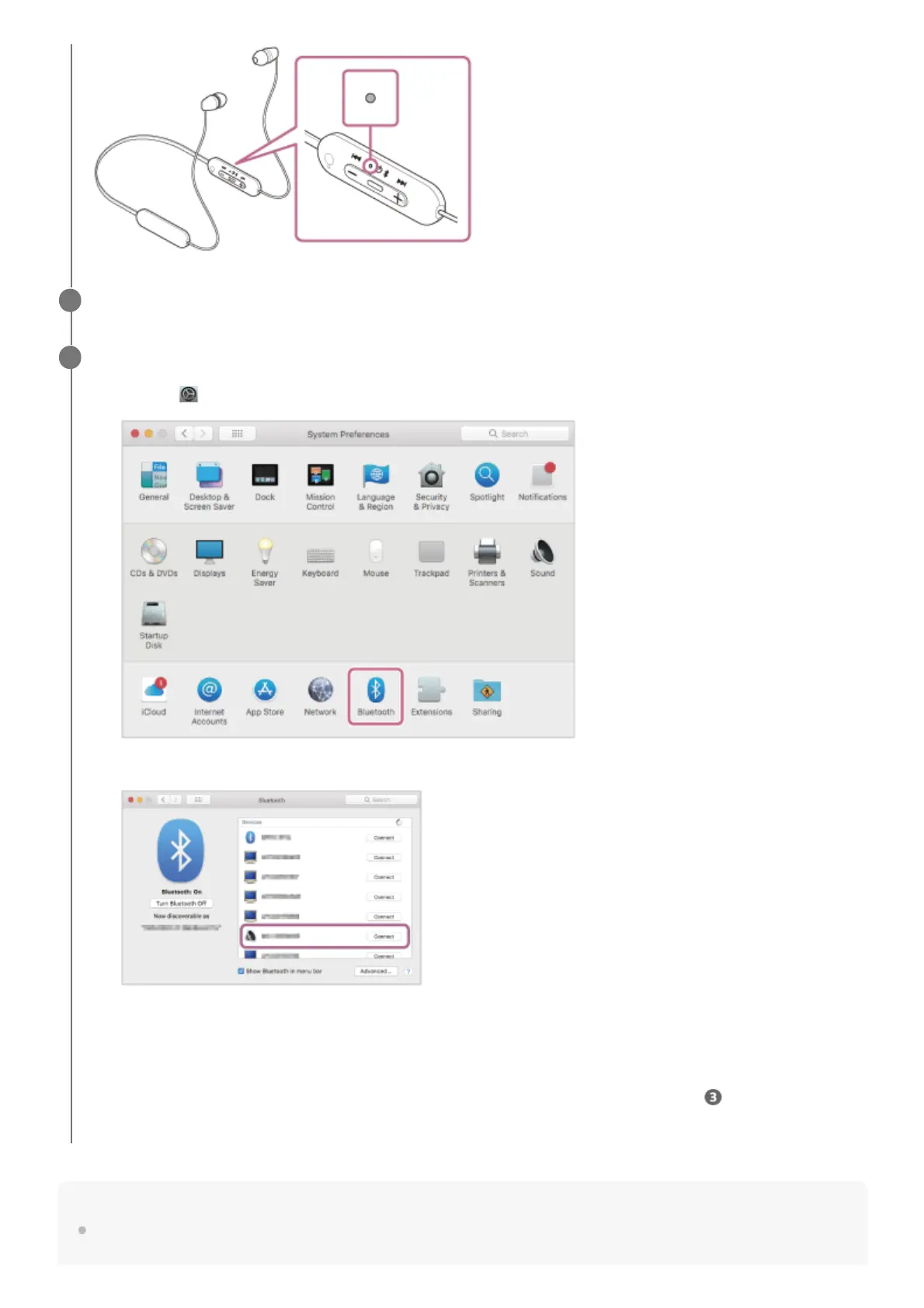
Pair the headset using the computer.
If Passkey (*) input is required, input “0000”.
The headset and computer are paired and connected with each other.
You will hear the voice guidance say, “Bluetooth connected”.
If they are not connected, see “Connecting to a paired computer (Mac)”.
If [WI-C100] does not appear on the computer screen, try again from the beginning of step
.
3
Select [
(System Preferences)] - [Bluetooth] from the Dock at the bottom of the screen.
1.
Select [WI-C100] of the [Bluetooth] screen and click [Connect].
2.
A Passkey may be called “Passcode”, “PIN code”, “PIN number”, or “Password”.
*



 To Next Page