Related information
Establishing a Bluetooth connection manually
Charging the headset
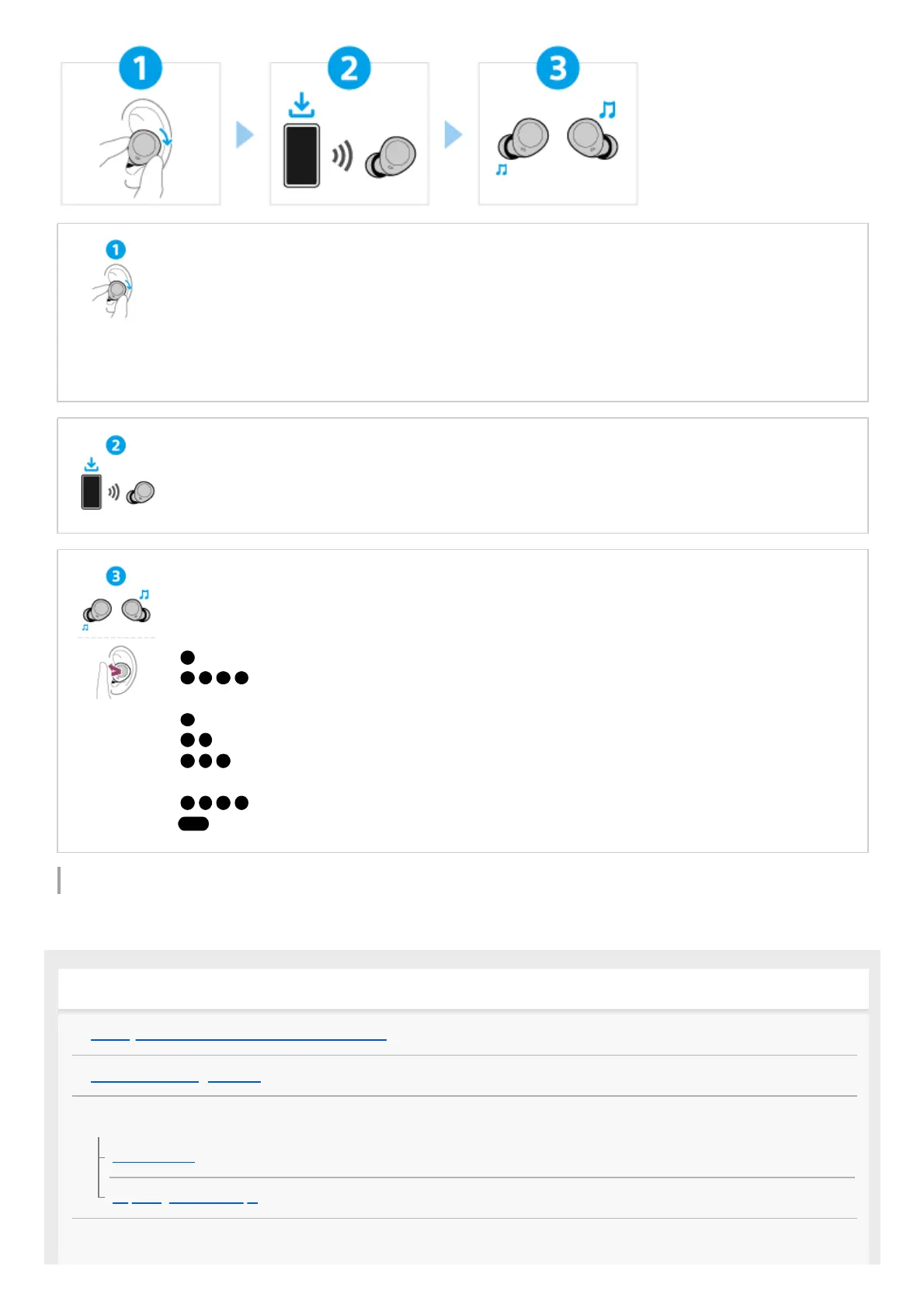
Wearing the headset
Twist the headset unit to slide the earbud tip deep into your ear canal.
Establishing a BLUETOOTH® connection
The headset is turned on when the headset units are removed from the charging case.
Follow the downloaded “Sony | Sound Connect” app instructions.
Operating the headset
Press the button.
Left
(Press once): To turn the Ambient Sound Mode on/off
...(Press 4 or more times): To decrease the volume
Right
(Press once): To play or pause music
(Press twice): To skip to the beginning of the next track
(Press 3 times): To skip to the beginning of the previous track (or the current track during
playback)
...(Press 4 or more times): To increase the volume
(Press and hold): To use or cancel the voice assist function (Google™ app/Siri)
Getting started
What you can do with the Bluetooth function
About the voice guidance
Supplied accessories
Included items
Replacing the earbud tips
Parts and controls



 To Next Page