Need help?
Do you have a question about the Sophos SD-RED 60 and is the answer not in the manual?
Instructions for connecting system peripherals in a few steps.
Notes on safety regulations and regulatory compliance.
Guides for configuring SD-RED within Sophos Firewall SG UTM or XG.
Explanation of symbols used for caution and important notes.
Describes the purpose and environment for SD-RED devices.
Lists compliance standards like CB, CE, FCC, ISED, VCCI, RCM, UL, CCC, KC, Anatel.
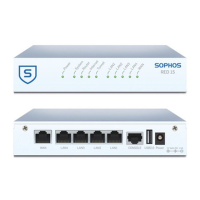
Details physical ports, LEDs, and connectors on the device.
Lists and describes LAN, WAN, SFP, COM, and USB ports.
Explains the function of power LEDs and Ethernet port LEDs.
Describes status LED codes during device booting and operation.
Lists LED codes indicating various error conditions.
Explains the behavior of PoE LEDs on the SD-RED 60 model.
Actions required before setting up the SD-RED at the branch office.
Steps for configuring the SD-RED via a central Sophos Firewall.
Instructions for connecting the device to the network and powering it on.
Information on adding wireless or cellular modules to the device.
How to use the SFP port for network connectivity.
Instructions for adding a second power supply for redundancy.
How to connect to the device via a serial console for management.
General safety and operational precautions for mounting.
Specific safety steps for mounting the device in a rack.
Factors to consider for safe and effective rack mounting.
Detailed steps for mounting the SD-RED unit on a wall.
Instructions for mounting the SD-RED appliance into a 1U rack.
Instructions for mounting the SD-RED appliance onto a DIN rail.
 General
| Brand | Sophos |
|---|---|
| Model | SD-RED 60 |
| Category | Network Router |
| Language | English |

 To Next Page