Need help?
Do you have a question about the Sophos RED 15 and is the answer not in the manual?
Ensure the RED appliance is shipped to the branch office and obtain the unique RED-ID. Internet connection is required.
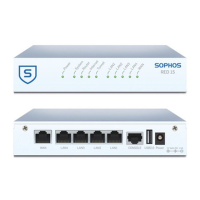
Connect PCs to the RED appliance LAN ports using Ethernet cables. Use the WAN port for internet connection.
Connect the RED appliance to its power supply. The Power LED will illuminate, and the system will boot.
The RED appliance retrieves its configuration and establishes an encrypted tunnel to the central UTM Gateway.
Configure the RED appliance via the central UTM appliance using the Sophos UTM Administration Guide.
Details on power status and LAN connection indicators for the RED appliance.
Explanation of LED codes for booting, failover, and error conditions.
Chassis, power supply, dimensions, weight, temperature, humidity, and regulatory compliance for RED 15.
Guidance on securely mounting the RED 50 appliance to a wall using appropriate screws.
A template with dimensions for wall mounting the RED 50 appliance.
Details on RED 50 chassis, power, dimensions, weight, temperature, humidity, and compliance.
Steps to attach rack-mount ears and secure the RED 50 appliance in a rack.
Important considerations for elevated temperatures, airflow, mechanical loading, circuit overloading, and earthing.
 General
| Model | RED 15 |
|---|---|
| Category | Network Router |
| WAN Ports | 1 |
| Encryption | AES |
| Operating Temperature | 0°C to 40°C |
| Humidity | 10 to 90% non-condensing |

 To Next Page