View Your SignMails
71
User Guide
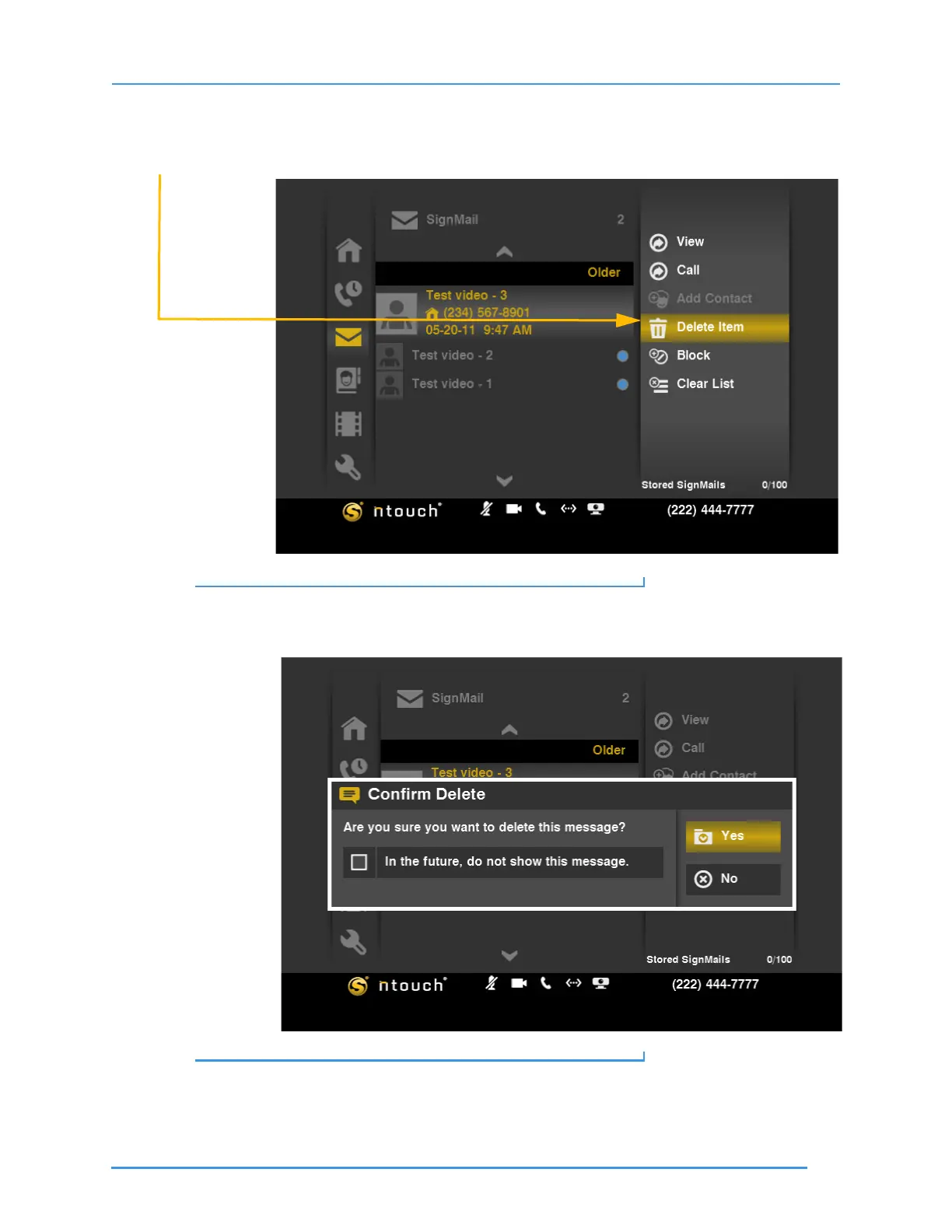
To Delete a Video
Step 1. Select a video from the list. Then select the Delete Item button from the menu.
Figure 116: Delete Item button
Step 2. A confirmation dialog appears. Select Yes to delete just this one video from the list.
Select No to exit without deleting.
Figure 117: Confirm Delete dialog
Note: Remember that you cannot recover deleted videos.



 To Next Page