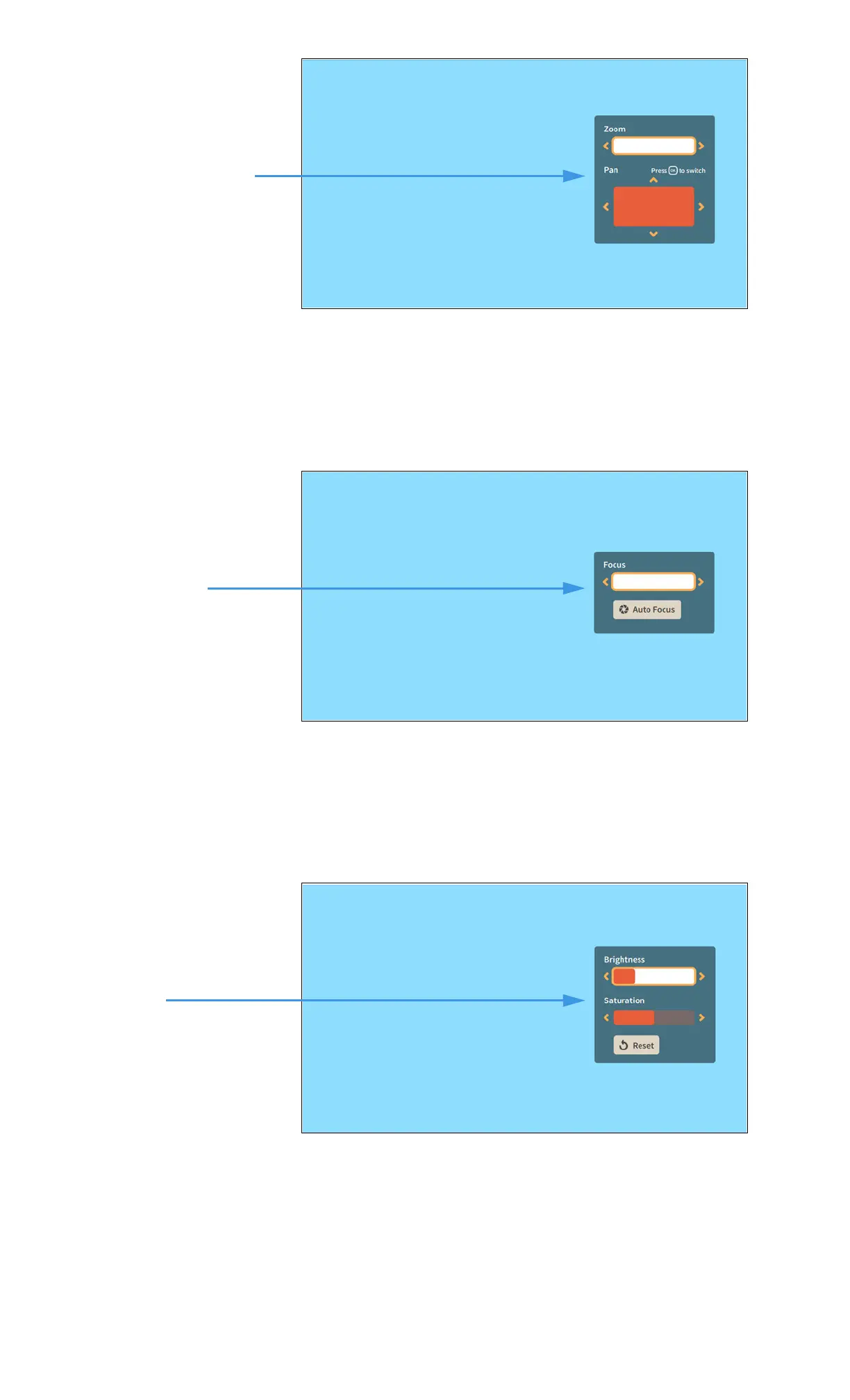
Step 4. Select the Zoom & Pan button to open the controls shown below.
•Use the Zoom control to zoom the camera image in and out.
•Press the OK key on the remote control to move between the Zoom and Pan
controls.
•Use the Pan control to move the camera image up, down, left or right.
Step 5. Select the Focus button to open the controls shown below.
•Use the Focus control to manually adjust the camera’s focus.
• Select the Auto Focus button to reactivate the camera’s auto focus function.
When you use Auto Focus, remember to sit very still to let the camera find the best focus.
If needed, you can select Auto Focus again until you get a satisfactory image.
Step 6. Select the Brightness and Saturation button to open the controls shown below.
•Use the Brightness control to manually adjust the camera’s brightness level.
•Use the Saturation control to manually adjust the camera’s color saturation level.
Brightness and Saturation
controls


 To Next Page