How do I change how long the options bar appears when a call starts?
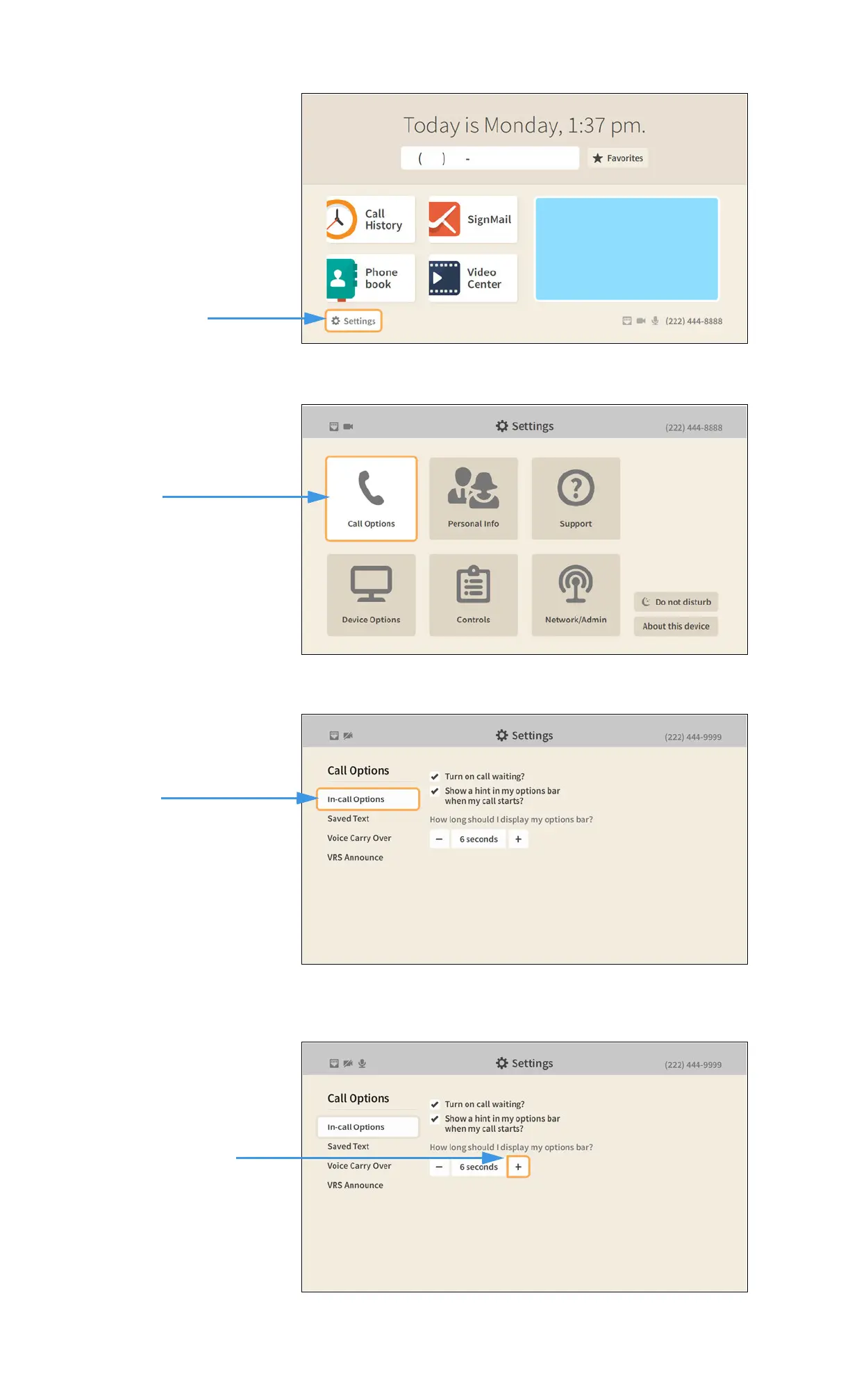
Step 1. Start at the Home screen as shown below.
Step 2. Select the Settings button to open the screen shown below.
Step 3. Select the Call Options button to open the screen shown below.
Step 4. Move to and select the + control under How long should I display my options bar?
as shown below.
Use the + (more time) or – (less time) controls to set how long the options bar is
displayed. Return to the Home screen by pressing the Home key on the remote control.
Your options bar selections will be saved.
Call Options button
selected


 To Next Page