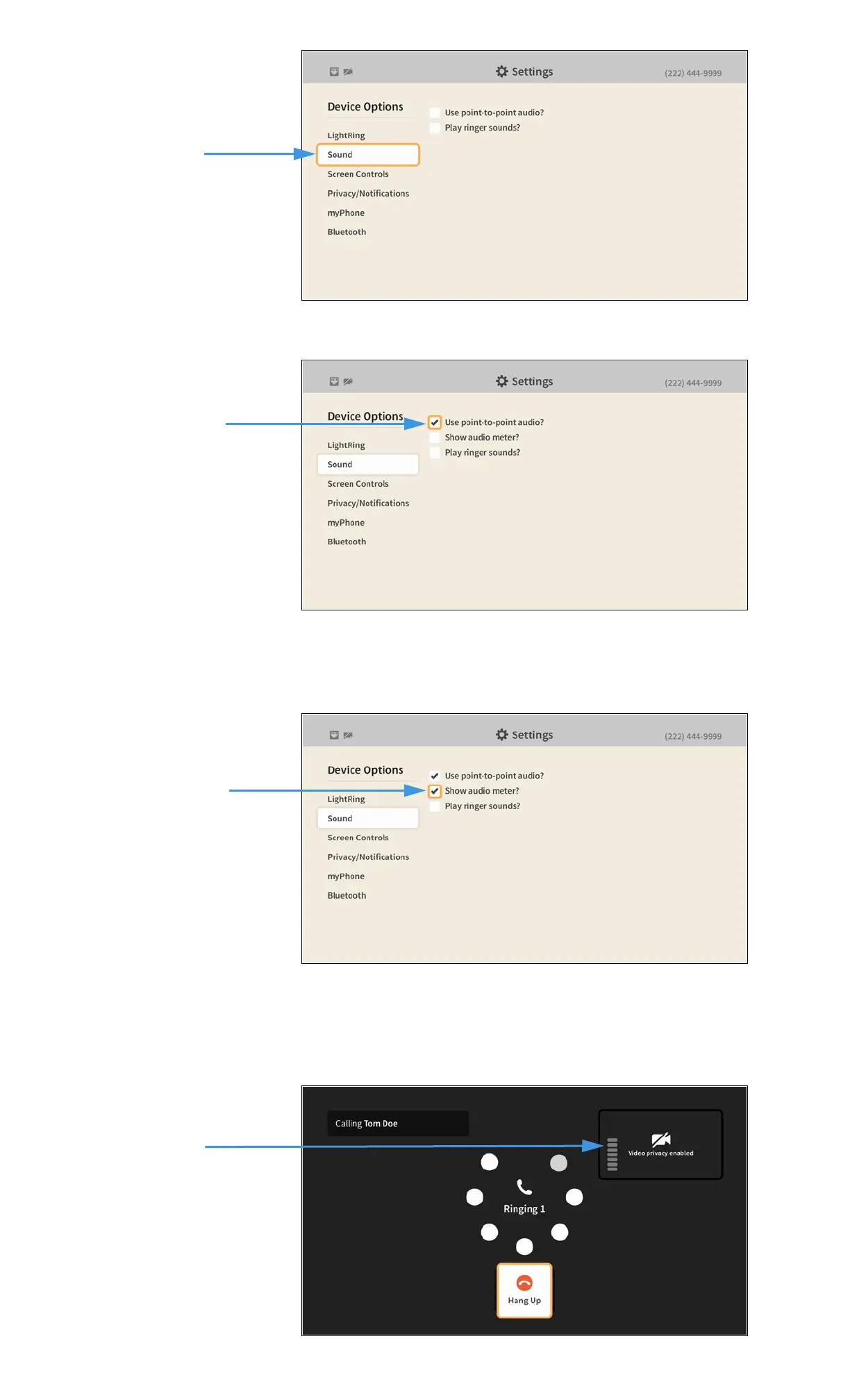
Step 5. Move to the Sound button to open the screen shown below.
Step 6. Move to and select the Use point-to-point audio checkbox as shown below.
Selecting the Use point-to-point audio? checkbox reveals the Show audio meter? radio
button. If you choose to show the audio meter it will appear only during an active call.
Step 7. Move to and select the Show audio meter? checkbox as shown below.
Return to the Home screen by pressing the Home key on the remote control. Your audio
selections will be saved.
Step 8. During an active videophone call, you will see the audio meter (a stack of 7 bars)
appear over the Self-view image as shown below.
Use point-to-point
audio? checkbox
Show audio meter?
checkbox
Audio meter appears over
Self-view image


 To Next Page