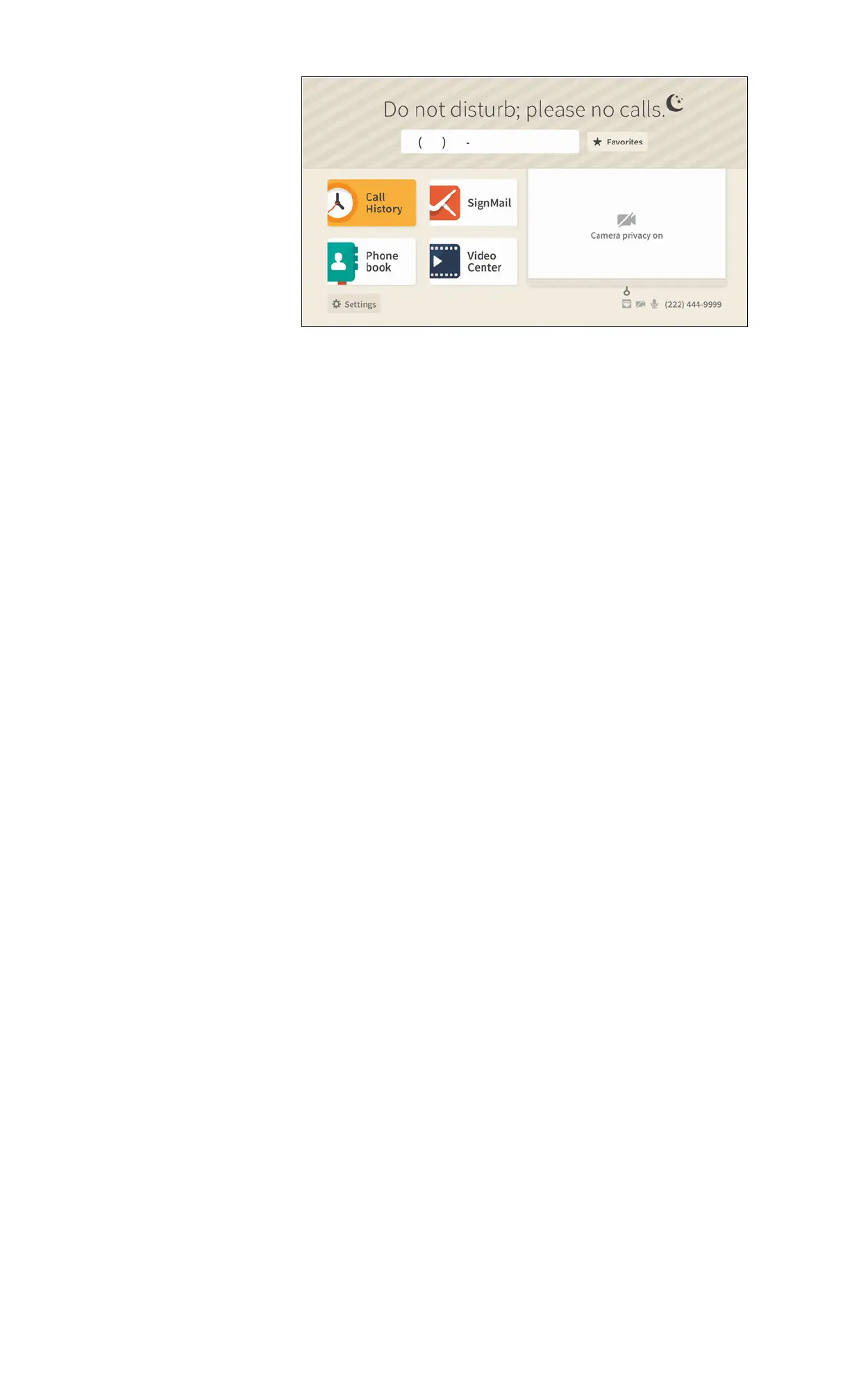
Step 5. Select the OK button to turn on the Do Not Disturb mode. When you return to the
Home screen, its appearance will have changed as shown below.
Notice that the top area of the Home screen now shows a diagonal pattern and the “Do
not disturb; please no calls” message next to an icon of the crescent moon.
Step 6. To turn off the Do Not Disturb mode, repeat Steps 1 through 3 above. Selecting the
Do not disturb button again in Step 3 will disable the feature.


 To Previous Page
 Loading...