English
11
Step by step guide
1.
Step – Check the content
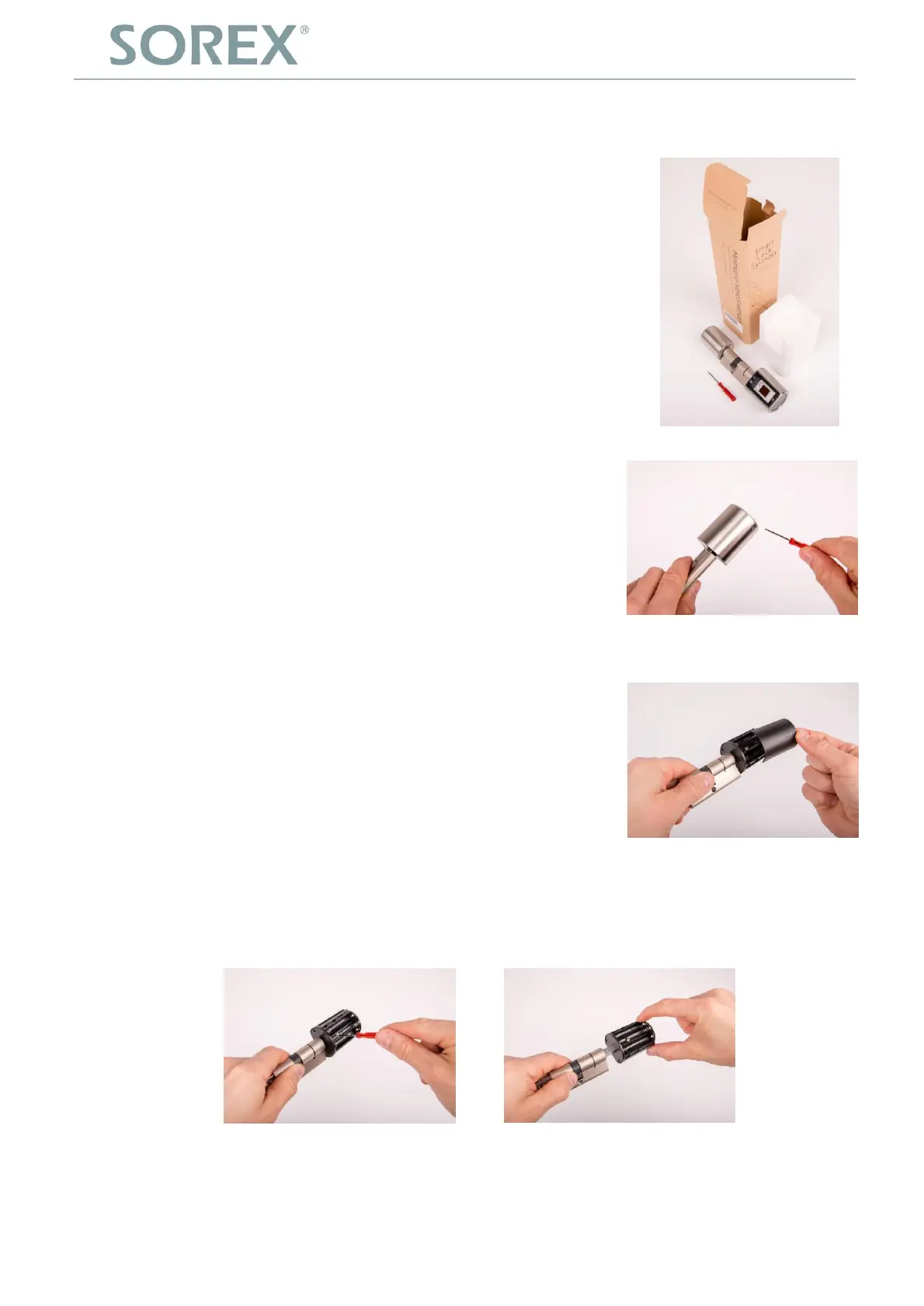
The package includes:
1 x Fingerprint cylinder
1 x Safety pin for the configuration
1 x Screwdriver to adjust the cylinder length
3 x AAA batteries
2.
Step – Remove the metal sleeve of the outside of the cylinder
(= Side with the fingerprint sensor)
Unscrew the small screw with the enclosed screwdriver and
remove the metal sleeve cautiously.
3.
Step – Remove the battery cover
You can now remove the black battery cover by gently pressing
down the cover and pulling it in the direction the arrow points.
4.
Step – Adjust the length of the cylinder
Depending on the required cylinder length you can adjust the exterior length by loosening the
screw with the screwdriver and then pulling out the fingerprint-handle upon need. A complete
removal of the knob is NOT possible.


 To Next Page