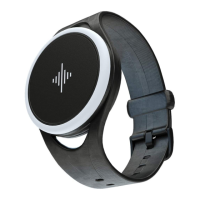
3. Wheel
4. Touch surface
1. Top button 2. Bottom button
• Navigate the app menu
• Change values while editing
a selection (turn slowly!)
• Tap the soundwave twice
quickly to start or pause a
feature while inside an app
• Tap the soundwave three or
more times to tap tempo while
inside the Metronome app
Video: Navigating the device
www.snbr.io/sbc-navigating
• Go forwards
• Start editing selection
• Open app menu
• Go backwards
• Stop editing selection
• Power on & o (long press)
Device controls.
Navigating the device



 To Next Page