10 ENGLISH
MULTILINK
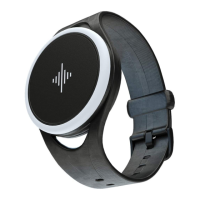
You can connect up to five Soundbrenner Pulse units to a
single smartphone or tablet, letting your entire band – or
even just your music teacher – feel the beat together.
Once you’ve connected your own Soundbrenner Pulse to
your mobile device, adding more is easy.
SEE IT ON VIDEO
SNBR.IO/U16
When you press Play in the metronome screen, every
connected Soundbrenner Pulse will begin to vibrate in sync.
It’s important to note that things like vibration and light
settings are set on a per-unit basis: you’ll all feel the same
rhythm, but you can customize the rest to your body.
If you need to disconnect a Soundbrenner Pulse from your
mobile device, the process is just as simple.
iOS: Just open the app, tap on the Settings tab,
and then tap “Add another Soundbrenner Pulse.”
iOS: In the Settings tab, find the device you
want to disconnect, and swipe to the left – a
“Disconnect” button will appear.
Android: Just launch the app, open the navigation
drawer, and then tap “Add a Device.”
Android: Inthe navigation drawer, and then tap on
the device you want to disconnect – a “Disconnect”
button will appear.


 To Next Page