11ENGLISH
TROUBLESHOOTING
Restarting
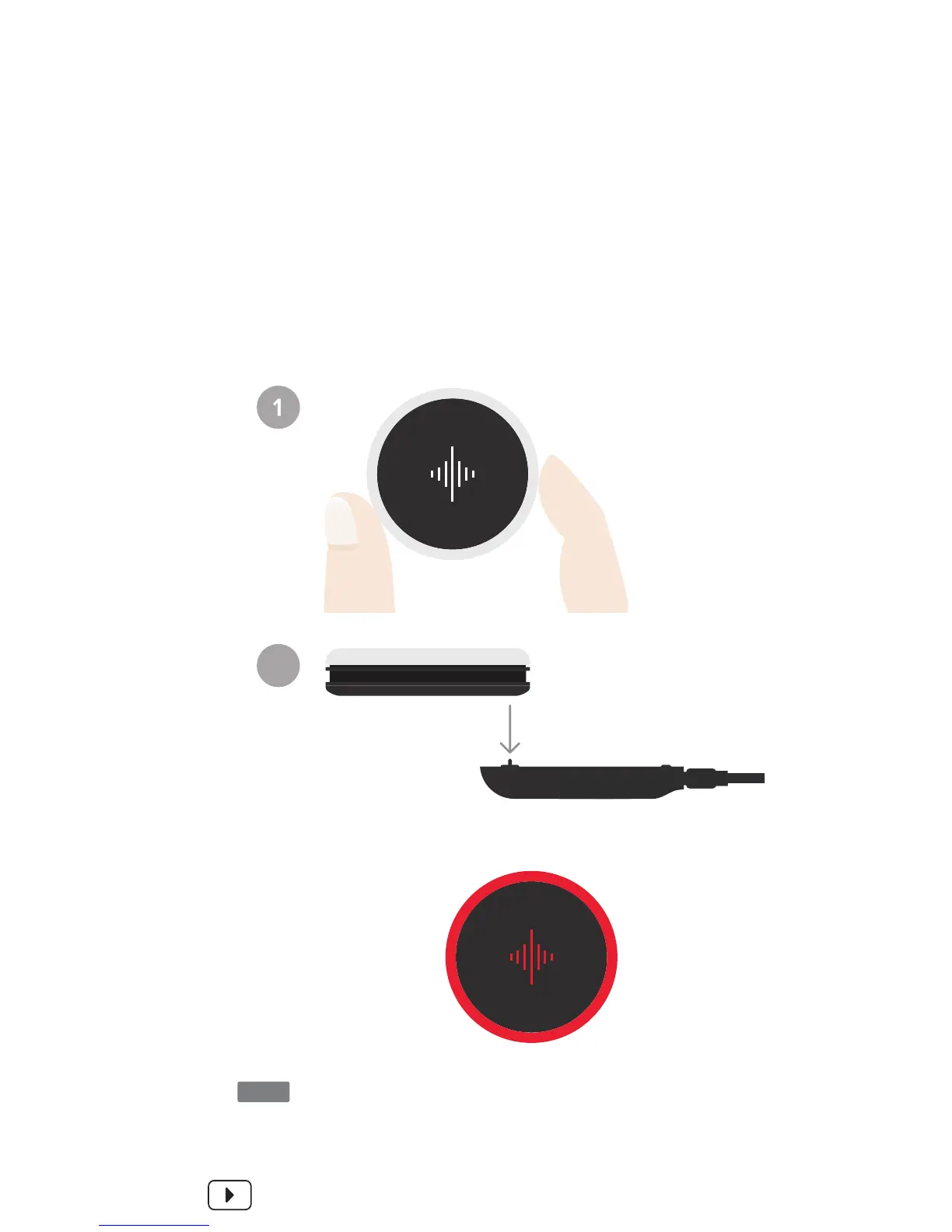
If the restart was
successful, the device
will briefly flash red.
If your Soundbrenner Pulse is not responding, restarting the
unit will usually help. First, make sure your charging station
is connected to power.
Then, holding the Soundbrenner Pulse around its edge –
being careful not to touch the top surface – place it on the
charging pins in reverse.
SEE IT ON VIDEO
SNBR.IO/U17
2
If your Soundbrenner Pulse is still acting strangely after a
restart, make sure your Soundbrenner mobile app is up to
date. Then, connect to your Soundbrenner Pulse to see if
any firmware updates are available.
NOTE


 To Next Page