Ports
, Connections and
Inputs
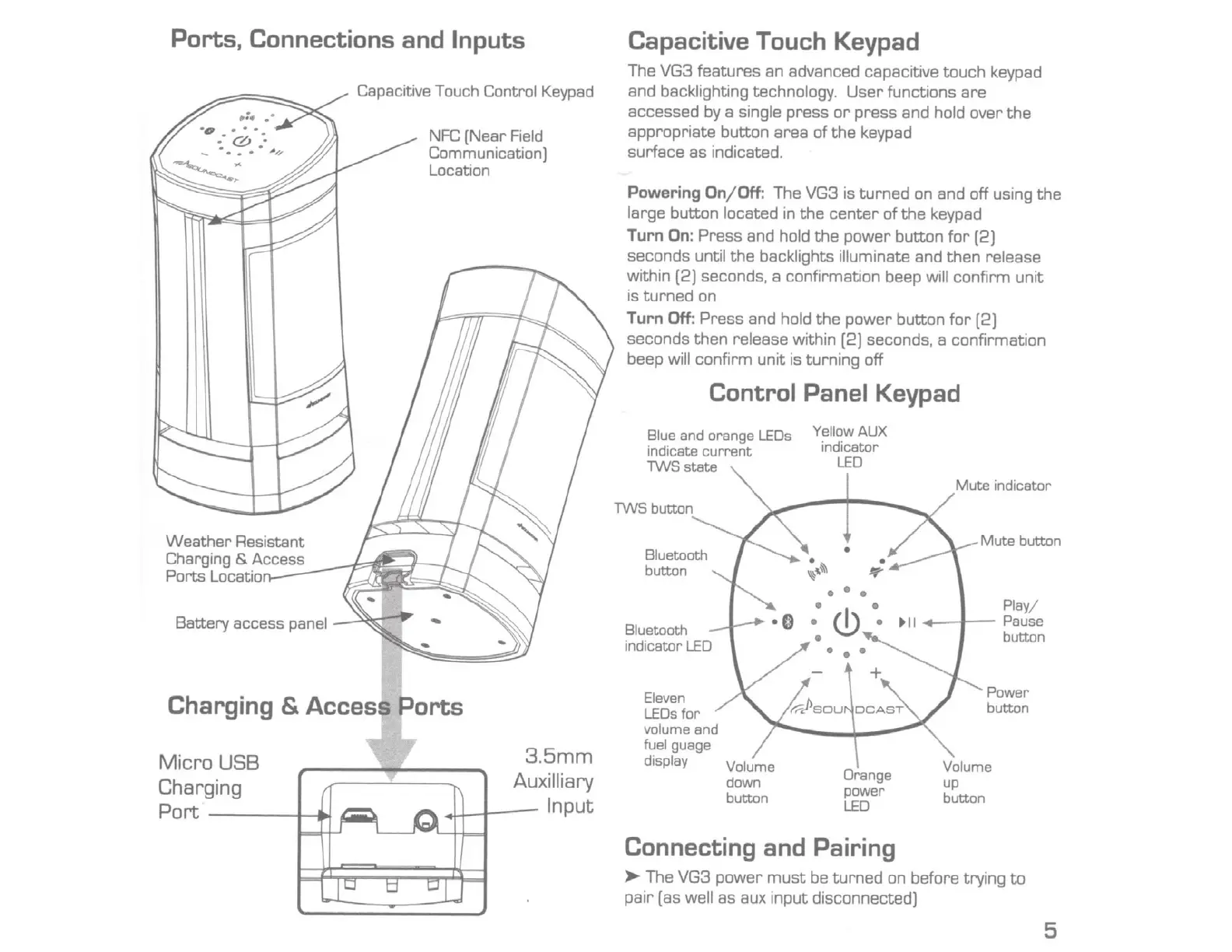
Weather Resistant
Charging
&
Access
Ports Locatio
Battery access panel
Capacitive Touch Control
Keypad
NFC
(Near
Field
Communication]
Location
Charging
&
Access
Ports
M icro USB
Charging
P
ort
----+-..!
3.5mm
Auxilliary
..u--f---
Input
Capacitive Touch Keypad
The VG3 features an advanced capacitive touch keypad
and backlighting technology.
User
functions are
accessed by a single press
or
press and hold over
the
appropriate button area
of
the
keypad
surface as indicated.
Powering On/ Off: The VG3 is turned
on
and off using
the
large button located in
the
center
of
the
keypad
Turn On: Press and hold
the
power button
for
[2)
seconds until
the
backlights illuminate and then release
within (2) seconds, a confirmation beep
will
confirm unit
is
turned
on
Turn Off: Press and hold
the
power button
for
(2)
seconds then release within
[2)
seconds,
a confirmation
beep
will
confirm unit is turning off
Control
Panel
Keypad
Blue and orange
LEOs
indicate
current
TWSstate
TWS
button
Bluetooth
button
Eleven
LEOs
for
volume and
fuel guage
display
YellowAUX
indicator
LED
•
•
If'
Orange
power
LED
Connecting and Pairing
Mute
indicator
Mute
button
Play/
t
il
-----~~-
Pause
button
Power
button
.>o-
The VG3 power
must
be
turned
on before trying
to
pair (as well as aux input disconnected)
5



 To Next Page