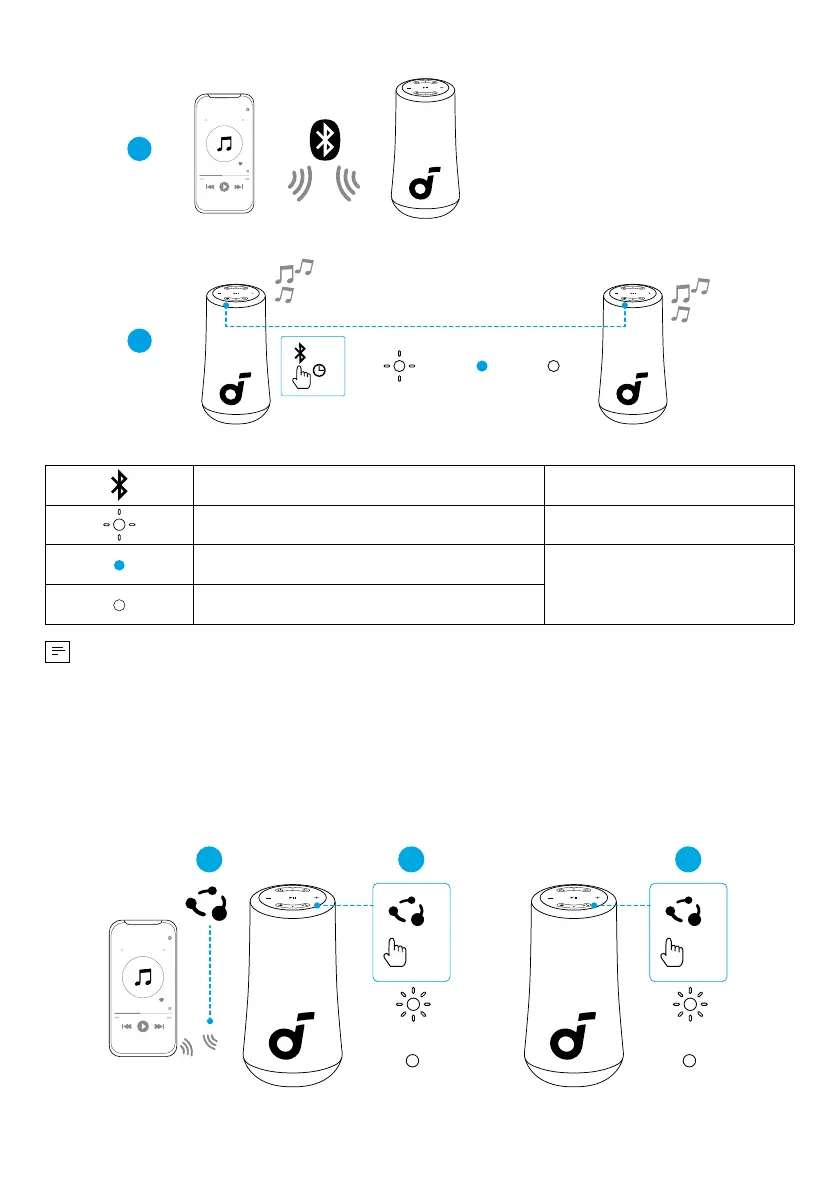
1
2
Speaker 1
PAIRING
CONNECTED
Speaker 1Speaker 1/ Speaker 2
CONNECTED
Speaker 2
Speaker 1 Speaker 2
>2s
Press and Hold for 2 Seconds Enter TWS Pairing Mode
Flashing White TWS Pairing
Steady Blue (Speaker 1)
TWS Connected
Steady White (Speaker 2)
• To exit TWS mode, press and hold the Bluetooth button for at least 2 seconds.
PartyCast Mode
With one speaker connected to a smartphone, press the PartyCast button on up
to 100 Soundcore speakers with PartyCast function to synchronize audio and light.
×1
21
Primary Speaker
PAIRING
CONNECTED
×1
3
PAIRING
CONNECTED









 To Next Page