Note: The soundbar will automatically switch to standby mode when no audio input is
received for over 30 minutes. The soundbar will wake up from standby mode when any
button is pressed or source input is received.
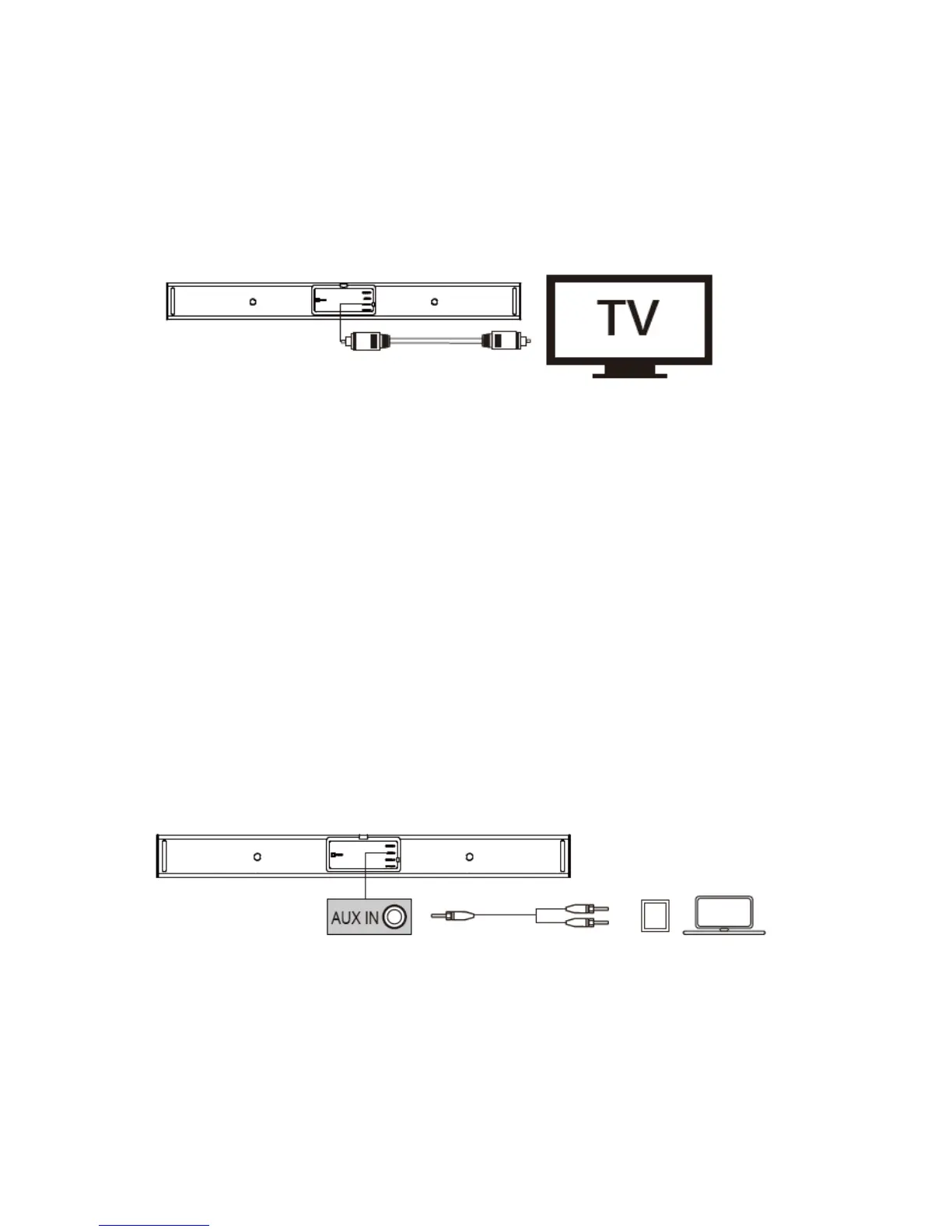
a. Connect to your TV
1. You can use optical cable, coaxial cable or 3.5mm to RCA audio cable to connect to
the respective output port of your TV.
2. Press the source input button on the soundbar or remote control to activate the
corresponding mode.The status indicator will be solid green in optical mode, orange
in coaxial mode and cyan in Aux mode.
Note: The status indicator light will stay on for 10 seconds.
Note: Not all TVs have the audio outputs shown as above, please check your TV's
specifications before setup.
Note: Try set the TV output to PCM if there is no audio sound when using either of
the optical or coaxial inputs.
Note: Coaxial cable is not included.
b.
Connect to other devices
1. You can use optical cable / coaxial cable or 3.5mm to RCA audio cable, or 3.5mm to
3.5mm cable (not included) to connect to the respective output port of other devices
(such as Blu-ray player, game console, tablet, MP3 Player / laptop etc).








 To Next Page