
 Need help?
Do you have a question about the Soundcore Life Note C and is the answer not in the manual?
Instructions for drying, using certified cables, and connecting the USB-C cable for charging the earbuds and case.
Guidance on selecting the correct EarTips and positioning the earbuds for a secure and comfortable fit.
Details on how earbuds power on/off automatically with the case or manually via touch controls.
Steps for pairing the earbuds with a Bluetooth device, including pairing with multiple devices and mono mode.
How to control playback, EQ modes, calls, and voice assistants using touch controls in stereo mode.
Instructions for controlling playback, calls, and voice assistants when using a single earbud.
Procedure to reset the earbuds to factory settings to resolve connectivity or function issues.
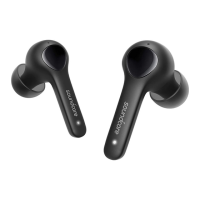
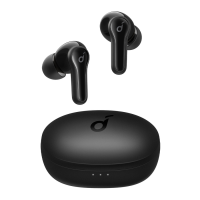
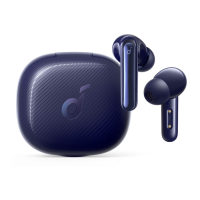
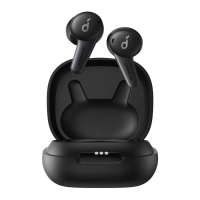
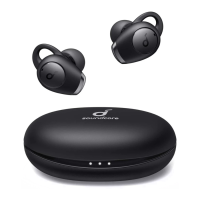
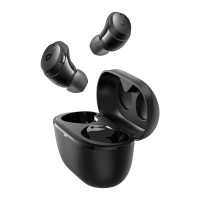
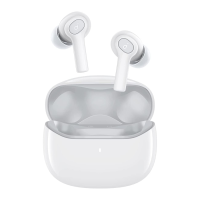
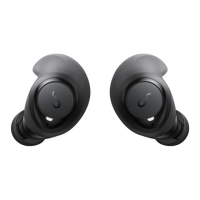
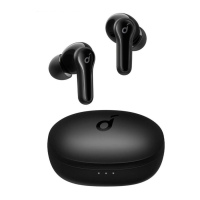
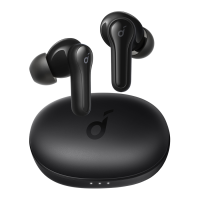
The Soundcore Life Note C are true wireless earbuds designed for a comfortable listening experience, featuring a compact design and a charging case for extended use. These earbuds are suitable for everyday use, offering a range of features for audio playback, call management, and voice assistant activation.
The Soundcore Life Note C earbuds provide a wireless audio experience, connecting to your device via Bluetooth. They are designed for both stereo and mono use, allowing you to use either earbud independently. The earbuds feature touch controls for managing various functions, including music playback, call handling, and activating your device's voice assistant. They also offer different EQ modes to customize your listening experience based on content.
The earbuds are designed for automatic power management. When you open the charging case, the earbuds will automatically power on and be ready for use. To power them off, simply place them back into the charging case and close the lid. If no device is connected, the earbuds will automatically power off after 10 minutes to conserve battery. For manual control, you can press and hold the touchpad on either earbud for 3 seconds to power them on, or for 8 seconds to power them off.
Before the first use, it is crucial to fully charge both the earbuds and the charging case. To charge, place the earbuds into the charging case and close the lid. Then, connect the charging case to a power supply using a certified USB-C charging cable and charger. The LED indicator on the charging case will display the charging status, allowing you to monitor the progress. It is important to ensure the earbuds and the USB port are completely dry before charging to prevent any damage.
For optimal comfort and sound quality, it is recommended to choose the EarTips that best fit your ears. The earbuds come with 5 pairs of EarTips, including a pre-installed medium-sized pair. Once you've selected the appropriate EarTips, insert the earbuds into the inner canal of your ears and gently turn them until you find a comfortable and secure position.
To set up the earbuds for the first time, you need to tear off the insulation sticker from the earbuds. Then, place the earbuds in the charging case and close it. Open the charging case (without taking out the earbuds), and the earbuds will automatically enter Bluetooth pairing mode. The three LED indicators on the charging case will flash white in sequence continuously, indicating that they are ready to pair. On your device, select "Soundcore Life Note C" from the Bluetooth list to connect. Upon successful connection, the three LED indicators will turn white for 3 seconds and then turn off.
To pair with a new device, place the earbuds in the charging case and leave the case open. Press and hold the button on the charging case for 3 seconds until the three LED indicators flash white in sequence continuously. This will put the earbuds back into pairing mode, allowing you to connect to a different device. The earbuds will automatically connect to the last successfully connected device when powered on, if it's within Bluetooth range.
The Soundcore Life Note C supports mono mode, meaning you can use either earbud independently. If you are connected via Bluetooth, you can place one earbud into the charging case and close it, and the other earbud will continue to function. This is particularly useful if one earbud runs out of battery or if you prefer to keep one ear free. If you are on a call and place one earbud into the charging case, the microphone in the other earbud will automatically activate, ensuring uninterrupted communication.
If you encounter any connectivity problems or functional issues with your earbuds, a reset can often resolve them. To reset the Soundcore Life Note C:
 General
| Driver Size | 10mm |
|---|---|
| Bluetooth Version | 5.3 |
| Charging Time | 2 hours |
| Water Resistance | IPX5 |
| Charging Port | USB-C |
| Type | In-ear |
| Frequency Response | 20Hz-20kHz |
| Impedance | 16Ω |
| Bluetooth Range | 10m |
| Weight (per earbud) | 4.8 grams |


 To Next Page