
 Need help?
Do you have a question about the Soundcore Life Dot 2 NC and is the answer not in the manual?
Step-by-step guide for charging the earbuds and case, including LED status indicators.
Details on app-based customization of EQ, noise cancellation, transparency modes, and firmware updates.
Instructions on selecting and inserting earbuds for optimal fit and comfort.
How to turn the earbuds on and off automatically via the charging case.
Steps to enter pairing mode and connect the earbuds to your device for the first time.
Information on auto-reconnection, mono mode, and call handling during Bluetooth connection.
Guide to re-pairing the earbuds with a different or secondary Bluetooth device.
Detailed explanation of touch controls for playback, calls, and mode switching.
Instructions and limitations for using the earbuds in mono mode, including control differences.
Procedure for factory resetting the earbuds to resolve connectivity or functional issues.
Key technical details including input, power, battery, playtime, driver size, and Bluetooth version.
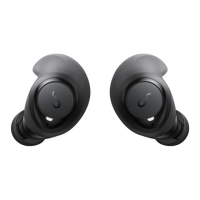
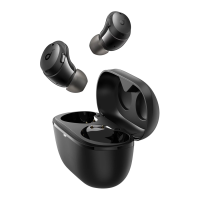
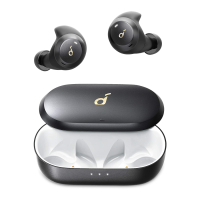
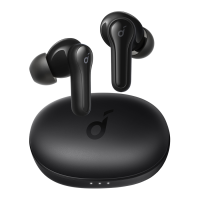
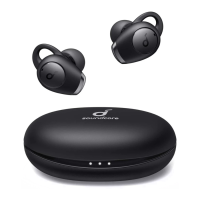
The Soundcore Life Dot 2 NC are true wireless earbuds designed to provide an enhanced audio experience with various customizable features and modes. These earbuds come with a charging case that not only protects them but also recharges them on the go.
The Soundcore Life Dot 2 NC earbuds are primarily used for audio playback and hands-free communication. They connect wirelessly to your device via Bluetooth, allowing you to listen to music, podcasts, and other audio content, as well as make and receive calls. A key feature of these earbuds is their active noise cancellation (ANC) capability, which helps reduce ambient noise for a more immersive listening experience. They also offer a transparency mode, allowing you to stay aware of your surroundings when needed. The Soundcore app further extends their functionality by providing extensive customization options for sound profiles, controls, and noise cancellation modes.
Before first use, it's essential to remove the protective film from the earbuds and ensure both the earbuds and the USB port are completely dry. The earbuds and charging case should be fully charged using a certified USB-C cable and charger. To charge the earbuds, simply place them into the charging case and close the lid. The first and third LED indicators on the charging case will flash twice to confirm charging. To charge the case itself, connect it to a power supply using a USB-C cable. The LED indicators on the case will show the charging status, with different patterns indicating battery levels (e.g., <30%, 30%-70%, >70%, 100%). You can check the charging case's battery level by opening the lid, which activates the LED indicator.
For optimal comfort and a secure fit, choose the EarTips and EarWings that best suit your ears. Medium-sized EarTips and EarWings are pre-installed. Insert the earbuds into the inner canal of your ears and gently twist them until they feel comfortable and secure.
The earbuds automatically power on when you open the charging case, and their LED indicators will light up white for one second. To power them off, simply place them back into the charging case and close the lid. If you are wearing the earbuds, they will not power off until their battery runs out. However, if you remove them and no device is connected, they will automatically power off after 30 minutes.
To pair the earbuds with a device, open the charging case. The earbuds will automatically enter Bluetooth pairing mode. One earbud's LED indicator will flash quickly, while the other's will breathe slowly. Then, select "Soundcore Life Dot 2 NC" from your device's Bluetooth list. Upon successful connection, the LED indicators on both earbuds will light up white for one second and then turn off. The earbuds will automatically reconnect to the last successfully paired device when powered on, if it's within Bluetooth range.
To pair with a new device, place the earbuds in the charging case and leave the case open. Press and hold the button on the case for 3 seconds until the earbud LED indicators flash white, indicating they are in pairing mode. Then, select "Soundcore Life Dot 2 NC" on your new device's Bluetooth list.
The earbuds offer various touch controls for managing audio playback and calls. In stereo mode, these controls can be customized via the Soundcore app.
When Bluetooth connected, you can use either earbud independently by placing the other one into the charging case and closing it. If one earbud runs out of battery, you can continue using the other. During a call, if you place one earbud into the charging case and close it, the microphone in the remaining earbud will activate. By default, the right earbud is the primary earbud. To change this, remove the right earbud from your ear, leave the charging case open (the microphone in the other earbud will activate), then place the right earbud back into the charging case and close it. The left earbud will then become the primary. In mono mode, controls cannot be customized in the app, and noise cancellation or transparency mode is unavailable. Volume adjustment can be done via the connected device or the Soundcore app.
The Soundcore app significantly enhances the user experience.
The Soundcore app will notify you when a new firmware version is detected. To update the firmware, ensure the earbuds are placed in the charging case, and the case remains open throughout the process. The earbuds must be charging during the upgrade, and you should avoid any operations until it's completed.
If you encounter connectivity or function issues, you may need to reset your earbuds.
The Soundcore Life Dot 2 NC earbuds are designed for convenience, offering a blend of advanced audio features and user-friendly controls, all manageable through the dedicated Soundcore app.
 General
| Type | In-ear |
|---|---|
| Noise Cancellation | Hybrid Active Noise Cancellation |
| Bluetooth Version | 5.0 |
| Water Resistance | IPX5 |
| Wireless | Yes |
| Charging Port | USB-C |
| Driver Size | 11mm |
| Frequency Response | 20Hz-20kHz |
| Microphone | Yes |
| Voice Assistant Support | Yes |
| Codecs | SBC, AAC |
| Charging Time | Approx. 1.5 hours (earbuds), approx. 2 hours (charging case) |

 To Next Page