
 Need help?
Do you have a question about the Soundcore Life Note E and is the answer not in the manual?
Explains the LED indicator colors and patterns for charging status.
Guidance on choosing the correct EarTips for a comfortable and secure fit.
Details automatic power on/off and manual power control methods.
Step-by-step guide for initial Bluetooth pairing and device connection.
Information on pairing with another device and using mono mode.
Touch controls for music playback, track skipping, and EQ modes in stereo.
Touch controls for music playback, calls, and voice assistant in mono mode.
Steps to reset the earbuds to factory settings for troubleshooting connectivity.
Key technical specifications including battery, driver size, and Bluetooth range.
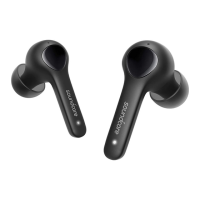
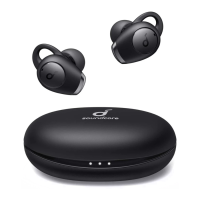
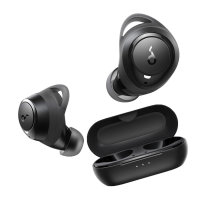
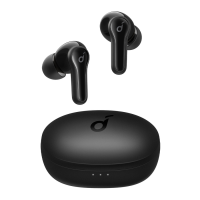
The Soundcore Life Note E are true wireless earbuds designed for a seamless audio experience, offering a blend of convenience, comfort, and reliable performance. These earbuds are primarily used for listening to audio content, making and receiving calls, and interacting with voice assistants.
The core function of the Soundcore Life Note E is to provide high-quality wireless audio playback. They connect to your device via Bluetooth, allowing you to enjoy music, podcasts, and other audio without the hassle of cables. Each earbud is equipped with a touchpad that enables intuitive control over various functions, including play/pause, track navigation, call management, and activating your device's voice assistant.
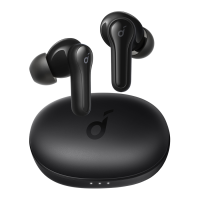
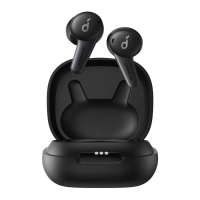
The earbuds come with a portable charging case that not only protects them but also extends their battery life. The case itself is rechargeable via a USB-C cable, ensuring that your earbuds are always ready for use. The LED indicators on the charging case provide clear feedback on the charging status of both the case and the earbuds.
A key feature of these earbuds is their ability to operate in both stereo and mono modes. In stereo mode, both earbuds work together to deliver a rich, immersive sound experience. In mono mode, you can use either the left or right earbud independently, which is particularly useful for staying aware of your surroundings or extending listening time by alternating earbuds.
The Soundcore Life Note E also incorporates multiple EQ modes to tailor the sound profile to your preferences. The default "Soundcore Signature" mode offers a well-balanced sound, suitable for a wide range of audio content. For those who enjoy deeper bass, the "Bass Booster" mode enhances low frequencies. Additionally, the "Podcast" mode optimizes mid-frequencies, making voices clearer and easier to understand, which is ideal for spoken-word content. These EQ modes can be easily cycled through using the touchpad on the right earbud.
For communication, the earbuds allow you to answer, end, and reject calls with simple tap gestures. The built-in microphones ensure clear voice pickup during calls. If one earbud runs out of battery during a call, the microphone in the other earbud will automatically activate, ensuring uninterrupted conversation.
Getting started with the Soundcore Life Note E is straightforward. Before the first use, it's essential to remove the insulation stickers from the earbuds and fully charge both the earbuds and the charging case. The charging process involves placing the earbuds in the case and connecting the case to a power supply using a USB-C cable. The LED indicators on the case will show the charging progress.
Wearing the earbuds correctly is crucial for both comfort and sound quality. The earbuds come with five pairs of EarTips (XS, S, M, L, XL), with the medium-sized pair pre-installed. Users are encouraged to choose the EarTips that best fit their ears to ensure a secure and comfortable fit, as well as optimal audio performance. Once the correct EarTips are selected, the earbuds should be inserted into the inner canal of the ears and gently turned until a comfortable and secure position is found.
Powering the earbuds on and off is largely automatic. Opening the charging case will automatically power on the earbuds, while closing the case will power them off. For manual control, the touchpads on the earbuds can be pressed and held for 3 seconds to power on, or 8 seconds to power off. The earbuds also feature an auto-off function, powering down after 10 minutes if no device is connected, which helps conserve battery life.
Bluetooth pairing is initiated by opening the charging case (with the earbuds inside). The earbuds will automatically enter pairing mode, indicated by the LED indicators on the charging case flashing white in sequence. Users then select "Soundcore Life Note E" from their device's Bluetooth list to establish a connection. Once successfully connected, the LED indicators will turn white for 3 seconds and then turn off. For pairing with a new device, the button on the charging case can be pressed and held for 3 seconds to re-enter pairing mode. The earbuds are designed to automatically reconnect to the last successfully connected device when powered on and within Bluetooth range.
The touch controls are intuitive and cover a wide range of functions:
These controls are consistent across both stereo and mono modes, with slight variations for single-earbud use. For example, in mono mode, tapping twice will still play/pause or answer a call, while pressing and holding for 2 seconds will navigate tracks or end/reject calls. Activating the voice assistant is done by tapping three times on the left earbud.
The Soundcore Life Note E are designed with a degree of durability, featuring an IPX5 waterproof rating for the earbuds. This means they are resistant to splashes of water, making them suitable for workouts and light rain, but they should not be submerged in water.
Proper charging is essential for maintaining battery health. It is recommended to fully dry off the earbuds and the USB port before charging to prevent any damage. Using a certified USB-C charging cable and charger is also advised to ensure safe and efficient charging.
In case of connectivity problems or other functional issues, the earbuds can be reset. The reset procedure involves placing the earbuds in the charging case, ensuring they are charging, and then pressing and holding the button on the case for 10 seconds. The LED indicators will flash white three times and then flash white in sequence continuously, confirming a successful reset. This feature helps troubleshoot common issues and restore the earbuds to their default state, allowing for normal connection.
The design of the charging case provides protection for the earbuds when not in use, preventing physical damage and keeping them clean. Regular cleaning of the earbuds, especially the EarTips and charging contacts, can help maintain optimal performance and hygiene.
 General
| Driver Size | 10 mm |
|---|---|
| Water Resistance | IPX5 |
| Playtime per charge | 8 hours |
| Charging Port | USB-C |
| Frequency Response | 20 Hz - 20 kHz |
| Impedance | 16 Ω |
| Battery Life | 32 hours total with case |
| Bluetooth Version | 5.2 |
| Charging Time | 2 hours |


 To Next Page