IV.Basic functions and operations
1.Power on
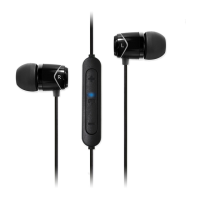
Press and hold the “Multifunction” button for 3 seconds to power on: “Power on”
prompt will be heard when the headset is turned on.
2.Power off
Press and hold the “Multifunction” button for 3 seconds to power off: “Power off”
prompt will be heard when the headset is turned off.
3.Pairing
1)With your E11BT off, press and hold the “Multifunction” button for about 5
seconds until the red-blue LED is flashing rapidly (keep the button held down
for another 2 seconds past the 'power on' prompt).
2)Open your smartphone’s Bluetooth connection function to enable Bluetooth
mode and search for the Bluetooth device. You should find the E11BT headset.
Select the E11BT to finish pairing.
05



 To Next Page