KCD1600 / English Instruction Manual
2
VOLUME CONTROL
Press the “VOLUME UP / DOWN” button to decrease or increase the volume.
CD OPERATION
1. Switch the unit to standby mode by pressing the “STANDBY” button. The standby LED
indicator will light on.
2. Press the “PLAY / PAUSE” button to activate the unit and “NO” shows on the display when
no disc is inside in the CD compartment.
3. Lift up the CD door and place a disc on the center spindle with the printed label side facing
up. Then close the CD door.
4. The display will show “- -“ for a few seconds. After reading the CD the display show the total
number of tracks on disc and will start playback the disc.
5. Press the “PLAY / PAUSE” button to interrupt the playback. Press the “PLAY / PAUSE “
button again the unit will resume the playback.
6. By pressing the “F.SKIP / B.SKIP” buttons you can choose the next track or the previous
track.
7. Press the “STOP” button to stop the playback.
8. Press the “STOP” button twice the unit switch to standby mode.
Repeat function
1. To select the “Single-Track Repeat” function choose the track that you want to repeat. Then
press the “PLAY / PAUSE” button to play the track.
2. Press the “MODE” button once to activate the single-track repeat and the REPEAT indicator
appear.
3. To select the “All Track Repeat” function. Press the “PLAY / PAUSE” button to start the
track. Press the “MODE” button twice to activate the “All Track Repeat” function. The
REPEAT indicator is blinking.
Random function
During CD playback press the “MODE” button repeatedly until the SHUFF LED indicator lights
up. All the tracks played in random order once.
Buttons Lock Function
1. Slide the LOCK switch to ON position.
2. The HOLD LED indicator lights up.
Note: During Lock function is on, all buttons have no function.
3. Slide the LOCK switch to OFF position, all buttons are unlocked.
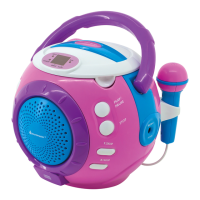
SING-A-LONG function
1. Place a disc inside the CD compartment.
2. Press the “PLAY / PAUSE” button to start the playback.
3. Slide MICROPHONE ON/OFF switch to ON position while singing.
NOTE:
Do not put the microphone too close to the speaker as this may cause feedback (squealing
noise) through the speaker.


 To Next Page