PL780 / English Instruction Manual
4
DC input connector
➢ Do not use any AC adapter other than the one included.
➢ Ensure that the voltage is the same as that indicated on the ac adapter identification plate.
➢ Connect the supplied AC adapter to a properly installed safety power socket and the plug of
the cable into the DC IN jack at the back side of the unit.
➢ Unplug the power cord from the outlet when you are not planning to use the unit for an
extended period.
BASIC OPERATIONS
Playing records
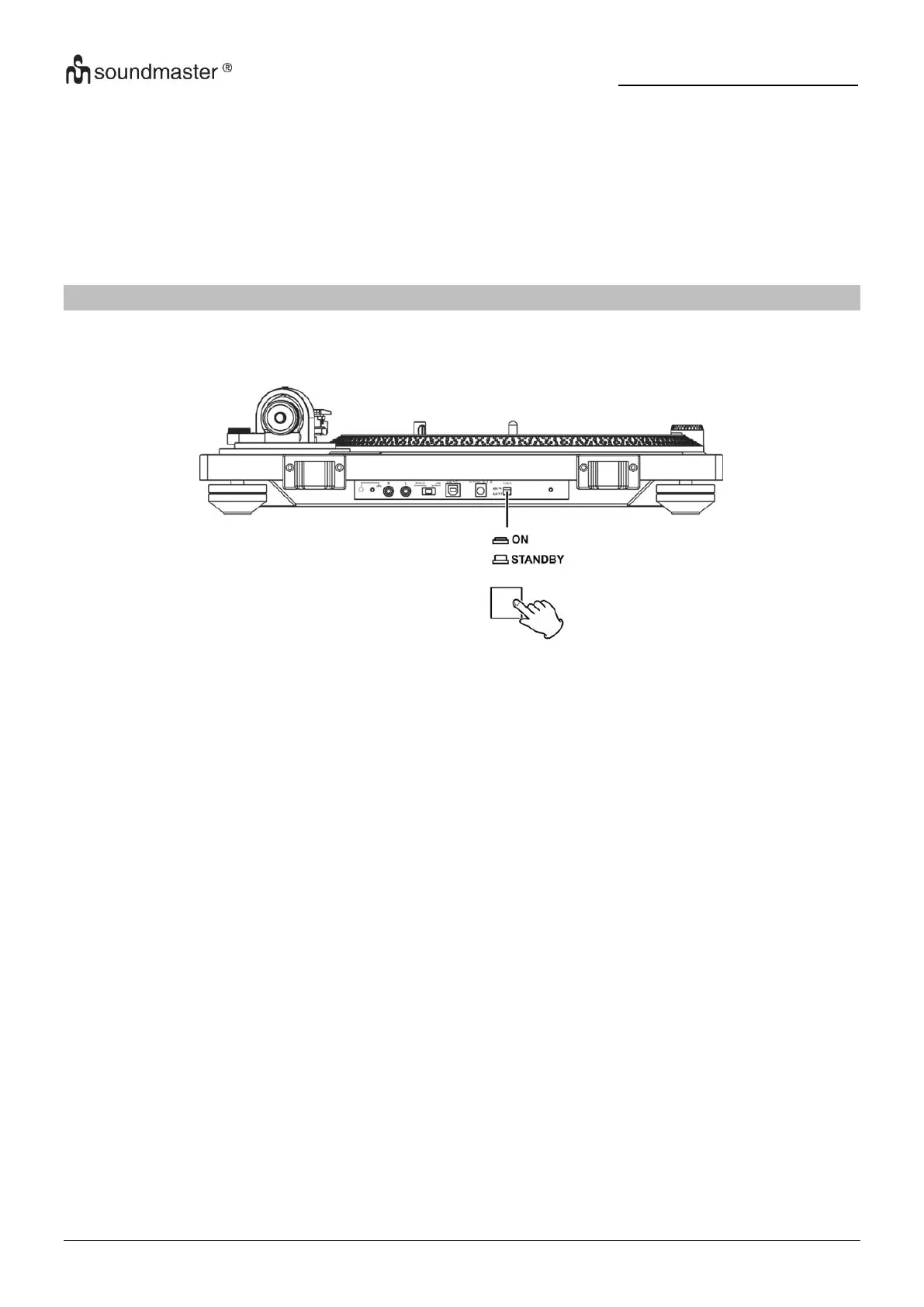
1. Press the “STANDBY/ON” button at the back side of the unit to turn it on.
2. Open the turntable cover slowly.
3. Place a record on the turntable. When playing a 45 RPM large-hole single record, use the
included adapter.
4. Turn the “STOP / 33 / 45” switch to 33 or 45 position to start the turntable, it is rotating and
blue LED indication is lighting.
5. Move the tone arm clasp to release the tone arm.
6. Lift the “CUE LEVER”.
7. You can also leave the cue lever down and moved the raised tone arm over the record and
then lower the tone arm slowly to start playback.
8. Move the tone arm to the edge of the record or the track where you want to start playback.
9. Lower the tone arm slowly until the stylus touches the record and playback begins.
When playback finishes
1. Slightly lift the cue lever or the head-shell hook and return the tone arm to its resting
position.
2. Turn the “STOP / 33 / 45” switch to “STOP” to stop the turntable. When the turntable stops,
the blue LED will also become unlit.
How to set pitch
1. When the external adapter is connected and powered, turn the pitch function on
automatically.
2. Use the “PITCH CONTROL” knob in conjunction with the Pitch to vary the platter’s rotational
speed by as much as +/- 50%.


 To Next Page