Need help?
Do you have a question about the SOUNDMASTER SCD5800 and is the answer not in the manual?
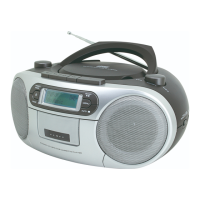
Overview of controls and buttons on the front panel of the device.
Overview of controls and buttons on the top panel of the device.
Overview of ports and connectors on the back panel of the device.
Instructions for connecting AC power and inserting batteries for operation.
Step-by-step guide to set the device's clock.
Instructions for turning the device on/off and adjusting volume.
Scan and preset radio stations automatically.
Tune and save radio stations manually.
How to load an audio CD and begin playback.
How to connect and play music from a USB storage device.
Explanation of playback controls for USB mode.
Repeat, random, and normal playback options for audio/MP3.
How to program a custom track sequence for playback.
Device compatibility with MP3 files and CDs.
Instructions for playing audio cassettes.
Guide for recording audio onto cassettes.
How to connect and use the microphone with the device.
How to connect headphones for private listening.
How to activate and deactivate the disco light feature.
 General
| Brand | Soundmaster |
|---|---|
| Model | SCD5800 |
| Media type | CD, Cassette |
| Playable CD formats | CD, CD-R |
| Power source | AC |
| Headphone output | Yes |

 To Next Page