EasyManua.ls Logo

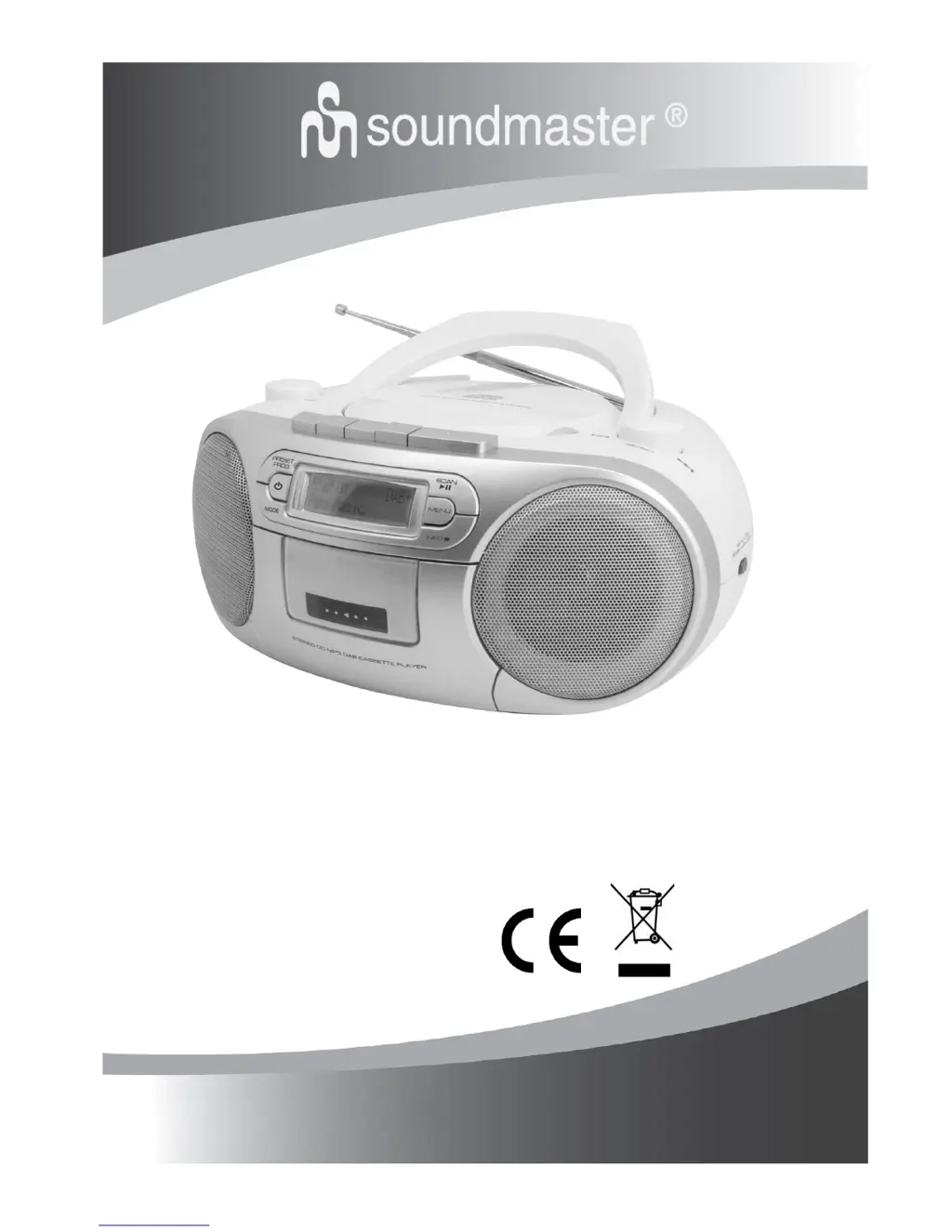
SOUNDMASTER SCD7900SW - User Manual

SOUNDMASTER SCD7900SW
17 pages
Print Icon
To Next Page IconTo Next Page
Loading...
DEUTSCH ITALANIO
ENGLISH NORSK
FRANÇAIS SVENSK
NEDERLANDS
SCD7900SW / SCD7900WE
Hersteller
Wörlein GmbH Tel.: +49 9103/71670
Gewerbestrasse 12 Fax.: +49 9103/716712
D 90556 Cadolzburg Email. info@woerlein.com
GERMANY Web: www.woerlein.com

Other manuals for SOUNDMASTER SCD7900SW

Questions and Answers

  • C
    Craig DudleyAug 8, 2025
    Why is there no sound coming from my SOUNDMASTER Stereo System?
    • E
      Emma RodriguezAug 9, 2025
      If your SOUNDMASTER Stereo System has no sound or power, check these potential causes: * Ensure the volume is properly adjusted. * Verify the mains cable is securely connected. * Confirm that the batteries are correctly inserted and not dead. Replace them with fresh ones if necessary. * If using a CD, make sure it contains audio or MP3 files, and skip any data files by turning the TUNING knob. * Check that the function selector is switched to the correct mode. * Also, ensure the current MODE is correctly selected.
  • H
    hwilliamsAug 13, 2025
    What to do if the CD display of SOUNDMASTER Stereo System is not functioning properly?
    • C
      Courtney VelezAug 13, 2025
      If your SOUNDMASTER Stereo System CD display isn't working or the controls aren't responding, try these solutions: * Switch off and unplug the unit, then reconnect it after a few seconds to address potential electrostatic discharge. * Insert a CD if none is currently inserted. * Replace or clean the CD if it's scratched or dirty. * Wait for the laser lens to clear if it's steamed up. * Use a finalized CD-R/CD-RW or a suitable CD Audio disc. * Ensure the CD isn't encoded with copyright protection technologies. * Set the FUNCTION selector to CD/USB and switch to CD mode by pressing the MODE button.
  • L
    Lynn HoweAug 19, 2025
    How to improve poor radio reception on SOUNDMASTER Stereo System?
    • P
      Patrick DiazAug 19, 2025
      To improve the radio reception quality on your SOUNDMASTER Stereo System, try repositioning the aerial while checking the signal strength. You can view the signal strength by tuning to a DAB station, pressing the INFO button, and then turning the TUNING knob.
  • T
    Timothy BrownAug 23, 2025
    Why does the CD skip tracks on my SOUNDMASTER Stereo System?
    • J
      jonathanstevensAug 23, 2025
      If the CD skips tracks on your SOUNDMASTER Stereo System, the issue might be due to a damaged or dirty CD. Try replacing or cleaning the CD. Also, if the program mode is active, quit it.
  • S
    Sarah RamosAug 28, 2025
    What to do if my SOUNDMASTER Stereo System has poor DAB/FM reception?
    • D
      Dr. Mark SummersAug 29, 2025
      To fix poor DAB/FM reception on your SOUNDMASTER Stereo System: * Ensure the FM aerial wire is fully extended. * Move the unit away from sources of electrical interference, especially devices with motors and transformers.
  • S
    Steven BoyerSep 2, 2025
    How to fix poor cassette sound quality on SOUNDMASTER Stereo System?
    • B
      bradleyperezSep 3, 2025
      If you are experiencing poor cassette sound quality with your SOUNDMASTER Stereo System, the issue might be due to dust and dirt on the heads. Clean the deck parts. Also, avoid using incompatible cassette types like METAL or CHROME.

Summary

Controls and Connections

Getting Started

Connecting Power

Steps to connect the unit to mains power and prepare for use.

Radio Operations

DAB Scanning

Procedures for scanning and tuning DAB radio stations and understanding display modes.

Listening to FM Radio

Guide to tuning FM stations, selecting audio modes, and display options.

Media Playback

Listening to a CD

Instructions for loading, playing, pausing, and unloading CDs.

Listening to an USB

Guide to connecting and playing music from a USB storage device.

Care, Maintenance & Troubleshooting

Troubleshooting

Common problems and their solutions for radio reception, playback, and unit operation.

SOUNDMASTER SCD7900SW Specifications

General IconGeneral
Tuner typeAnalog
Supported radio bandsFM, AM
CD playerYes
Cassette deckYes
USB portYes
Card reader integratedNo
Headphone outputs1
Headphone connectivity3.5 mm jack
Batteries required6
Power SupplyAC / Battery
FeaturesRadio, Cassette Player
Media typeCassette
RMS rated power3W
MP3 playbackYes
Power sourceAC, Batteries
Battery typeC size
Width340 mm
Depth230 mm
Output Power3 W

Related product manuals