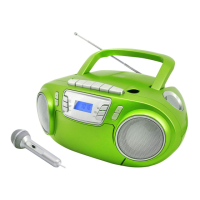
LISTENING TO A CD
LOADING DISCS
This player can playback CD and MP3 audio format.
To select CD
operation:
• Set the function selector to CD/ USB position,
press the
MODE
button to select
CD
mode.
Loading
a disc:
•
Lift up
the CD Door on top of the
unit
slowly.
•
Gently place
a
disc on the center spindle with the label side
upward.
•
Once
in
place, press the center of the disc until
it
clicks into place on the
turntable.
•
Close
the CD door.
After
a few
seconds
the
disc will read and the disc
data.
Unloading
a disc:
• If
the disc
is
playing, press the
STOP
button and wait
a
few seconds for the disc to
stop.
• Lift up
the
CD door
s
l
o
wly.
Grip the disc
at
the sides and lift
it
out of the disc co
m
p
artment
.


 To Next Page